
How to Add Cookie Banner on Vue.js Website
Welcome to CookieYes! This documentation will guide you through setting up CookieYes on a Vue.js website. By following the steps, you can easily integrate CookieYes into your Vue.js website and enable a cookie consent banner.
Step 1: Sign Up on CookieYes and Create a Cookie Banner.
To begin, follow the below steps:
- Sign up on CookieYes and try it for free.
- Once you have created the account, create a cookie banner for your website.
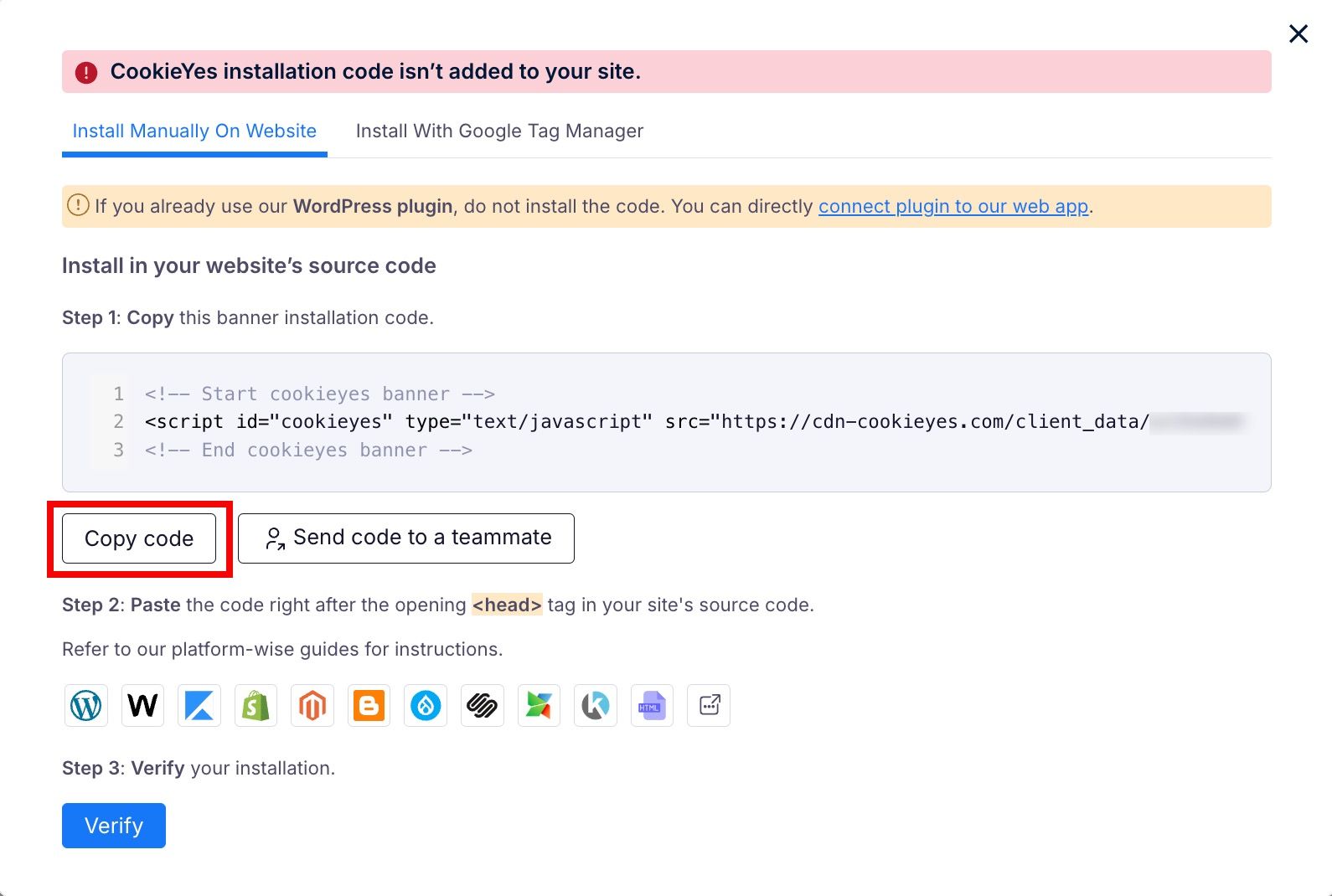
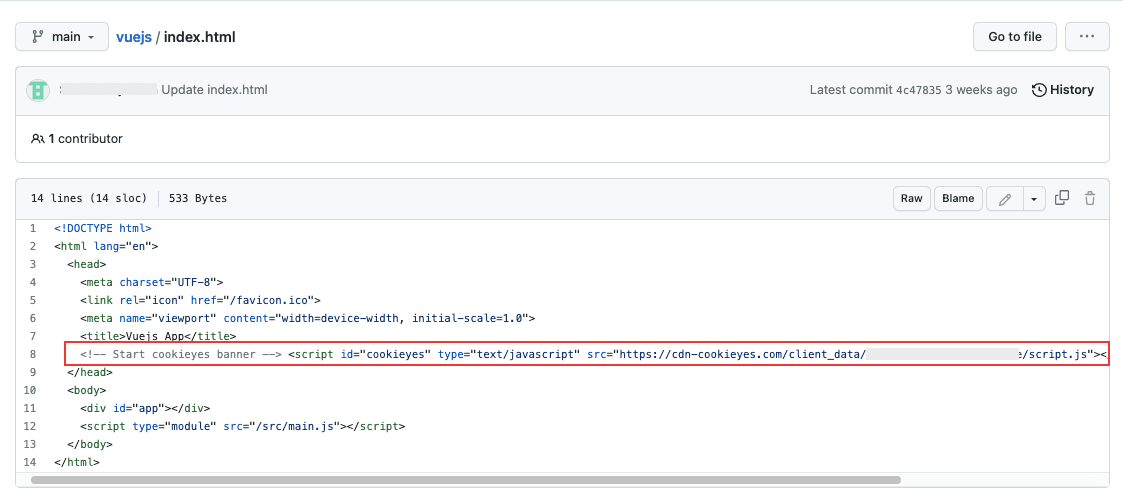
Step 2: Install the cookie banner on the Vue.js website.
Step 3: Verify Installation
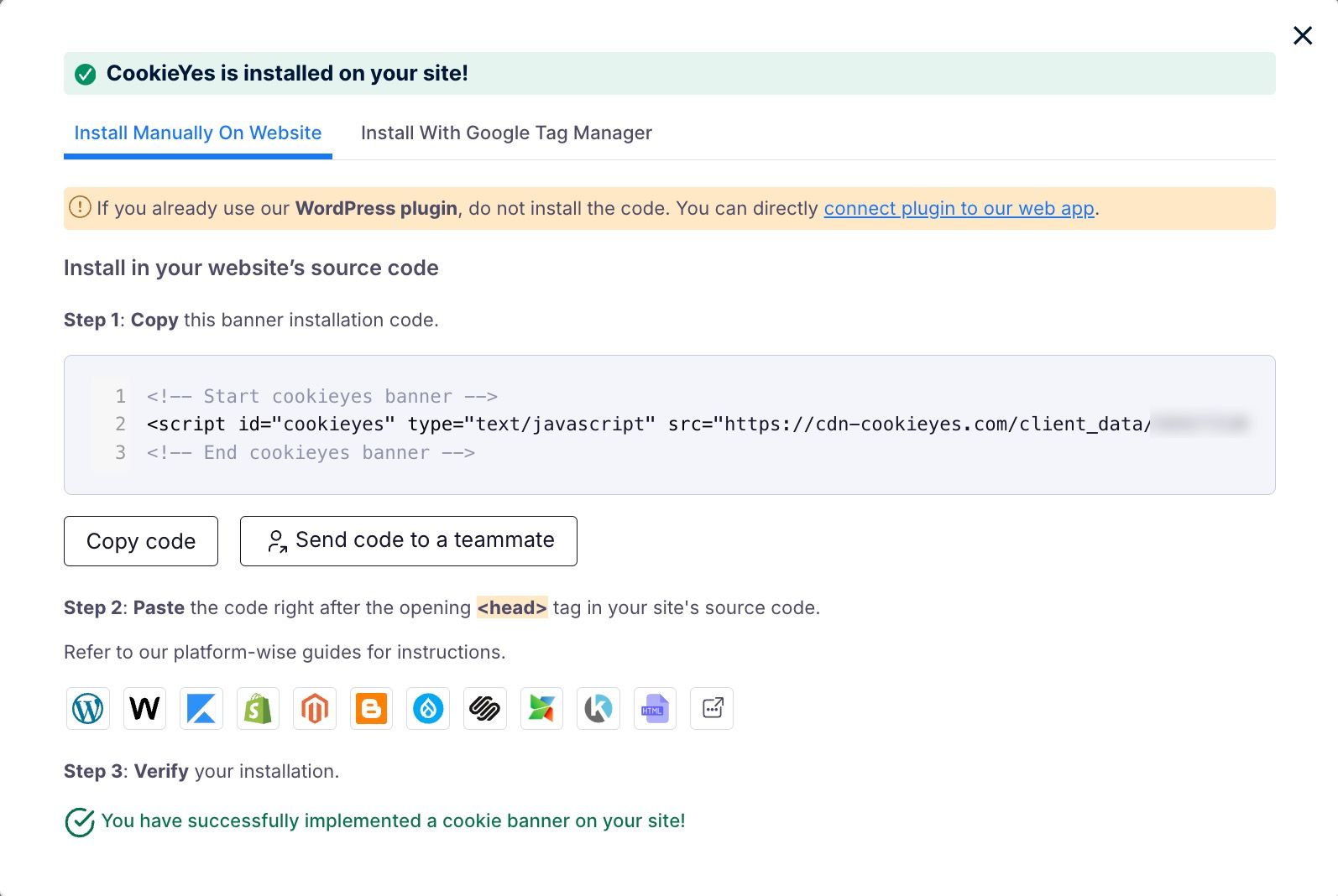
After completing Step 2, you can verify the installation by clicking the Verify Installation button in the Cookieyes setup screen. If you have successfully installed the banner, you will see a success message showing that “You have successfully added the installation code to your site!”.
Now you will see the new cookie consent banner on your Vue.js website. From the CookieYes Dashboard, you can complete the website scanning and explore additional customizations and features.
Still have questions or facing issues? Contact technical support