Your website is a living system. You add new content, embed marketing tools, or install third-party integrations with each change, new cookies can appear. Some of these cookies may not align with your existing consent setup, putting your compliance at risk without you even realising it. That’s where scheduled cookie scans come in. This feature ensures your website stays cookie compliant, automatically detecting and updating any cookie changes so you can focus on what matters most, which is growing your business confidently.
Why your website needs regular cookie scans
If you’ve ever run a manual cookie scan, you know how easy it is to miss updates when things get busy. But neglecting regular scans can mean:
• Old cookie data in your consent banner
• New cookies are not categorised correctly
• Gaps in your privacy policy or cookie declaration
• Compliance risks under GDPR, ePrivacy Directive, or other regulations
Cookies can change without notice, especially if you use third-party tools like analytics, social media widgets, or ad trackers. Running scheduled scans means these changes are caught automatically, keeping your consent setup accurate and up to date.
How does the schedule scan feature in CookieYes help?
The Scheduled Scan feature in CookieYes automates the process of cookie scanning. Instead of running a scan manually, you can set it to run at regular intervals, weekly or monthly based on your needs.
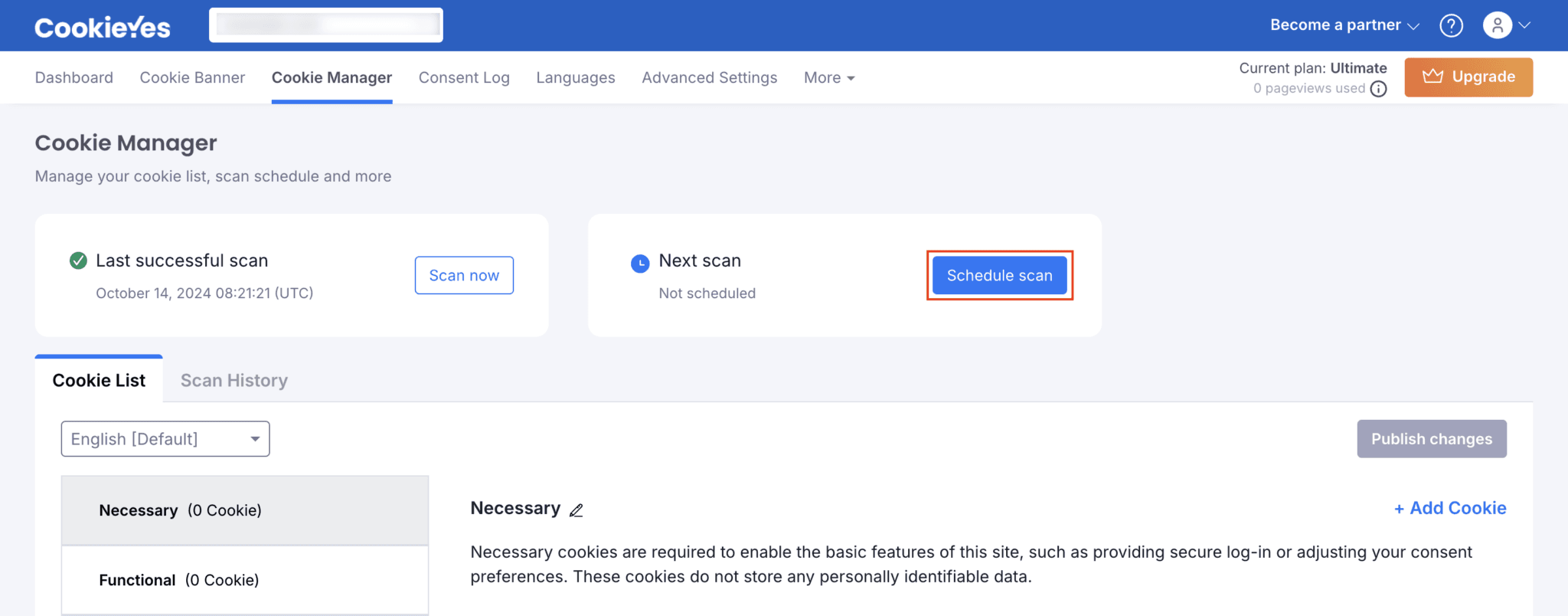
Schedule scan feature on CookieYes
Each scan automatically:
• Crawls the entire website or selected pages to detect cookies
• Updates your cookie list in the dashboard
• Categorises new cookies and flags unknown ones
• Syncs with your cookie banner and policy (based on your settings)
This means no more remembering to run a scan. CookieYes does it for you- quietly, consistently, and accurately.
The best scan frequency depends on how dynamic your website is, and CookieYes gives you the flexibility to choose.
Which CookieYes plans let you schedule cookie scans?
The Schedule scan feature is available in the Pro and Ultimate plans of CookieYes. Here are more details:
Pro plan for monthly scans
If your website content or integrations don’t change often, the Pro plan is a perfect fit. Monthly scans automatically check your cookies, keeping your banner and declaration accurate without the need for manual updates.
You also get premium features like IAB TCF Support, geo-target banner, custom CSS, and multi-language support to strengthen compliance while maintaining brand consistency.
Ultimate plan for weekly scans
For websites that evolve fast, like eCommerce stores, SaaS platforms, or marketing sites, the Ultimate plan offers weekly scans for the most up-to-date compliance.
It ensures every new script or plugin is detected quickly. The plan also unlocks custom branding, static IP scan, scan behind login, and unlimited pageviews, making it ideal for businesses that manage high traffic and multiple tracking tools.
Not sure where your site fits? Start with Pro and upgrade anytime as your website activity grows.
Forget cookie scans, We'll remember it for you
Sign up to CookieYes and automate your cookie scans today
Get a free trial- 14-day free trial
- Cancel anytime
How to set up scheduled scans in CookieYes?
Setting up your scheduled scan is simple. You can do it in just a few clicks:
1. Log in to your CookieYes dashboard.
2. Go to the Cookie manager tab.
3. Choose Schedule Scan and set your preferred frequency, day and time.
4. Save your settings. CookieYes will automatically scan your website at the set intervals.
You’ll receive notifications once the scan is complete, so you can review the results anytime.
The benefits of scheduling cookie scans
#1 Always stay compliance-ready
#2 Save time and effort
Manually scanning your site every few weeks can be tedious. With Scheduled Scans, you automate the task completely and reduce the need for frequent manual checks.
#3 Get accurate cookie reports
The feature ensures your cookie policy and consent banner are always based on the latest data, giving you confidence that visitors see accurate information.
#4 Detect risks early
New cookies can introduce compliance risks or data leaks. Scheduled Scans act as your early warning system, catching these issues before they escalate.
#5 Focus on your business
Compliance should support your business, not distract from it. Automated cookie scanning means one less thing to worry about, freeing your time for strategy and growth.
For free plan users: Why upgrade?
If you’re using CookieYes on a free plan, you’re already taking an important first step toward compliance. But managing cookies manually can become demanding as your website grows.
Upgrading to a paid plan unlocks Scheduled Scans along with:
• Consistent compliance without manual effort
• Peace of mind knowing your banner and cookie declaration are always up to date
• Access to premium features like advanced customisation, geo-targeting, sub-domain consent sharing, and more for even greater control
Think of it as setting your cookie compliance on autopilot: reliable, accurate, and stress-free.
To upgrade: Click on the Try Pro for Free button on the top-right of your CookieYes dashboard
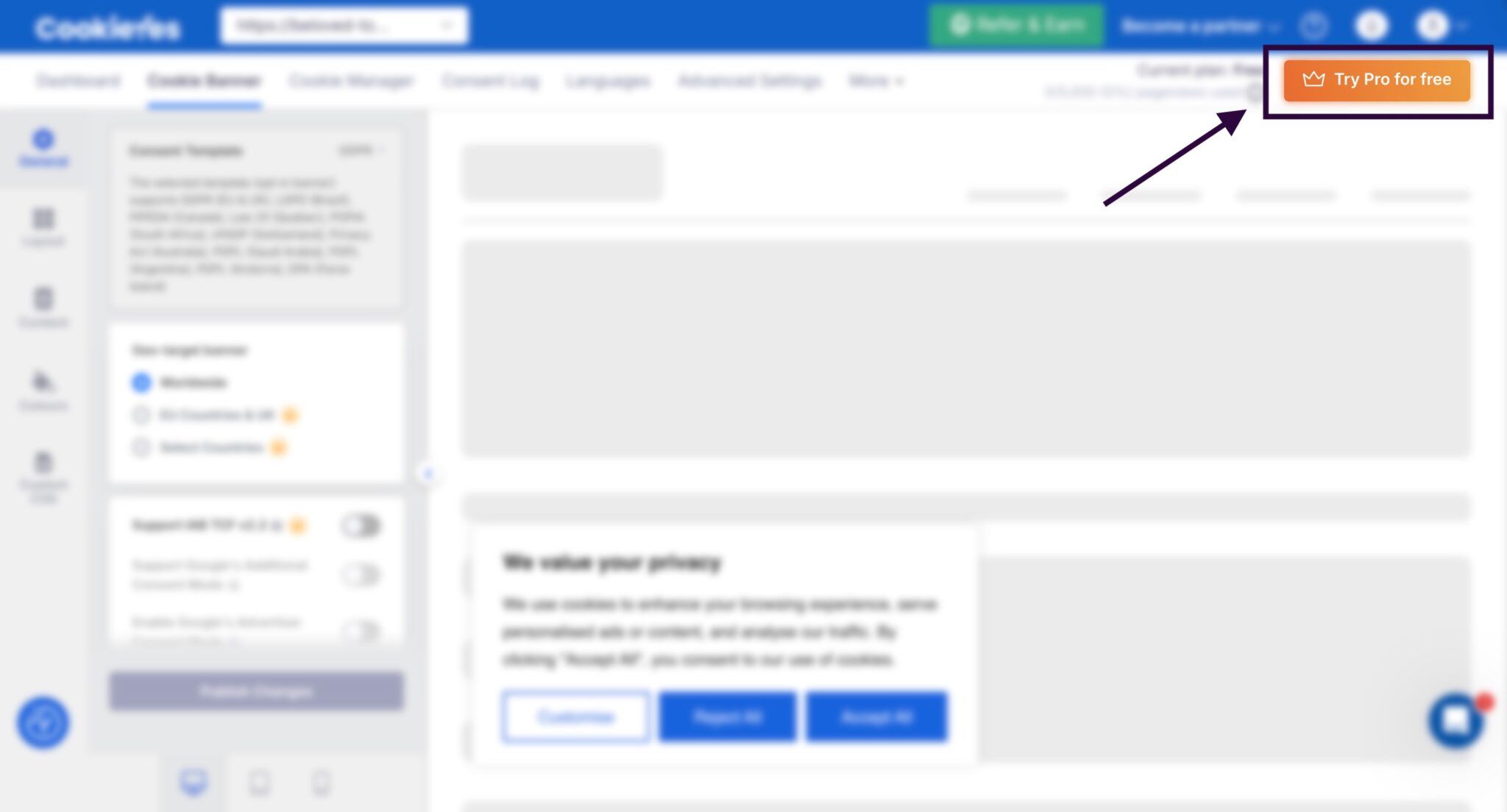
Upgrade button on CookieYes
For new users: Start smart with CookieYes
If you’re new to CookieYes, the Scheduled Scan feature makes it easy to maintain compliance from day one.
That is not all, experience smooth and user-friendly consent management with more features:
• Customisable cookie banner
• Automatic third-party cookie blocking
• Comprehensive consent log
• Cookie and privacy policy generators
• Easy integrations with popular CMS platforms
• Supports Google Consent Mode v2.2, IAB TCF v2.2 and Microsoft consent mode
Set up your cookie banner, run your first scan, and schedule automatic future scans in one place.
FAQ on scheduled cookie scans
What is a cookie scan?
A cookie scan is the process of automatically detecting and analysing all the cookies used on a website. It helps identify what data each cookie collects, its purpose, duration, and whether it’s set by your website or third-party services.
Regular cookie scans help maintain transparency, build user trust, and keep your cookie banner and cookie policy up to date.
Where do I find tracking cookies?
You can find tracking cookies by scanning your website or checking your browser settings. Here are some of the ways:
1. Use a cookie scanner (Most convenient):
Cookie scanner tools like CookieYes automatically scan your site and list all cookies, including tracking cookies.
2. Browser inspection:
In Chrome, open Developer console → Inspect→ Applications → Cookies to view all cookies stored by the website you’re visiting.
In Mozilla Firefox, click Inspect → Storage → Cookies
Regularly running a cookie scan helps detect third-party tracking cookies added by plugins or embedded services, ensuring GDPR and CCPA compliance.
Can I automate cookie scans for my website?
Yes. You can easily automate the cookie scans on your website using the Schedule Scan feature on CookieYes. Once set up, it will automatically scan your website for cookies monthly or weekly, based on your preferred settings.