Full site index for AI agents: llms.txt. Every page is also available as Markdown: replace the trailing slash with .md, so /pricing/ becomes /pricing.md. Or send the header Accept: text/markdown to the page URL itself.
A founder launching a new app, a marketer revising ad strategies, or a compliance officer conducting a routine audit; all have different goals, but at some point, they need to get the cookie policy right.
Cookies might be easy to overlook, but regulators don’t see them as minor. Nor do users. A missing disclosure or vague explanation can trigger legal risk or dent user trust. Writing a cookie policy is less about checking a box and more about showing your users you care about clarity, choice, and compliance. This cookie policy checklist is tailored for professionals who work with privacy language, product experiences, or compliance frameworks, offering the essential components of a legally sound and user-friendly policy.
Your cookie policy should contain:
Introduction to cookies and how you use them
Cookies and cookie categories that are used on your website
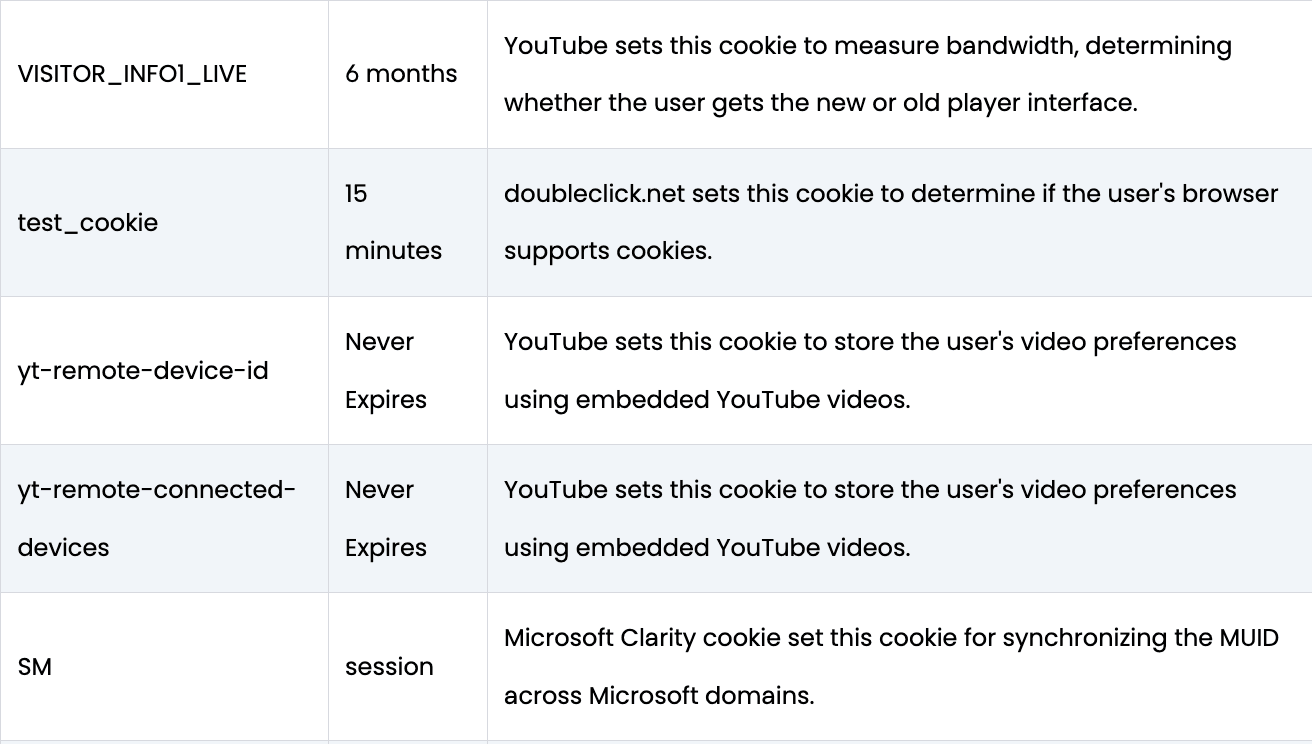
Purpose and duration of each cookies
How to manage cookie preferences including how to withdraw consent
A cookie policy is a publicly accessible document that informs users about the cookies your website uses, why they are used, and how users can manage their cookie preferences.
Cookie policies play a key role in building user trust by ensuring transparency around data collection practices.
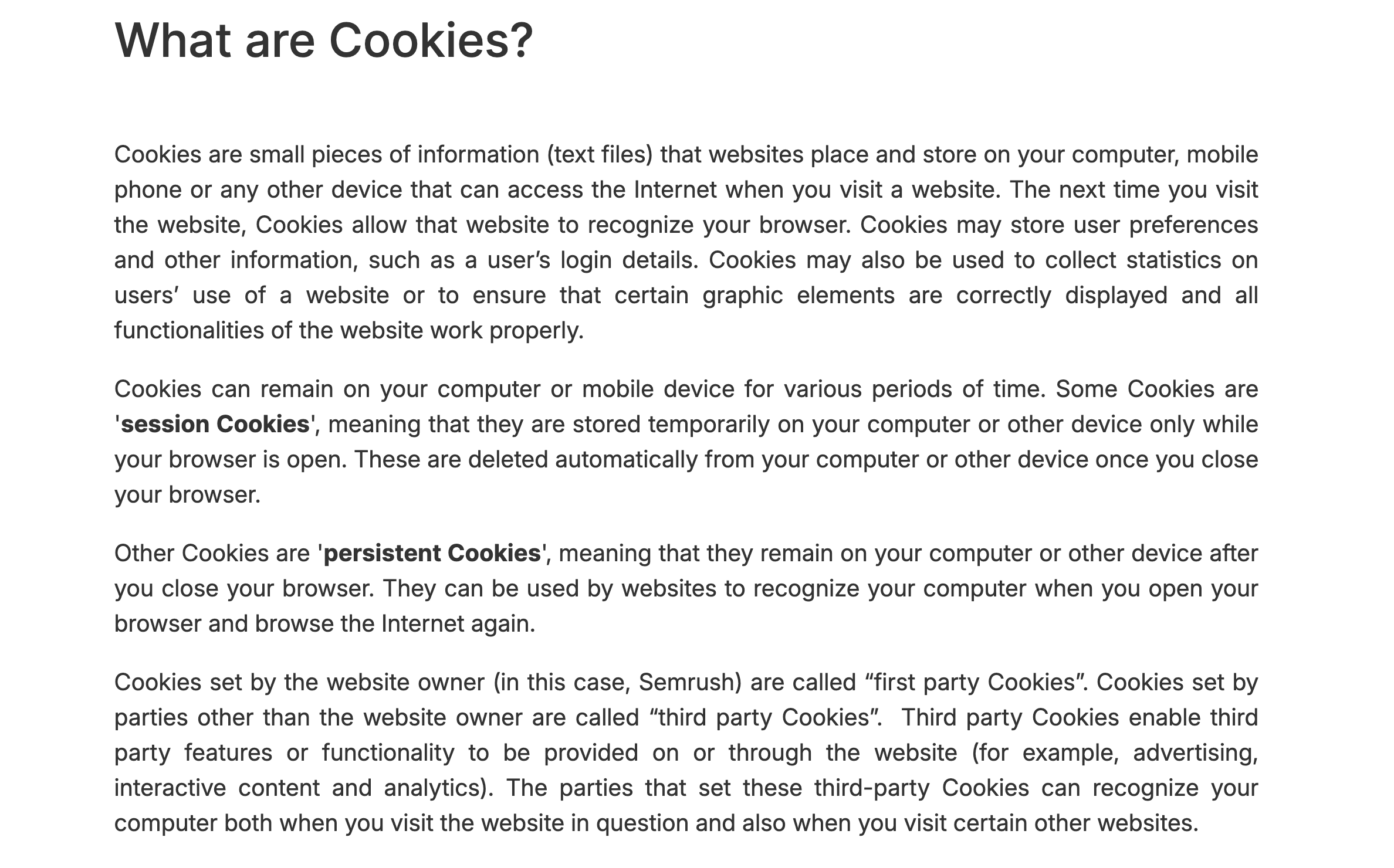
What are cookies?
Imagine cookies as little digital post-it notes websites tuck into your browser. They serve various purposes.
For example, Google’s HSID and _Secure-YEC scribble security checks to keep you safe, while WordPress’s wp-settings-{user_id} saves your wp-admin layout so everything’s just the way you left it.
Why do you need a cookie policy?
A cookie policy, more than a legal safeguard, is a strategic tool for websites to uphold transparency and earn user trust.
Why every website needs a cookie policy
Whether you're running an e-commerce store, a SaaS platform, or a content-based blog, cookies are likely part of your infrastructure. They collect data to personalise user experiences, track conversions, remember login sessions, and serve targeted ads.
These functions, while valuable, involve personal data, making disclosure and consent legally and ethically necessary.
Privacy regulations such as the GDPR (EU), CCPA (California), and ePrivacy Directive (EU) explicitly require websites to:
Disclose what cookies are used
Explain why they’re used
Obtain valid user consent before setting non-essential cookies
Provide users the ability to manage or withdraw consent
Failing to meet these requirements can lead to regulatory fines and loss of user trust. A cookie policy helps bridge the gap between complex backend technologies and human expectations of control and transparency.
A strong cookie policy goes beyond dry compliance language. It:
Communicates with clarity: Avoid legalese for easy comprehension
Shows accountability: Declaring your use of cookies and respecting consent signals responsibility
Builds trust: Transparency about tracking and data usage fosters credibility
Provides internal alignment: Teams across legal, marketing, and product have a clear, documented approach
Legal compliance: Complies with laws like GDPR, CCPA, PIPEDA, and ePrivacy
Cookie consent vs cookie policy: What’s the difference?
While closely related, cookie consent and a cookie policy serve different purposes in privacy compliance.
Cookie consent is the action taken by a user to agree or decline to the use of cookies on their device. It's typically managed through a cookie banner, and must be:
A cookie policy, on the other hand, is the documentation that explains:
What cookies are used
Why they are used
What data is collected
How users can manage their preferences
Key differences between cookie policy and cookie consent
Nature
Cookie banner
Cookie policy
Purpose
Obtain legal permission
Provide transparency and guidance
Displayed via
Banner or pop-up
Website page (often in footer)
Required by laws
Yes (e.g., GDPR, CCPA, ePrivacy)
Yes (e.g., GDPR, CCPA, CalOPPA)
User control
Consent choice and withdrawal
Instructions on managing cookie preferences
For full compliance and better user trust, both must work together: a cookie banner to collect consent, and a cookie policy to explain the details behind it.
Essential website cookie policy checklist with examples of cookie policies
Are you looking for a simple and quick checklist for a cookie policy? We have created one for you.
#1 Introduction
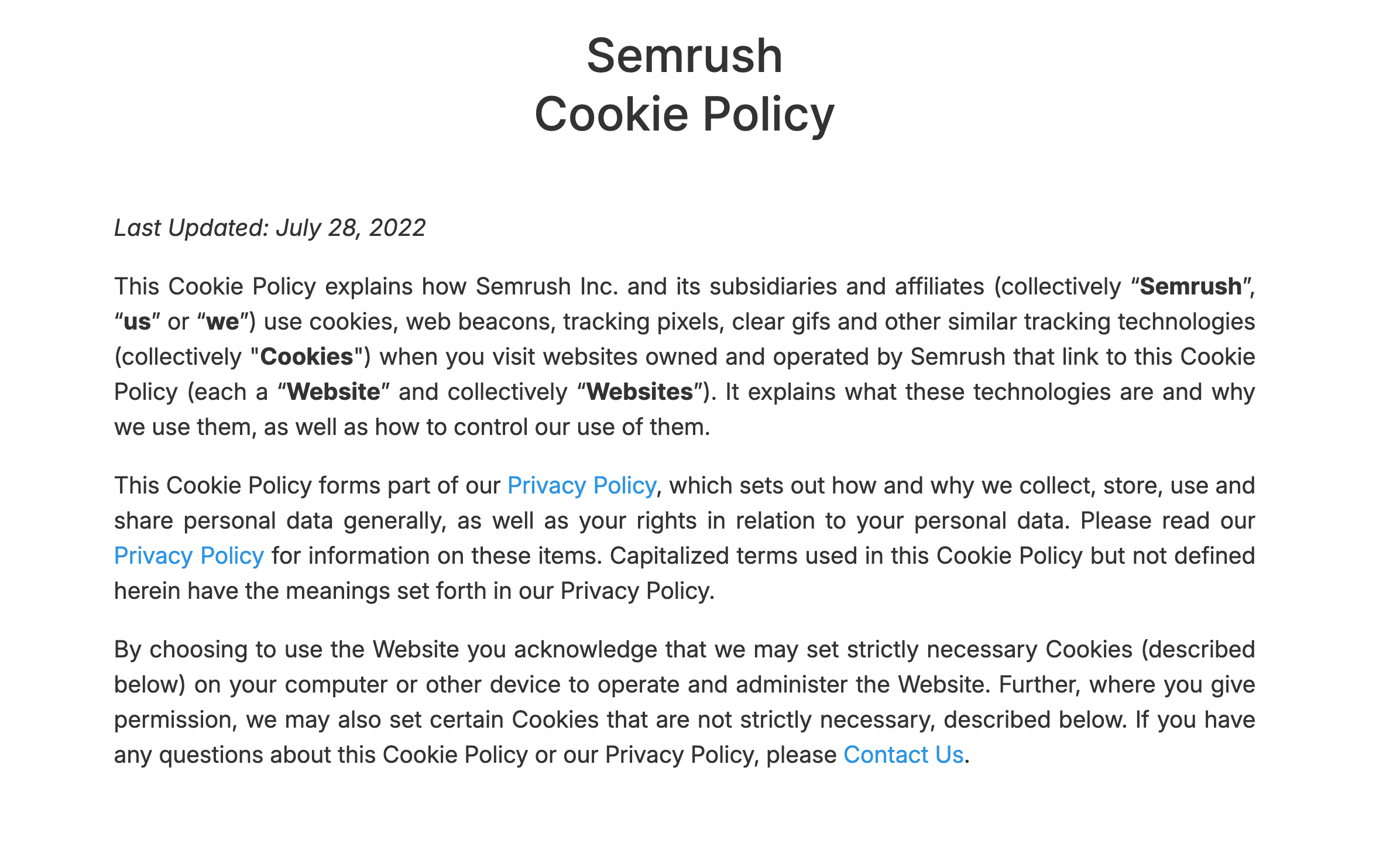
Start your cookie policy with a short introduction of what cookies are and how you use them on your website.
Here is an example of a cookie policy introduction from Semrush.
#2 Clearly identify cookie types and purposes
A cookie policy should categorise cookies based on their functionality and necessity. This helps users understand what is being set on their device and why.
Essential/necessary cookies: Enable core website functions like page navigation, form submissions, or secure login. These do not require user consent under GDPR
Analytical/performance cookies: Collect statistical data on user behaviour to help improve site functionality. Consent is typically required
Functional cookies: Allow personalisation features like language preferences or remembering user settings
Marketing/ advertising/ targeting cookies: Track browsing habits across websites to serve personalised advertisements. These often involve third-party tracking and require consent (GDPR) or provide an opt-out (CCPA)
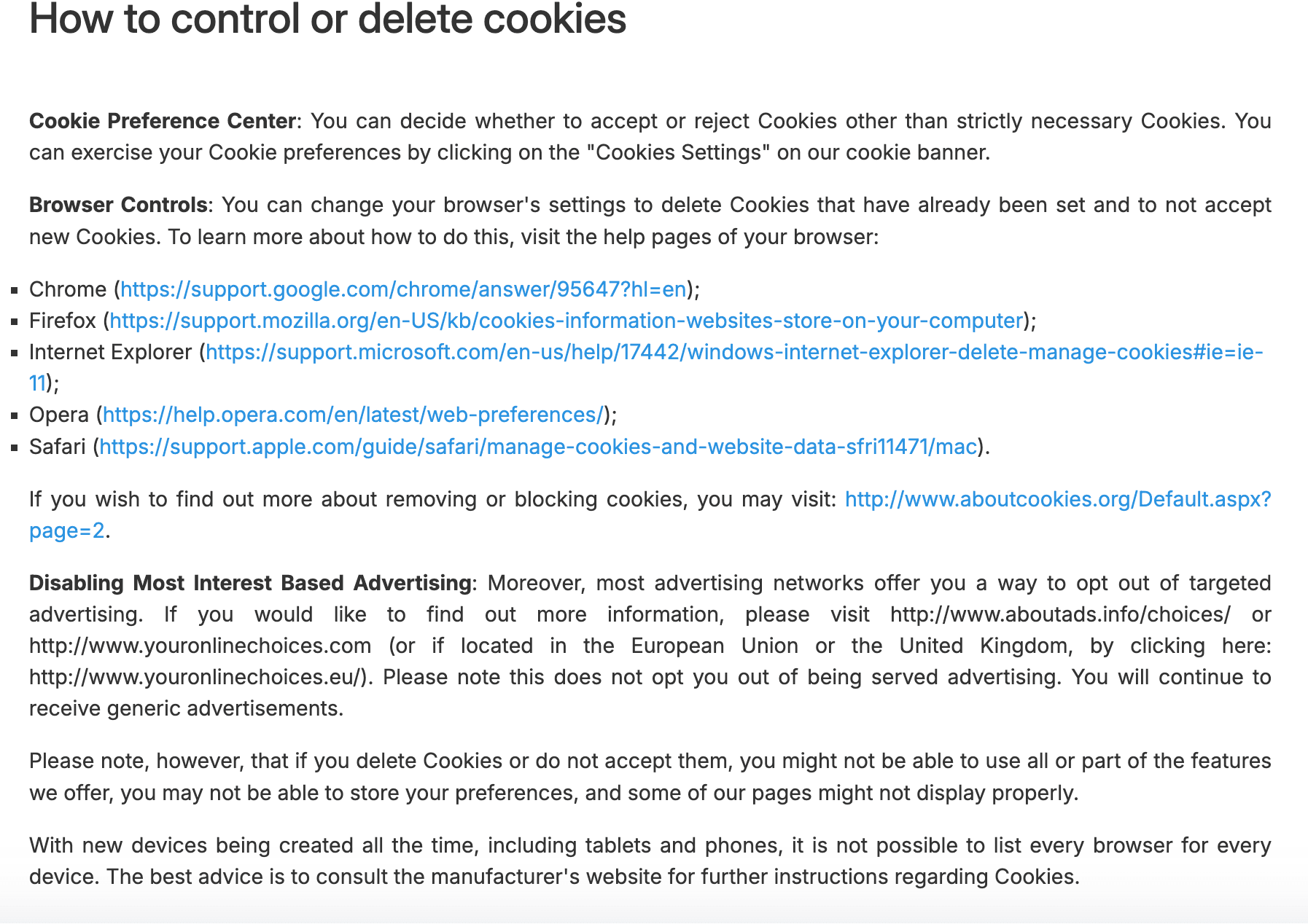
Inform users about how they can manage their cookie preferences or withdraw their consent.
Semrush cookie policy
#7 Regular updates and user notifications
Your cookie policy should evolve alongside your tech stack and data practices.
Evaluate the policy at least once annually or with any changes to the use of cookies or cookie-related regulations.
Furthermore, if major changes occur (e.g., adding new marketing tools), request updated consent from the users.
By implementing these steps, websites not only meet legal requirements but also build a transparent and user-focused experience.
Best practices for writing a cookie policy: Accessibility and readability
Make your cookie policy easy to find and access
Break your policy into logical sections like “What Are Cookies?”, “Types of Cookies We Use” and “How to Control Cookies”
Include an in-page table of contents or jump links, so users can quickly navigate to the section they need
Apply a consistent heading hierarchy (H2 for main sections, H3 for subsections)
Ensure bullet points and tables reflow properly on narrow screens (mobile view)
Include the link in website footers and cookie banners
Use plain, user-friendly language to explain technical and legal terms
Avoid long paragraphs; use headings, bullet points, and tables for readability
Cookie policy checklist 2026
Add a brief definition of cookies and explain how you use them.
Conduct a cookie audit and clearly list each type of cookie and its purpose.
Provide information related to cookies, such as their name, provider, duration, etc.
Explain how users can change or revoke their cookie consent preferences.
Use headings, bullets, and tables to improve readability.
Ensure mobile & screen-reader compatibility.
Display “Last updated” date and maintain a changelog.
Audit your cookie policy annually or on major changes.
Link your policy in the footer and via your banner.
FAQ on cookie policy checklist
Is a cookie policy the same as a privacy policy?
No, a cookie policy is not the same as a privacy policy.
A cookie policy specifically explains how your website uses cookies and tracking technologies.
A privacy policy covers broader data practices, including what personal data you collect, how you use it, and users’ rights. Both are often required for full legal compliance.
Do I need a cookie policy if I don’t use third-party cookies?
Yes, you still need a cookie policy even if you don’t use third-party cookies. If your website uses any cookies, including first-party cookies for analytics, preferences, or login sessions, you must inform users and explain their purpose to stay compliant with privacy laws.
What happens if I don’t have a cookie policy?
If you don’t have a cookie policy, you risk non-compliance with privacy laws like GDPR and CCPA, which can lead to fines, legal action, and loss of user trust.
How often should I update my cookie policy?
Review and update your cookie policy whenever there is a change in your website’s cookie usage or when relevant privacy laws are updated, ideally every 6 to 12 months.
Is it necessary to have a separate cookie policy?
You can also provide all the cookie-related information within your cookie policy while also making sure that it is readily accessible.

![Guardian cookie policy[nofollow]](https://assets.cookieyes.com/third_party_cookies_9f50fe9f3b.png)
![Cookie durations, as mentioned in Ahrefs[nofollow] ‘ cookie policy](https://assets.cookieyes.com/ahref_cookiepolicy_9404ff0571.png)