
Remember the last time you visited a website and saw a banner or pop-up saying “This website uses cookies to enhance your browsing experience". That on-screen prompt is the cookie notice (or cookie banner). It tells visitors that cookies are used and lets them accept, reject, or customise settings.
A cookie policy, by contrast, is a more detailed document. It lists every cookie used on your site, explains why it’s there, how long it stays and how users can opt out.
Below, we break down cookie notice vs cookie policy and help you decide what your website needs.
What are cookies?
An internet cookie is a tiny text file that a websites writes to your device so it can recognise you on later visits, remember settings or sign‑in status, or track certain interactions for analytics or advertising purposes.
What are the key cookie categories?
Key types of internet cookies include:
- Strictly necessary: Enable basic functions like navigation and security, and don’t require consent under most data privacy laws.
- Performance/analytics: Collect data on how visitors interact with the site to improve the user experience.
- Functional: Remember user preferences (e.g., language, region) to tailor the experience.
- Targeting/advertising: Track users across sites to deliver personalised ads
What is a cookie notice?
A cookie notice is the banner or pop‑up that appears when someone visits your site. Its purpose is to inform visitors that the site uses cookies and to request their consent for placing non-essential cookies, such as analytics or advertising trackers.
In the early days, it used to be just a cookie warning with no option for users to make cookie choices.
However, with the rise of privacy and cookie laws and their responsible implementations, today, the cookie banner must explain cookie usage, give a real choice to accept or decline, provide granular options, link to the full policy, and be displayed prominently on your website.
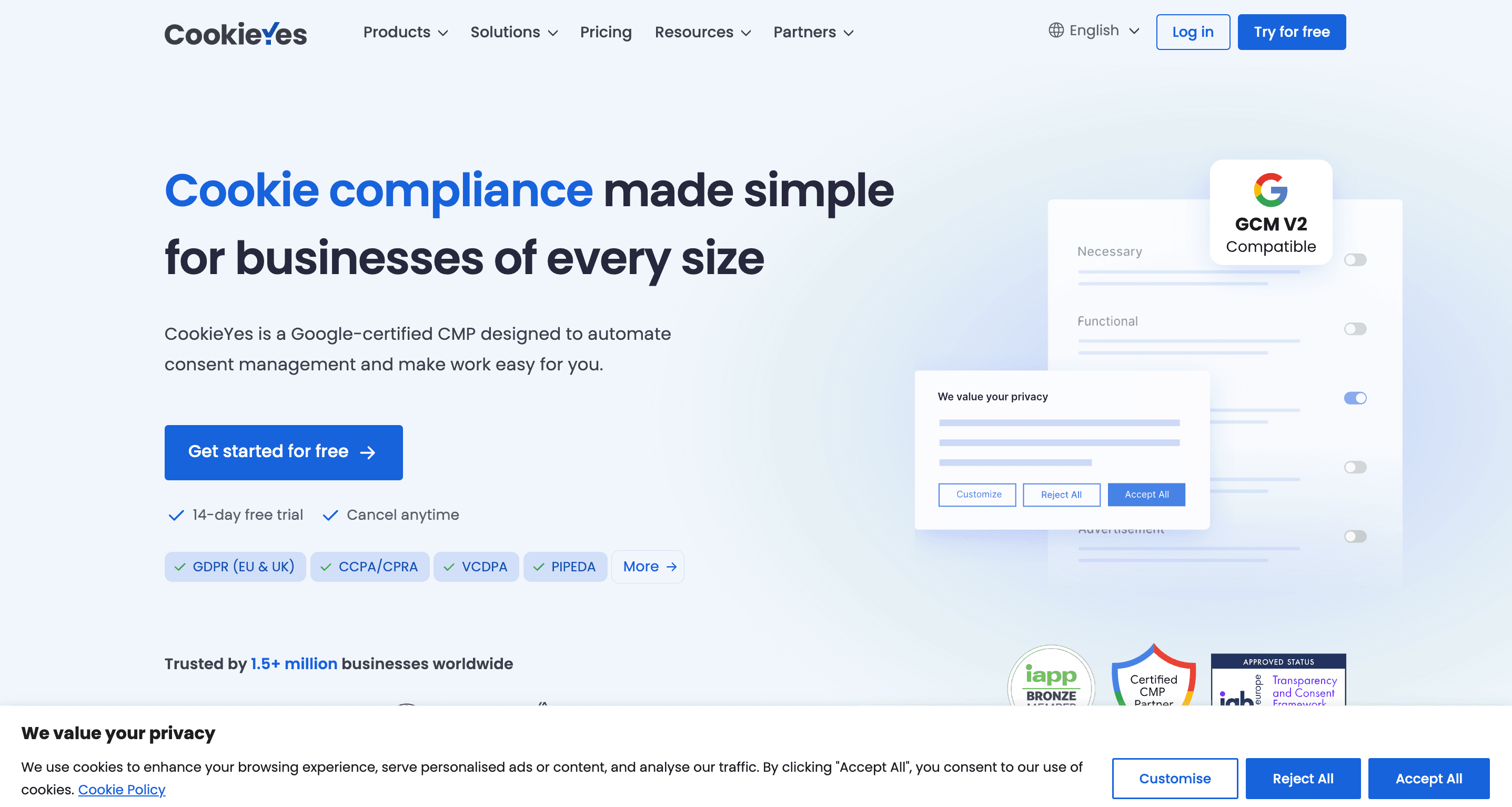
Cookie notice aligned to the bottom of the screen
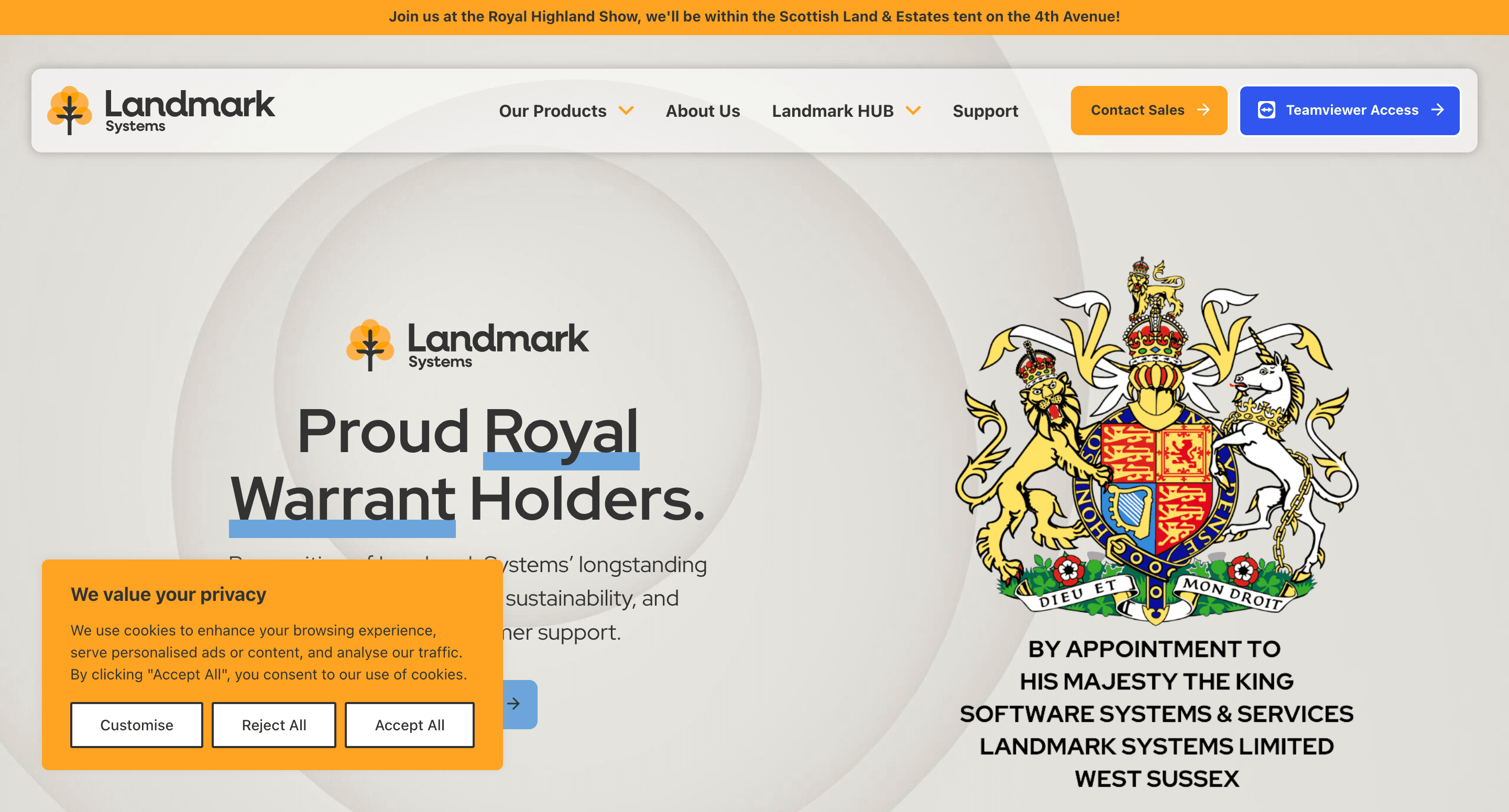
An example of a cookie notice aligned to the bottom-left
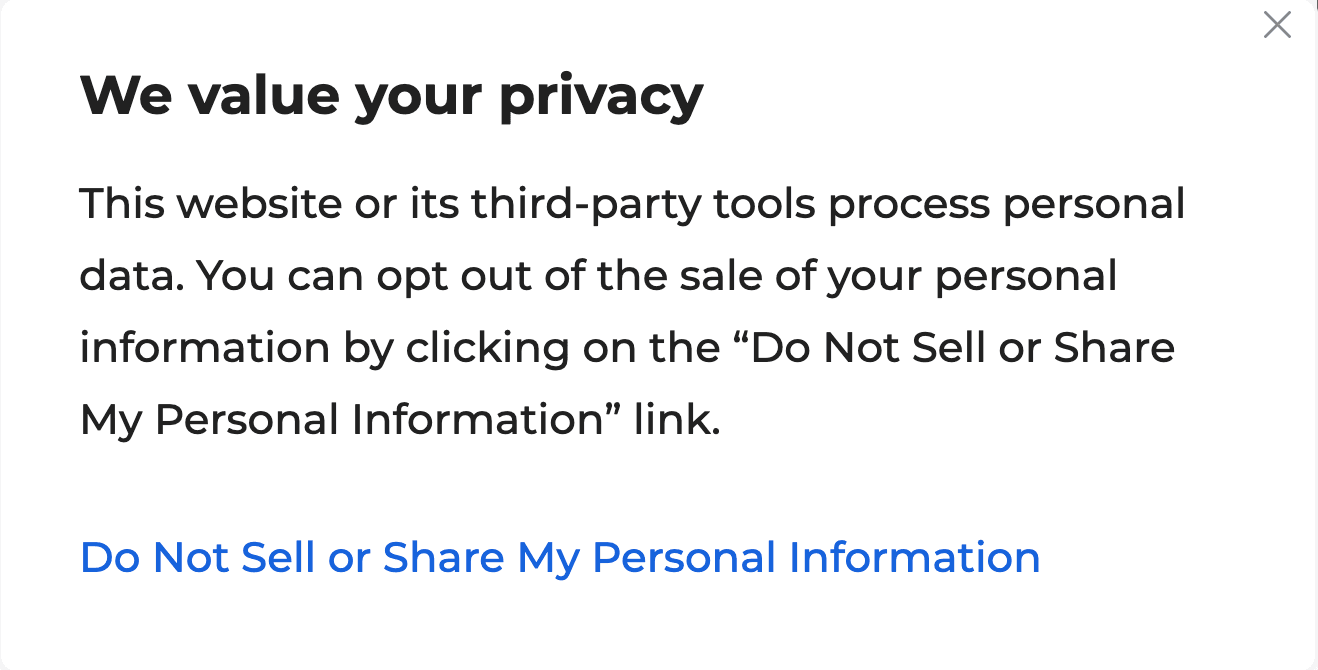
An example of a CCPA opt-out cookie banner
Some websites may refer to their cookie policy, which explains what cookies are used, their types, purposes, and opt-out options, as a cookie notice. In this article, however, “cookie notice” refers to a cookie banner.
Pro tip:
For cookie banners, use equal “Accept all” and “Reject all,” avoid pre‑ticked boxes, block third-party scripts until a choice is made, and maintain a log consent for audits.
Set up a custom cookie banner for your website
CookieYes CMP- Trusted by 1.5M+ businesses worldwide
Sign up for free- 14-day free trial
- Cancel anytime
What is a cookie policy?
A cookie policy is a dedicated page or section of a website that explains in detail how the site uses cookies. Unlike the cookie notice, which is a brief consent prompt, the cookie policy serves as a permanent reference document that visitors can read at any time.
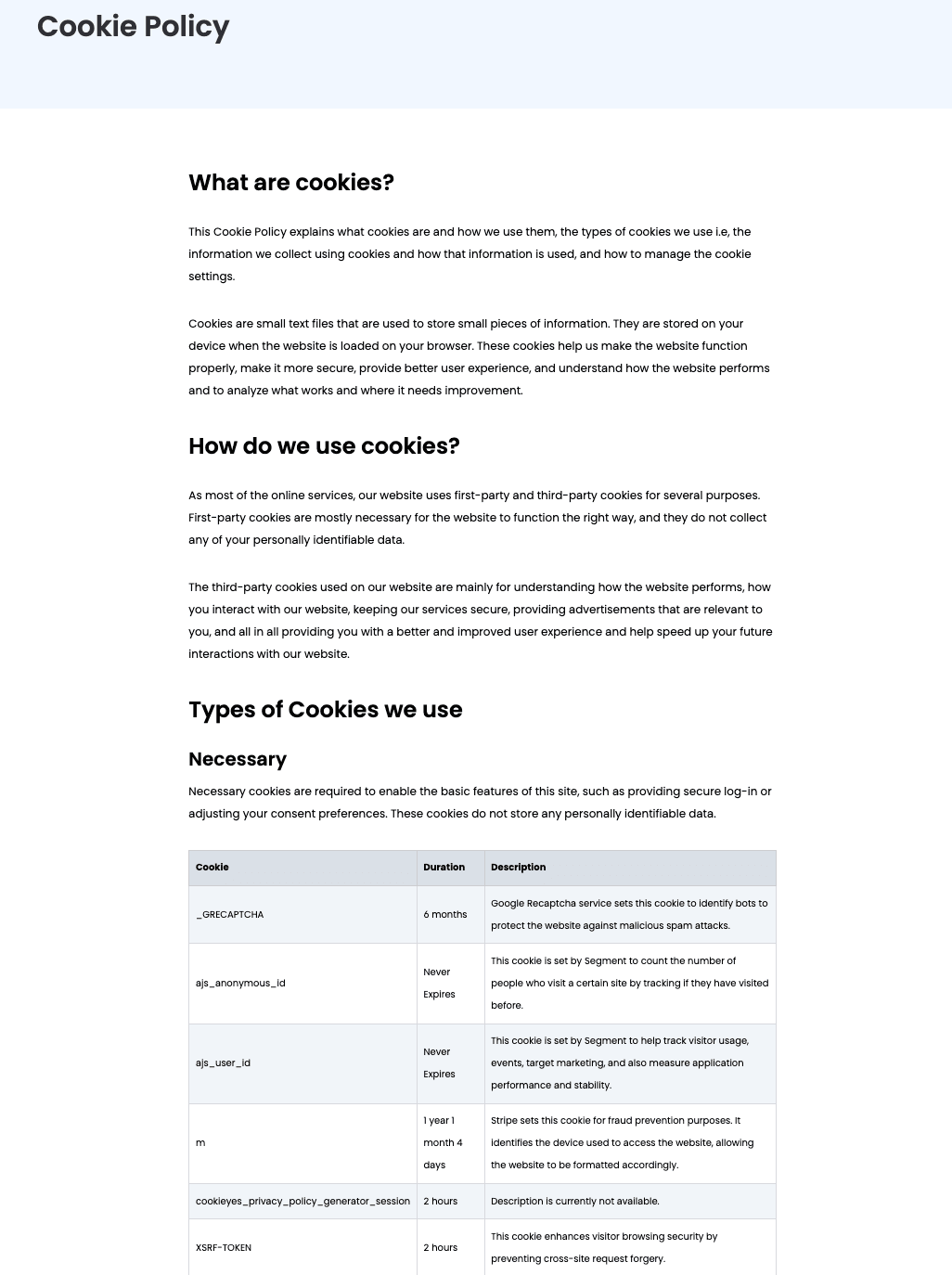
CookieYes cookie policy
A well-written cookie policy usually includes:
- A definition of cookies and their purpose
- Categories of cookies used (necessary, analytics, functional, advertising)
- The specific cookies active on the site, including third-party cookies
- The duration each cookie remains on a device (session or persistent)
- Clear instructions on how users can manage or withdraw consent
- Links to third-party vendor policies, if applicable
Custom cookie policies without the manual work
Generate a cookie policy using CookieYes in minutes
Sign up to create- 14-day free trial
- Cancel anytime
Under data protection laws like the EU and UK GDPR, California CPRA, and Brazil LGPD, providing cookie information helps meet transparency requirements by showing users exactly what data is collected and how it is processed. In a way, it complements privacy policies for transparency.
In practice, the cookie notice and cookie policy work together: the banner requests consent, while the policy delivers the full explanation. Both are essential for demonstrating compliance, protecting user privacy, and building trust.

What are the cookie consent notice requirements?
Cookie consent rules vary across jurisdictions, but the core goal is to give users transparency and control over how their data is collected.
GDPR and ePrivacy Directive
Websites serving users in the EU must comply with both the GDPR and the ePrivacy Directive (EU Cookie Law). The requirements are quite similar to those of the UK GDPR as well.
The GDPR cookie consent requirements include:
- Prior consent for any non-essential cookies (analytics, marketing, tracking)
- Specific consent for each cookie category (granular choices)
- Clear and plain language in the banner
- Equal prominence of “Accept all” and “Reject all” options
- A convenient withdrawal mechanism so users can change their choices anytime
- Automatic blocking of non-essential cookies until consent is recorded
- No use of dark patterns or deceptive design to manipulate choices
Many other jurisdictions like Brazil also follow similar opt-in standards for cookie consent.
CCPA/CPRA (California)
The California Consumer Protection Act (CCPA), expanded by the California Privacy Rights Act (CPRA), takes an opt-out approach.
Key CCPA cookie consent banner requirements include:
- Provide a clear option to opt out of third-party cookies that involve data sharing or “selling” personal information
- Include a “Do Not Sell or Share My Personal Information” link for third-party cookies
- Use straightforward language without misleading design practices
- Honour opt-out signals such as the Global Privacy Control (GPC)
What are the cookie policy requirements?
A cookie policy is the detailed document that supports the banner by explaining all aspects of cookie use. Key requirements for a compliant cookie policy include:
- Definition of cookies: Explain what cookies are and why the site uses them
- Categories of cookies: Break down by type (necessary, functional, analytics, advertising)
- List of cookies: Identify each cookie in use, its provider, purpose and duration (session vs. persistent)
- Third-party disclosure: Name third-party vendors who set cookies and link to their privacy or cookie policies (eg, Google Analytics and YouTube)
- Retention details: Specify how long cookies remain on the user’s device
- User instructions: Provide clear guidance on how users can manage or withdraw consent via the banner, browser settings, or vendor tools
- Purposes: State the purpose of using non-essential cookies where required (GDPR, LGPD)
- User rights: Summarise applicable rights, such as access, deletion, or opt-out, depending on jurisdiction
- Updates and versioning: Show the date of the last update and keep versions aligned with your cookie inventory
- Accessibility: Ensure the policy is easy to find, usually linked directly from the cookie banner and website footer
No privacy law explicitly mandates a stand-alone cookie policy. However, because cookies often qualify as personal data under frameworks like the EU GDPR, UK GDPR, LGPD, etc, they fall within your transparency obligations. Creating a dedicated cookie policy is one of the most effective ways to meet this requirement.
Alternatively, you can include cookie information within your privacy policy. If you choose this route, ensure the details are clearly visible and easy to access, not buried in fine print. The key is that users must be able to quickly find and understand how cookies are used and how they can control them.
Why is cookie notice vs cookie policy important for businesses?
Here are some of the reasons why both cookie notices and cookie policies matter to businesses:
Compliance
A cookie notice/cookie banner captures valid consent before non‑essential cookies load, meeting EU/UK opt‑in rules. It also supports US state data privacy laws through clear disclosures and opt-out choices.
Meanwhile, a cookie policy fulfils transparency duties by listing cookie types, purposes, retention, who places the cookies and how users can control or withdraw consent. Together, they show regulators that you inform users properly.
Trust and UX
When a visitor enters your website, the cookie banner explains what cookies are on your website, why and how long they will remain on the browser.
It acts as a first layer and links to your detailed policies.
The cookie policy then delivers the details behind that promise, acting as a single source of truth that customers can revisit.
Clear language, accessible design, and region or language targeting show respect for user choices and reduce friction.
User control
The cookie notice offers granular choices across categories such as necessary, analytics and marketing, plus an always‑visible “Cookie settings” link or cookie widget to change or withdraw consent at any time.
And, the cookie policy documents every control path, including banner settings, browser tools and vendor opt‑outs, thereby reducing support queries with actionable guidance.
Data quality
The cookie notice ensures the data you collect is based on valid consent, giving you reliable, compliant analytics.
The cookie policy, meanwhile, reassures users by clearly explaining how their data is used and how they can control it, which in turn encourages more informed and willing consent, leading to better quality data.
Audit readiness and governance
The notice collects consent preferences, which are then stored with a timestamp, region, version and choices, giving immediate evidence for internal or regulator reviews.
The policy is versioned with a clear "last updated” and aligned to your data inventory, creating a paper trail that matches consent logs and DPIAs.
Complete cookie compliance from banner to policy
Set up cookie consent management for your website with CookieYes
Sign up for free- 14-day free trial
- Cancel anytime
FAQ on cookie notice vs cookie policy
Do I need a cookie notice?
Yes. If you use cookies on your website, you probably need a cookie notice (cookie banner) to notify users about cookie usage, along with a cookie policy. This is important under many privacy laws, especially GDPR.
What laws require websites to display a cookie notice?
The EU’s ePrivacy Directive and GDPR mandate cookie notices. Many other laws, such as the UK GDPR, LGPD (Brazil), and CCPA/CPRA (California), also require transparency about cookies.
Are cookie notices required in the US?
Yes, businesses subject to CCPA/CPRA must disclose cookie use and provide an option to opt out of the sale/sharing of personal data, often done via a cookie notice.
How should a compliant cookie notice look and what should it include?
It should be clear, concise, and accessible, explaining what cookies are used, why they are used, and providing consent options and a link to your cookie policy.
What is the GDPR cookie policy?
A GDPR cookie policy is a document that explains how a website uses cookies, what data they collect, and why. It ensures transparency and informs users about their rights, including how to give or withdraw consent for non-essential cookies.