Agency
10 min read

White-Label Cookie Consent for Agencies: What Actually Matters
By Nidha|October 7, 2026
White-Label Cookie Consent for Agencies, What Actually Matters

Let's be real: most agencies go looking for white-label cookie consent after one specific email. A client has clicked through the consent banner on their own homepage, seen a company name that is neither yours nor theirs, and wants to know who it is and whether they are paying for it.

It is a fair question. Seeing another company’s name can make clients think your consent management service is just a plugin you installed. When renewal comes around, they may question what they are paying you for.

Then there is the cost: you are paying for consent licences across eleven client sites without billing any of them for it. Both issues can lead agencies to look for white-label cookie consent. But removing a supplier’s logo alone will not explain your value or cover those costs.

White-label cookie consent means one of two different things, depending on which vendor you're talking to. Either you can restyle the consent banner your client's visitors see, or you can rebrand the management portal that you and your client log into. Both are legitimate capabilities, and which one matters depends entirely on how you sell and service compliance work.

FeatureBanner-level brandingPlatform-level rebranding
What it coversLayout, colours, typography, position, custom CSS, vendor branding removed, custom logoThe management dashboard, usually on your own domain, carrying your logo
Who sees itEvery visitor to your client's siteYou, and any client you invite to log in
Who needs itEvery agencyAgencies selling compliance as a named product line

This is control over the consent banner itself: layout, colours, typography, positioning, and custom CSS. It's the only surface a client's audience ever encounters.

When a client asks about branding, this is almost always what they mean, even if they say "platform". With CookieYes you get full customisation of layout, branding, and CSS, so the banner reads as part of the client's site rather than a bolted-on widget. Custom branding is often gated to a vendor's higher tiers, so check which plan each client site needs before you price the work.

NIBE banner

Your client's logo and colours on the banner, vendor branding removed.

Platform-level rebranding: what you and your client log into

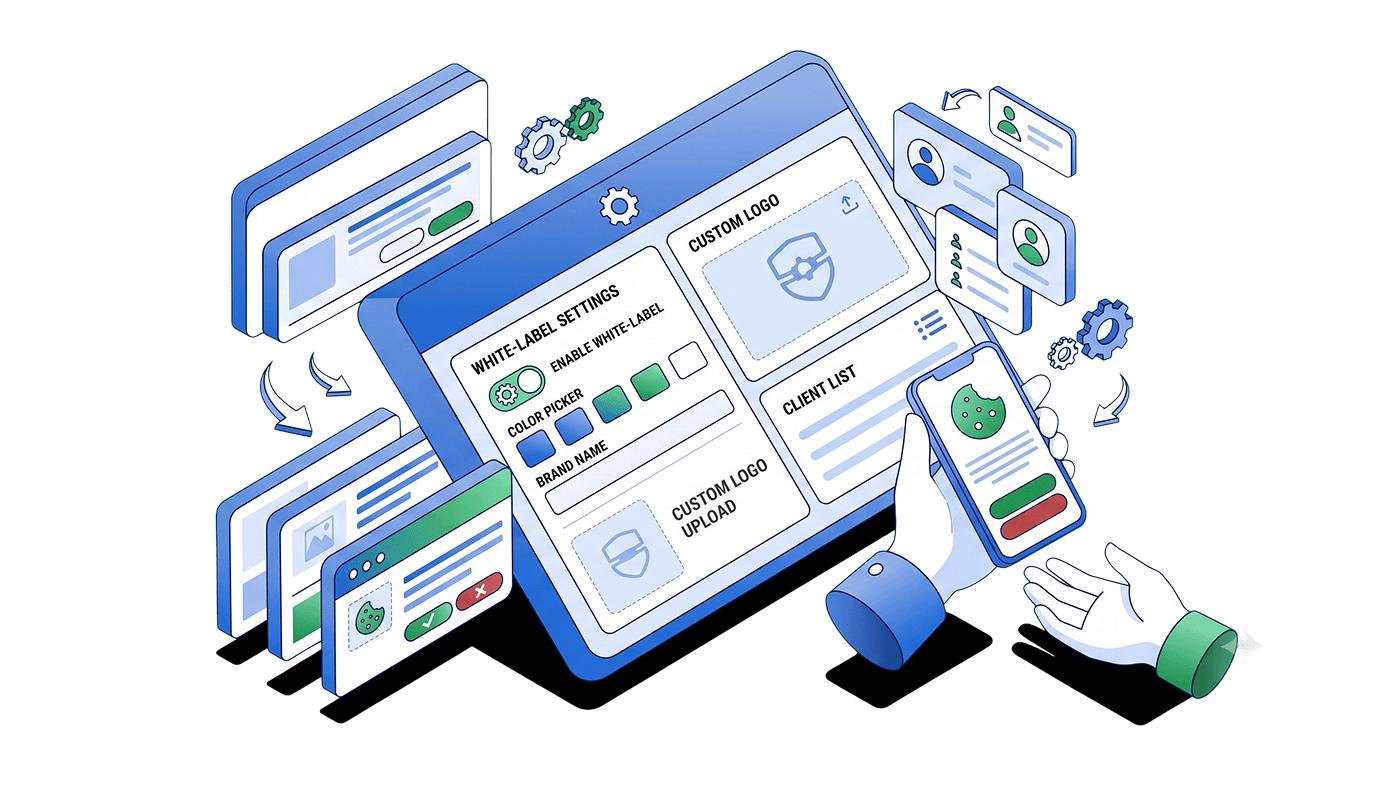
This is the console you log into, served from a domain you control, carrying your logo, with the vendor's name absent from the login screen and the navigation. Nobody outside your login screen sees any of it.

Three situations justify paying for one:

  1. You sell compliance as your own named product line, and a third-party identity would undercut the positioning.
  2. Your clients log in regularly to reclassify cookies themselves.
  3. A contract obliges you to keep suppliers invisible.

If that's you, buy the portal. Most agencies aren't in that position. Most hold the login themselves, and their clients have never once asked to see a dashboard. In that case, a rebranded portal is a login screen nobody opens, and you'd be choosing a vendor on a feature that no one in the relationship uses.

Here is the uncomfortable version of that client email. What makes compliance work look like a plugin install is not the vendor's name. It is the absence of anything else the client can see you doing.

Styling fixes the name. It changes nothing about who invoices whom, and it produces no recurring deliverable. You can have flawlessly native banners across 40 client sites and still carry the whole licence bill as unbilled overhead: the banner looks like yours, the cost is yours, the revenue is the vendor's.

So the question to put to a Consent Management Platform (CMP) vendor is not only how far the styling goes. It is whether you are permitted to resell, and what you buy licences at: that permission is what turns consent from a cost line into a billable one.

Platform coverage across a portfolio you did not build

Agencies often take over client websites built on different platforms. A consent tool that only works with one platform or page builder may not support all of them.

Taking on a Shopify store or a website from another agency could mean adding another consent tool, with separate settings and records to manage. A tool that works across platforms and lets you manage client sites from one dashboard makes it easier to maintain consistent standards and reduce compliance gaps.

Start by listing the platforms your clients use, then check whether the consent tool supports each one.

Per domain or per pageview?

Consent costs need to be predictable if you include them in a fixed monthly fee. Most client sites may have steady traffic, while a few see large spikes during campaigns or launches.

Per-domain pricing gives you a cost per site that you can mark into a monthly fee and forget. Pageview-based pricing hands your cost base to your client's campaign calendar — a successful launch raises your bill mid-month, and you either absorb it or go back to the client to renegotiate a fee you have already quoted.

CookieYes prices per domain, with pageview allowances that differ by plan, so check the tier mix against your noisiest client rather than your average one.

CookieYes offers white-label options for client-facing cookie banners, alongside tools to manage client sites and resell consent licences. You can customise banners to match each client’s website and remove CookieYes branding on the Ultimate plan. The admin dashboard remains CookieYes-branded.

Here is what agencies get:

Banner customisation and branding. Adjust layouts, colours, styling and custom CSS to match each client’s website. The Ultimate plan also lets you add the client’s logo and remove the “Powered by CookieYes” branding.

Support for different languages and regions. Geo-targeting, multilingual banners and automatic translations help you adapt consent banners for visitors in different markets. Availability depends on the plan.

Centralised client management. Manage and monitor client websites from one dashboard, with organisations and permissions to keep accounts organised. CookieYes supports websites across different platforms, so you can manage clients with different website setups.

Controlled client access. Invite clients to access their own websites without giving them access to the agency platform, which remains available only to agency partners.

Cookie scanning and categorisation. Automated scans detect and categorise cookies on client websites. Scheduled scanning helps you identify changes and review whether the consent setup needs updating.

Cookie and privacy policy generators. Create policies using the built-in generators. Review them when a client’s data practices change to make sure they continue to reflect how the website operates.

Google integrations. Google Tag Manager integration and support for Google Consent Mode v2 help you connect consent choices with your clients’ Google tags.

Partner support. Get priority support, on-demand demo sessions and implementation documentation to help with setup and ongoing management.

Resale rights and partner discounts. Resell licences at a price you set and include consent management in your client services. Discounts increase with the number of subscribed client sites:

Paid client sites TierDiscount off list
0–4 StarterNone
5–24Bronze25%
25–49 Silver35%
50–99Gold45%
100+Platinum50%

Check the partner program terms for eligibility, qualifying subscriptions and resale conditions.

Plans for individual client sites. Each domain has its own subscription. Factor in the required features, pageview allowances and applicable usage charges when setting your client’s monthly fee.

Partner visibility. Agency partners can receive a CookieYes Verified Partner badge and a listing in the partner directory to help prospective clients find them.

Resell cookie consent at your own price

Include consent management in your client services

Check your eligibility

Nine questions to ask any CMP vendor before you commit

Take these to every shortlisted vendor and get the answers in writing.

  1. How far does banner customisation extend? Ask specifically whether the preference centre is covered or scoped separately.
  2. Which of my client platforms are supported? Answer it against your own inventory, not their logo wall.
  3. Does every client site sit under one login? Per-client accounts multiply admin with every win.
  4. How often are sites scanned and rescanned? New marketing tags arrive without anyone telling you.
  5. Can consent records be exported for client reporting? Under the GDPR (Regulation 2016/679) Article 7(1), the controller must be able to demonstrate that consent was given. Exportable records serve your client's obligation and make your retainer visible at the same time.
  6. Does it handle opt-in and opt-out regimes separately? The ePrivacy Directive (2002/58/EC), Article 5(3), requires consent before non-strictly-necessary cookies are set in the EU, and the GDPR defines what valid consent looks like. The CCPA runs on opt-out instead. One banner applied everywhere is wrong in at least one jurisdiction.
  7. Is it a Google-certified CMP, and what does the certification cover? Worth understanding what Google certification actually covers, because certification applies to the CMP, not to your client's website.
  8. Is the price per domain or per pageview? If it is per pageview, ask what your invoice does when a client's traffic triples, and whether you are expected to eat it.
  9. Is resale permitted, what do I buy licences at, and what moves me into a better band? The commercial question, and the one most vendors keep off the pricing page.

Buying at a discount makes the licence profitable. Monthly work makes it a retainer. You need both, in that order.

The deliverable needs to be concrete enough to describe to a client who has never asked about cookies. Here's a service shape that works, and it's service design rather than a legal requirement:

  1. Baseline scan and configuration at onboarding: categorise cookies, configure script blocking, set the banner to match the site.
  2. Scheduled rescans monthly or quarterly, plus a rescan after any launch, redesign, or new tag deployment.
  3. A short written note each cycle: what changed, what you fixed, what needs a decision from the client.
  4. Consent record export on the same cycle, filed where the client's legal contact can find it.
  5. An annual review of the cookie and privacy policy against the current script inventory.

Five priceable line items, run from one dashboard, on licences bought below list. It also works the other way round: an agency that cannot show control of a client's compliance gives that client a reason to look elsewhere, which is how agency compliance issues turn into client churn.

What to do next

Start with your inventory, not a feature grid. Count your client sites, note which platform each one runs on, and add up the consent licences you already pay for but never bill.

From there, you know what to weigh. Whether you can resell, how each vendor prices, and how the discount changes as you add sites will all shape which option fits your portfolio. Price your client fee against what the licence costs you, not against the list price.


Nidha

Nidha

Nidha creates content that helps agencies grow through the CookieYes Agency Program. Her work focuses on organic growth, search visibility, and stronger content performance. Outside work, she’s usually immersed in a good book.