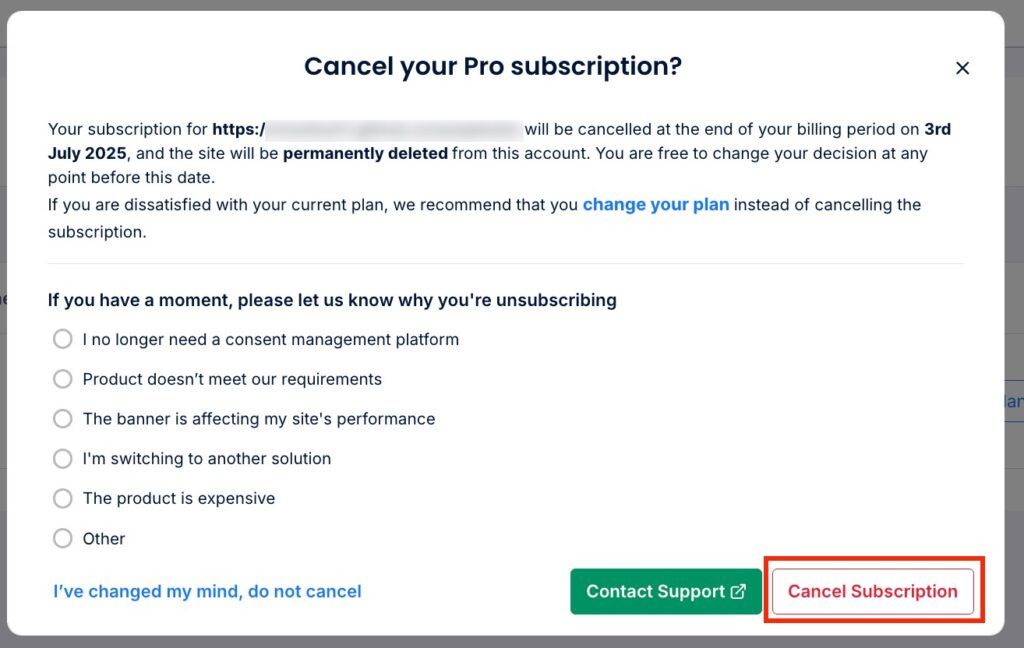
To uninstall the CookieYes app from Wix, follow the steps below:
Step 1: Initial Steps (All Users)
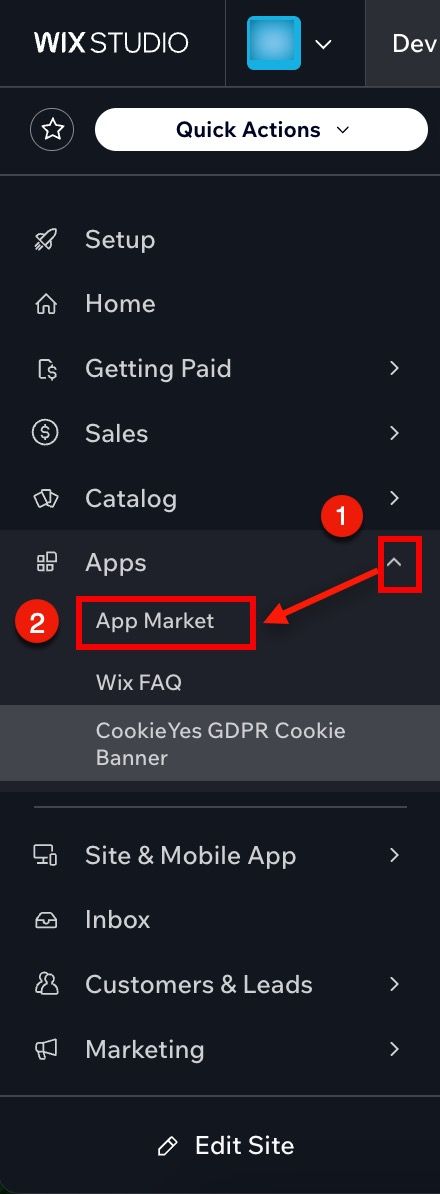
- Go to your Dashboard for the specific site where the CookieYes app is installed.
- In the left-hand menu, click on Apps > Manage Apps.
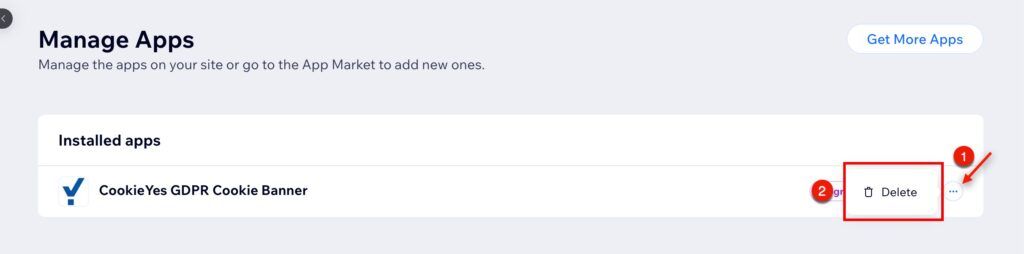
- Find the CookieYes GDPR Cookie Banner from the Installed apps.
- Click the More Actions (⋯) button next to the app.
- Click Delete App.
Step 2: Cancel the plan (Premium Subscription Users Only)
Free Plan users can skip Step 2 and proceed to Step 3.
If you’re a premium subscriber, you must cancel your CookieYes subscription before uninstalling the app from Wix.
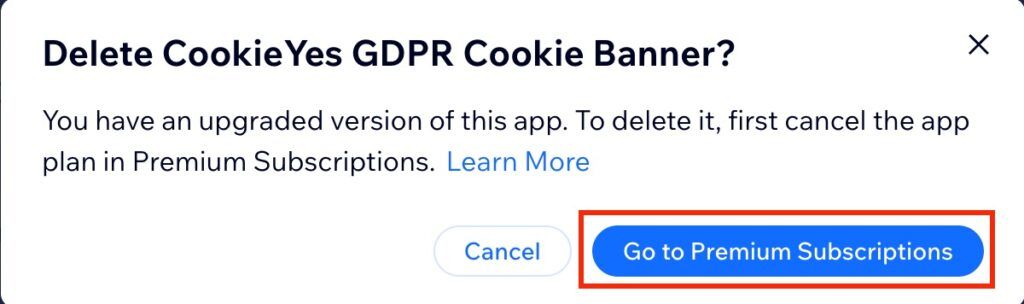
When you click the Delete button, a modal will appear notifying you that you need to cancel your app subscription first. To proceed, follow the steps below to cancel your subscription:
- Click Go to Premium Subscriptions.
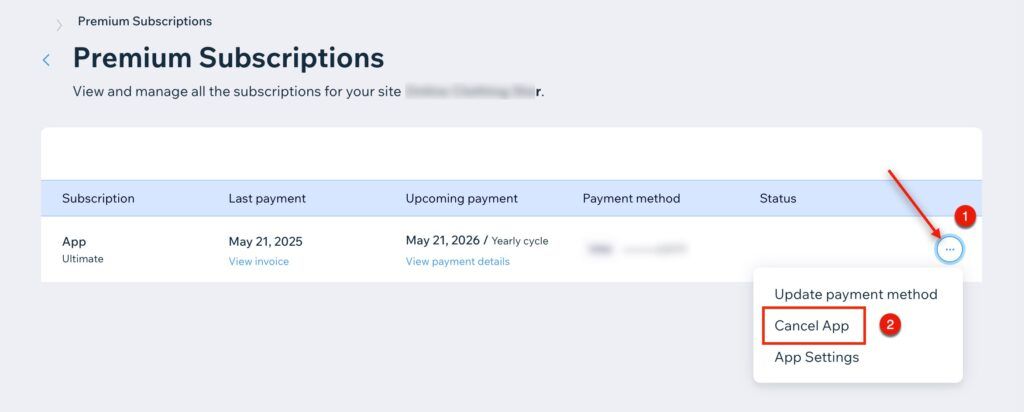
- In the Premium Subscriptions page, find the App subscription and click the More Actions (⋯) button.
- Select Cancel App from the dropdown menu.
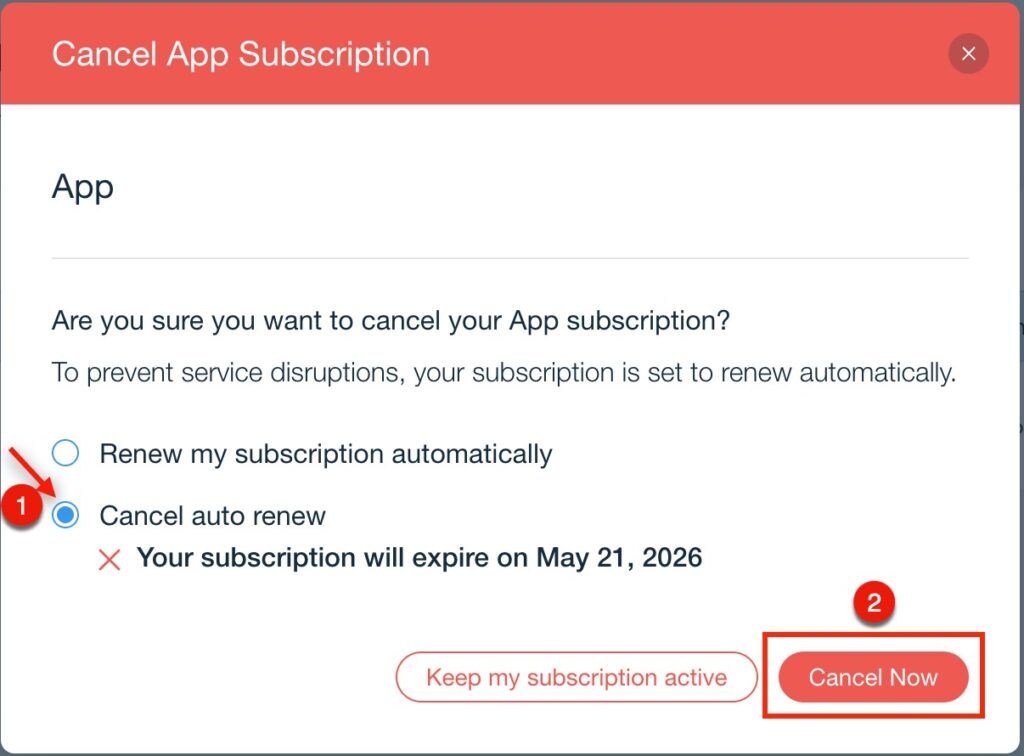
- In the Cancel App Subscription, choose Cancel auto renew and click Cancel Now.
- Return to Manage Apps and repeat Step 1 and follow Step 3 to delete the app.
When you cancel your subscription, it remains active until the end of your current billing period. If you reinstall the app during this time, your subscription will automatically resume without any additional action needed.
Step 3: Final Step (All Users)
- A confirmation modal will appear asking for feedback. Choose a reason for deleting the app.
- Click Delete App to confirm.