
How to Implement Prior Consent and Cookie Auto-Blocking
Last updated on September 25, 2026
On this page
How to Block Cookies Using CookieYes?
1. Adding script URL
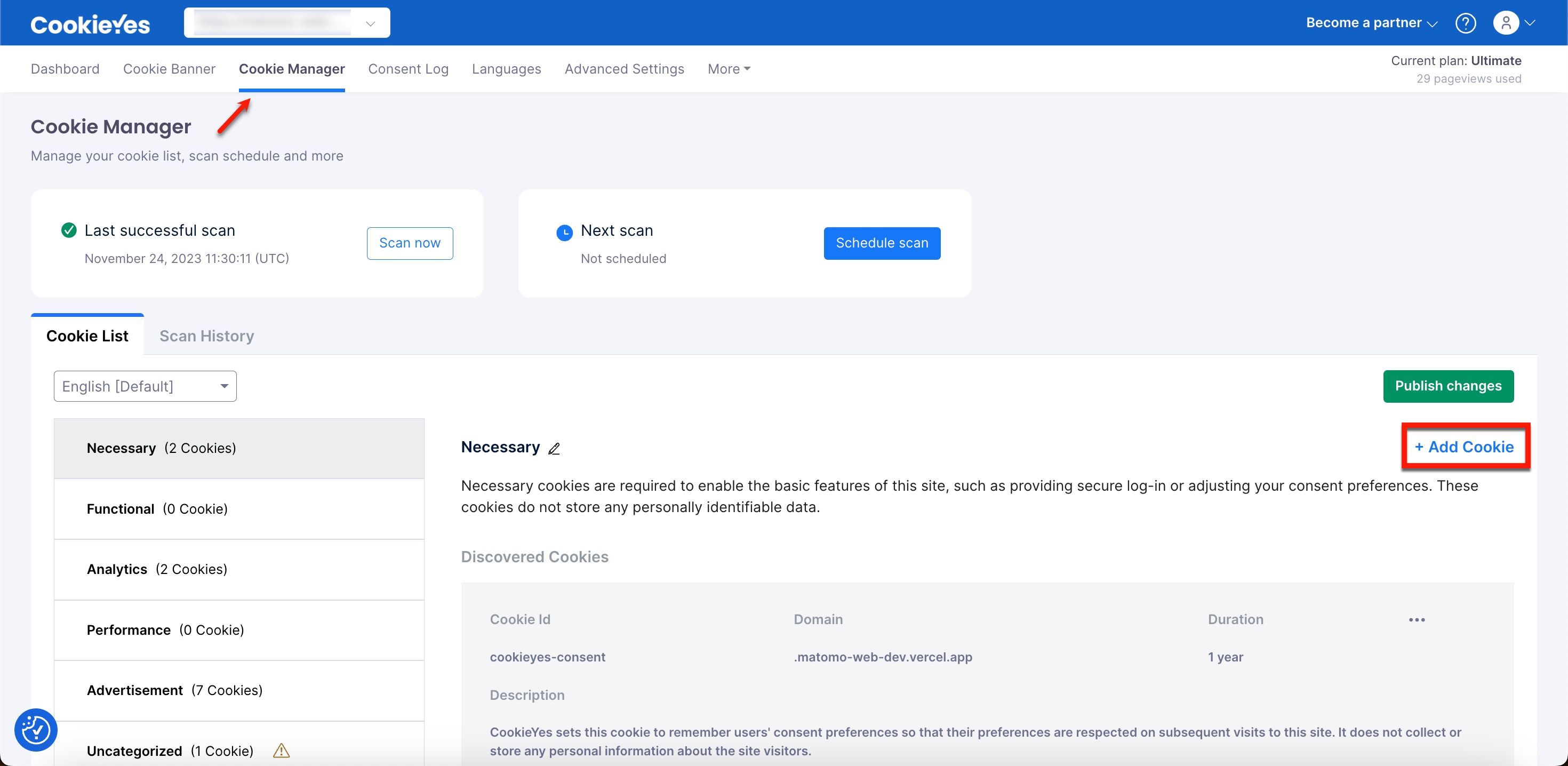
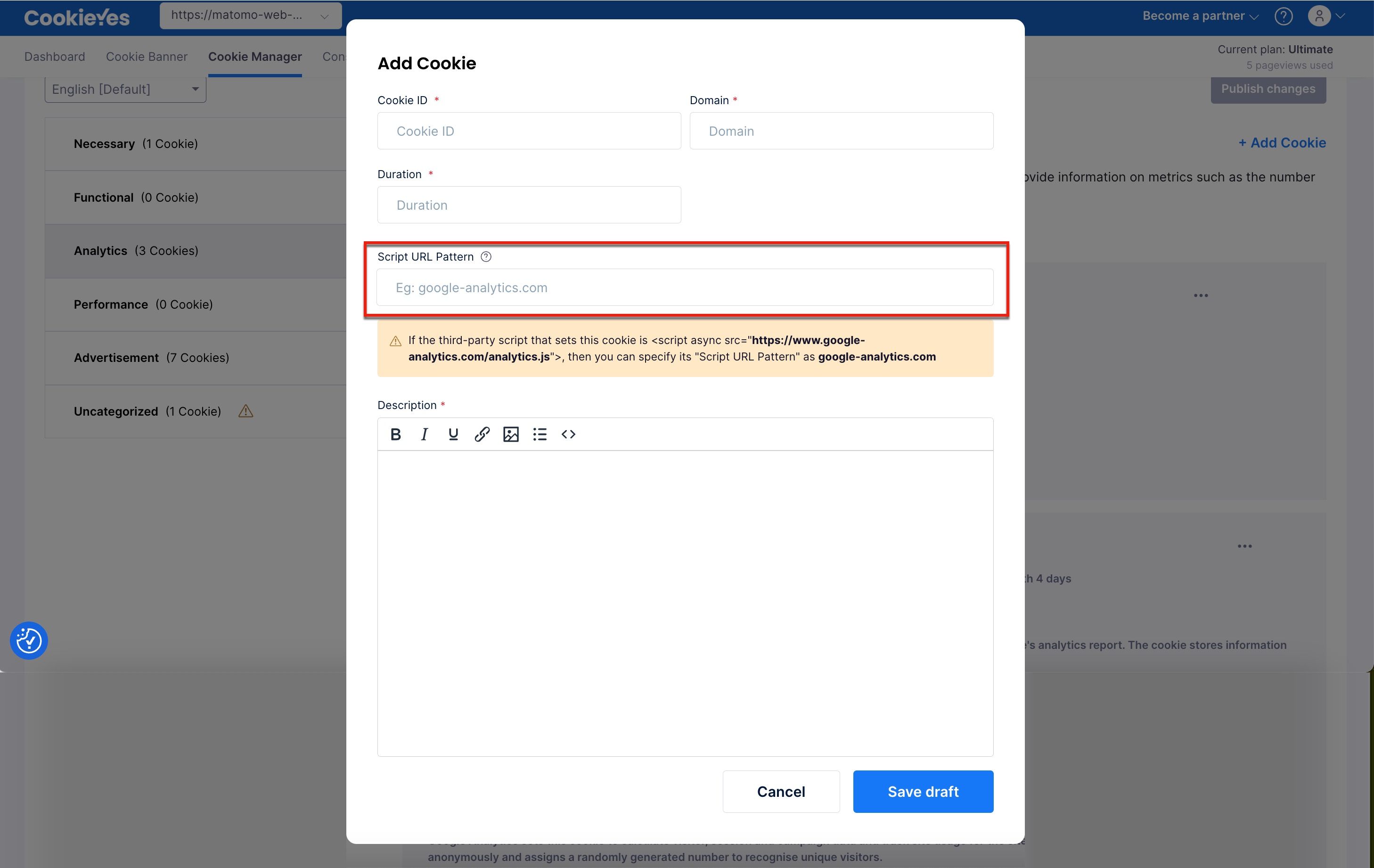
2. Adding Blocking Code to the Script
<script async data-cookieyes="cookieyes-analytics" src="https://www.googletagmanager.com/gtag/js?id=UA-144842869-1"></script>

<script>
  window.dataLayer = window.dataLayer || [];
  function gtag(){dataLayer.push(arguments);}
  gtag('js', new Date());
  gtag('config', 'UA-144842869-1');
</script>The data-cookieyes attribute is required only for external scripts that use a src attribute, such as the Google Analytics script above. It is not required for inline scripts.
<script>
function executeScript() {
    // Executed only if "analytics" category is accepted
    const script = document.createElement("script");
    script.setAttribute("src", "<URL of your script>");
    document.body.appendChild(script);
}

function handleConsentUpdate(eventData) {
    const data = eventData.detail;
    if (data.accepted.includes("analytics")) executeScript();
}

document.addEventListener('cookieyes_banner_load', (eventData) => {
    const data = eventData.detail;
    if (data.categories.analytics) {
        executeScript();
    } else {
        document.addEventListener('cookieyes_consent_update', handleConsentUpdate);
    }
});
</script>This script can be pasted into your base HTML file by replacing <URL of your script> with the URL of your script file.
The category names to be added in the blocking code above are pre-defined in CookieYes. They are ‘functional’, ‘performance’, ‘analytics’, and ‘advertisement’.
Giving Granular Control Over the Cookies.
The users cannot disable the cookies that are categorized as type Necessary. The website does not need to have user consent to be using them.
How to Ensure That the Cookies are Being Blocked?
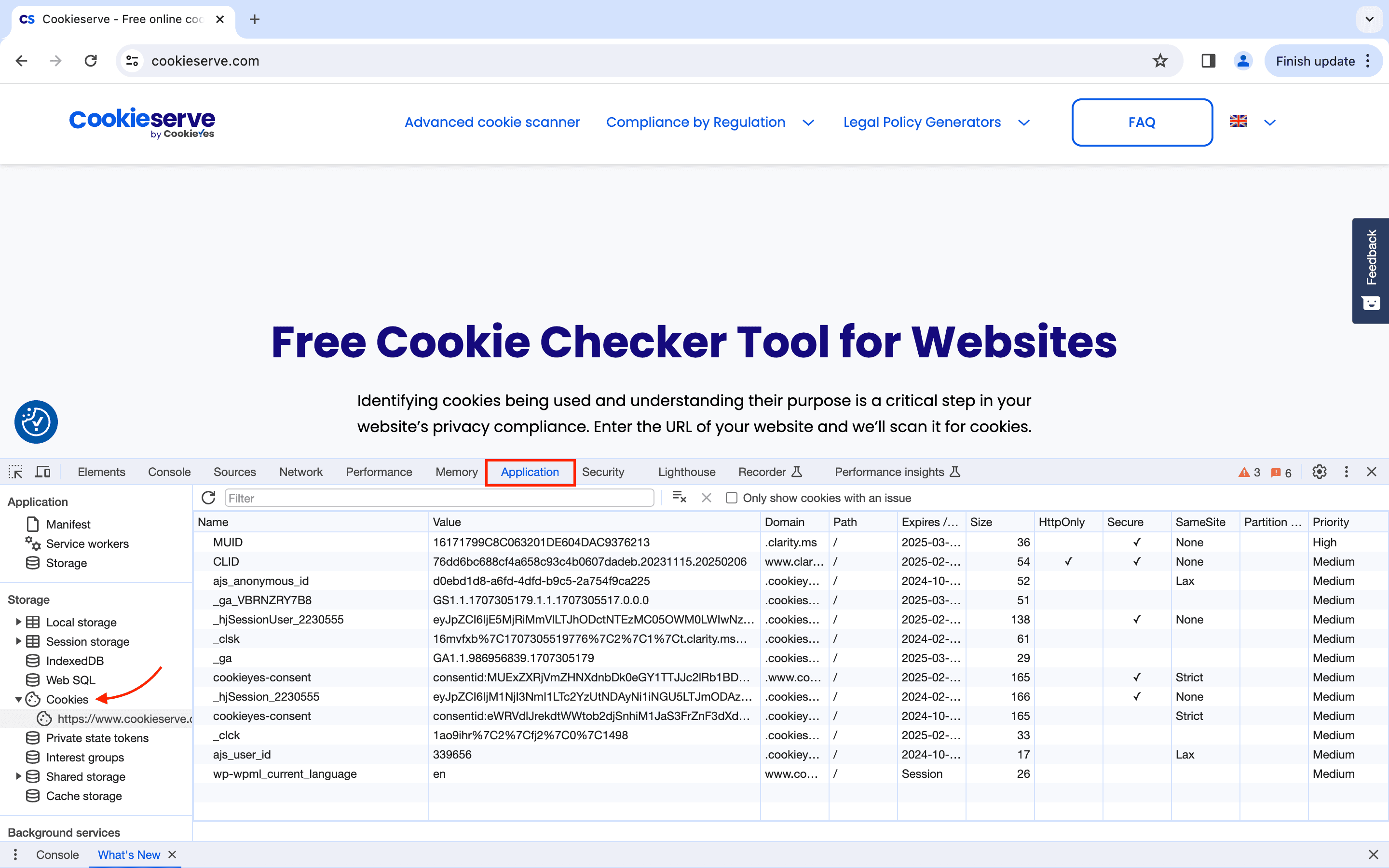
Cookies are only blocked according to consent in the “Explicit” and “Implicit” consent type. In the Info consent type, cookies are not blocked at all.