How to Edit Your Privacy Policy

Last updated on July 30, 2026

Overview

A privacy policy page is legally required and helps your website stay compliant with privacy laws like GDPR, CCPA, and the ePrivacy Directive. This guide walks you through how to edit the privacy policy added to your website.

Note

This guide applies to privacy policies created using CookieYes. If you haven't created one yet, see How to Generate a Privacy Policy.

CookieYes supports two publishing methods, and your final steps depend on the one you use:

  • Code snippet: Changes publish automatically.
  • HTML format: Copy and replace the updated HTML on your website after every edit.

Edit your privacy policy

  1. Log in to your CookieYes account.
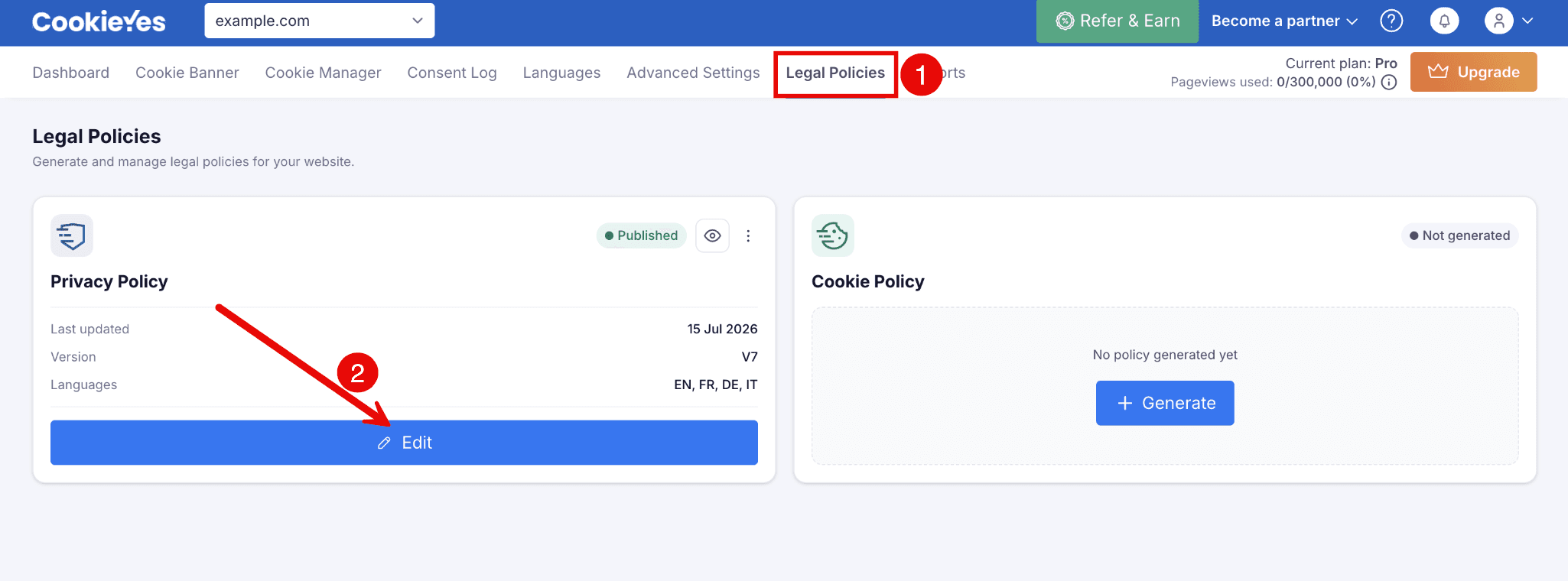
  2. From the top navigation bar, select Legal Policies.
  3. From the Privacy Policy section, click Edit.image of selecting edit option for editing PPG
  4. Make your changes to the policy content.
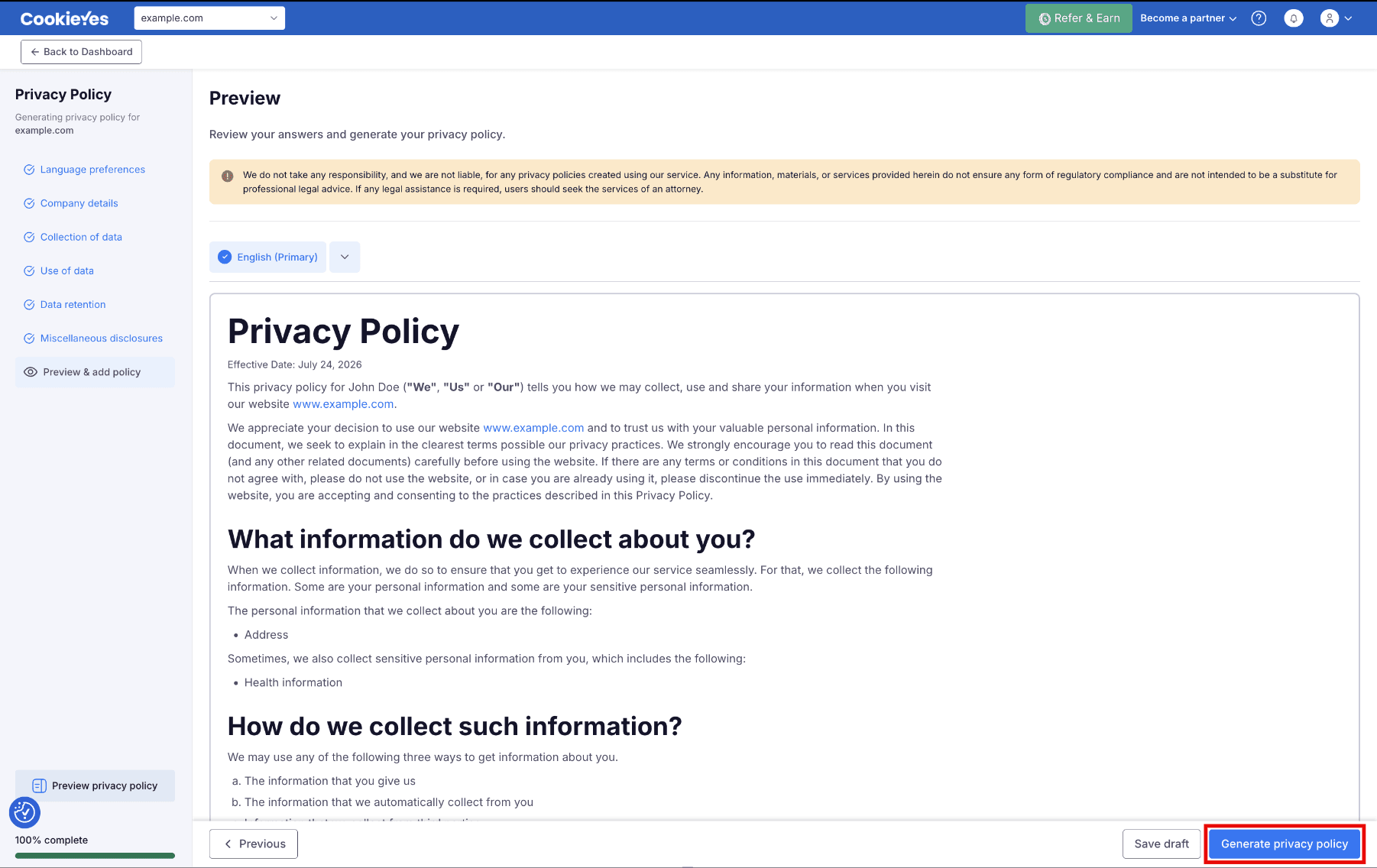
  5. Click Generate privacy policy on the Preview & add policy page.generate_ppg.png
  6. Complete the steps for the publishing method you use:
    • Code snippet method
      • No further action needed. Your changes go live automatically.
    • HTML format method
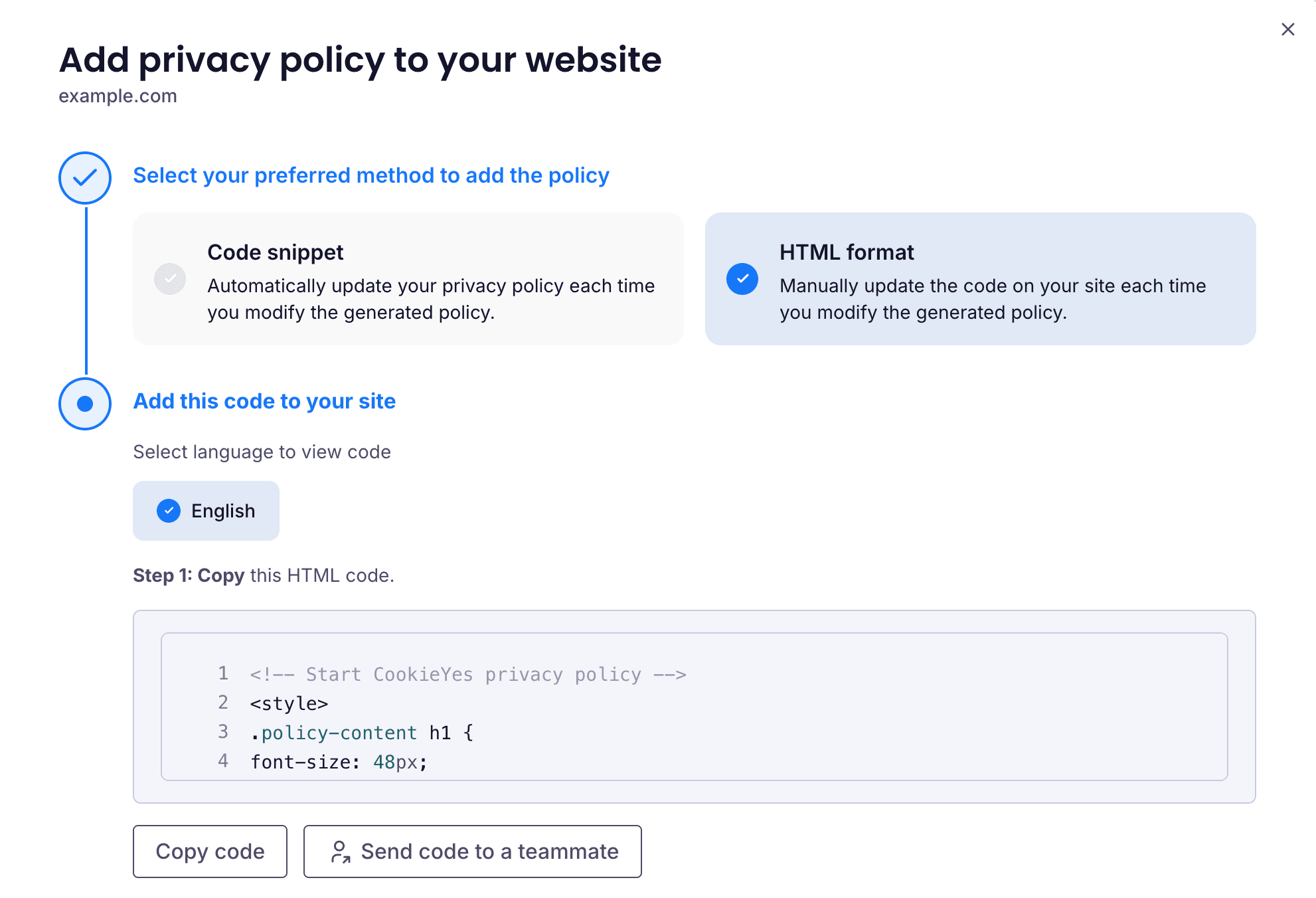
      • Click </> at the bottom of the page.
      • In the modal, follow the steps in Update the policy on your website below to copy and replace the code on your site.
      • Click Complete generation.
      • In the popup that opens, click Yes, I have installed.
Note

If you're already on this page, you can edit the policy using either of the following options:

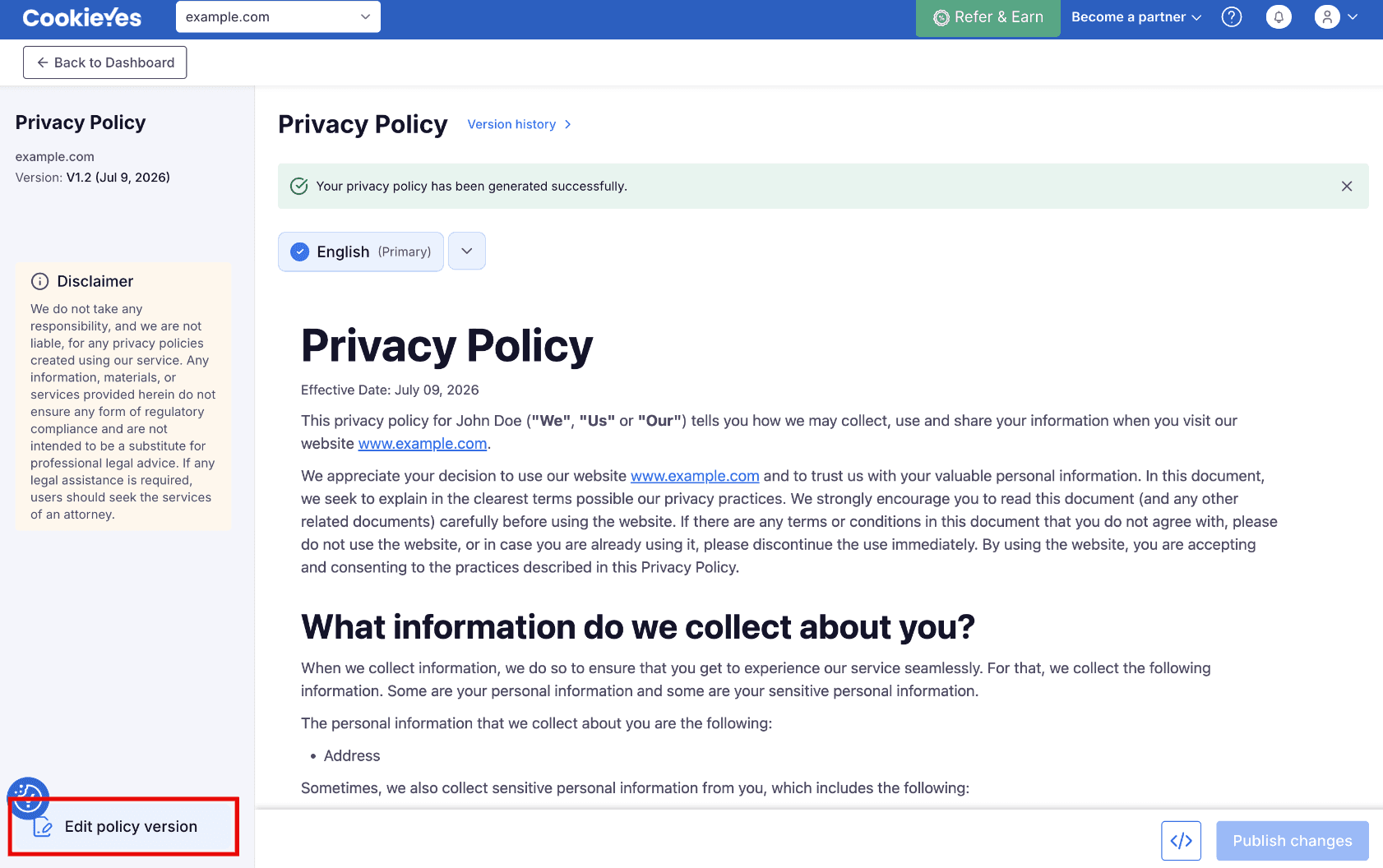
  • Click Edit policy version.
edit_policy_version.png
  • Click the dropdown near the languages option, then click Edit policy.
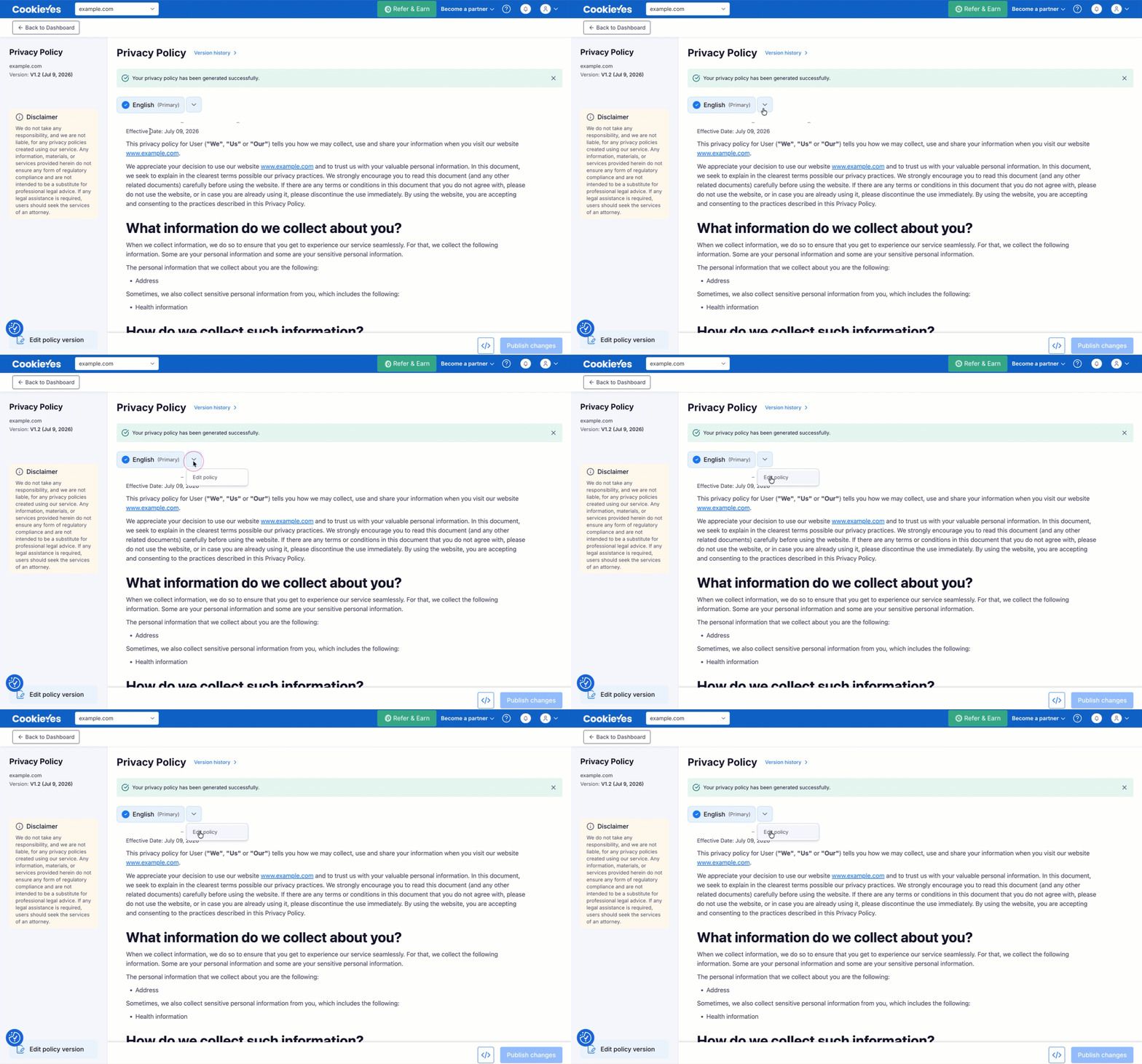
edit_ppg.gif

Update the policy on your website

For the HTML format method, copy the updated code and replace the previous version on your website:

  1. In the </> modal, with HTML format selected, choose your preferred language.
  2. Click Copy code.
  3. Replace the existing privacy policy HTML on your website with the updated code.
  4. Save the changes on your website to publish the latest privacy policy.
Note

Once you publish your edits, this version becomes the latest published version of your policy.

Conclusion

You've now edited and published your privacy policy. If you use the code snippet method, changes go live automatically. If you use the HTML format method, remember to re-copy and replace the code on your website each time you make edits.

Was this article helpful?

Have more questions?

Reach out to us and we'll answer them.

Contact us