How to Join the CookieYes Affiliate Program from WordPress
Last updated on June 3, 2026
On this page
Overview
Prerequisites
Note
Refer to this guide to install and activate the CookieYes plugin in WordPress.
Steps to Join the CookieYes Affiliate Program from WordPress
Step 1: Connect your WordPress website to CookieYes web app
Option 1: Create a new CookieYes account
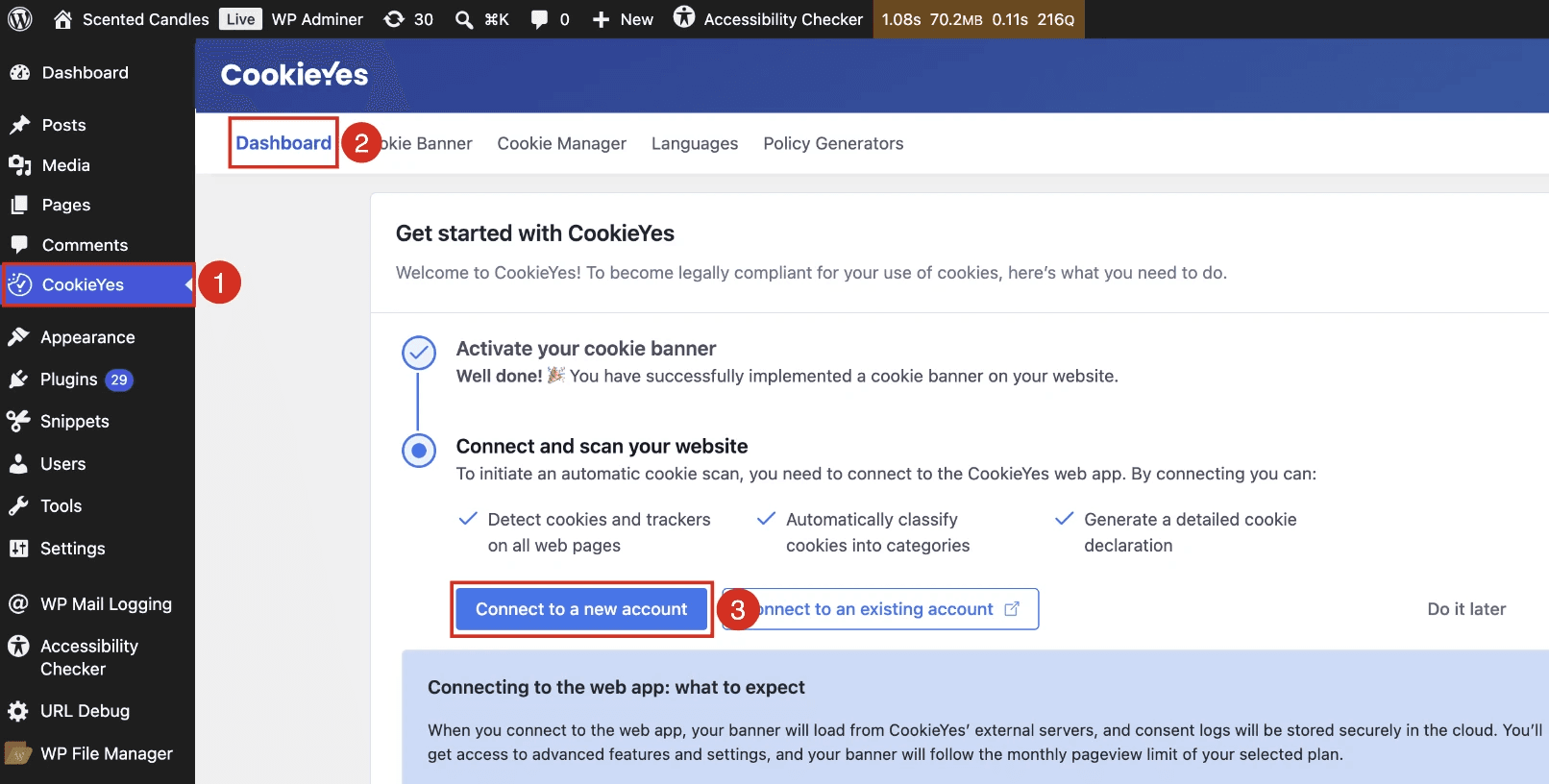
- Go to CookieYes > Dashboard > Connect to a new account.
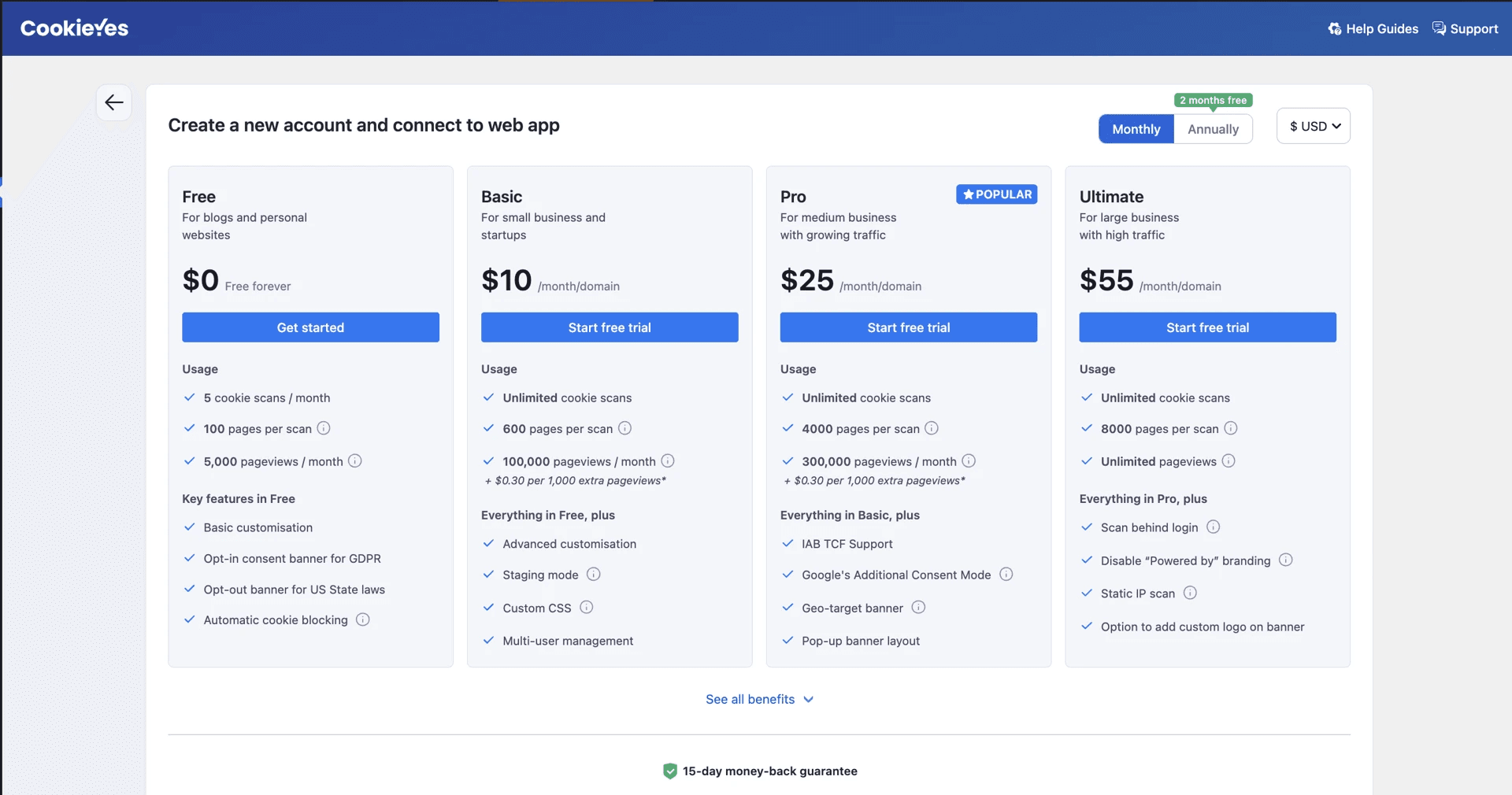
- Choose a subscription plan according to your requirements.
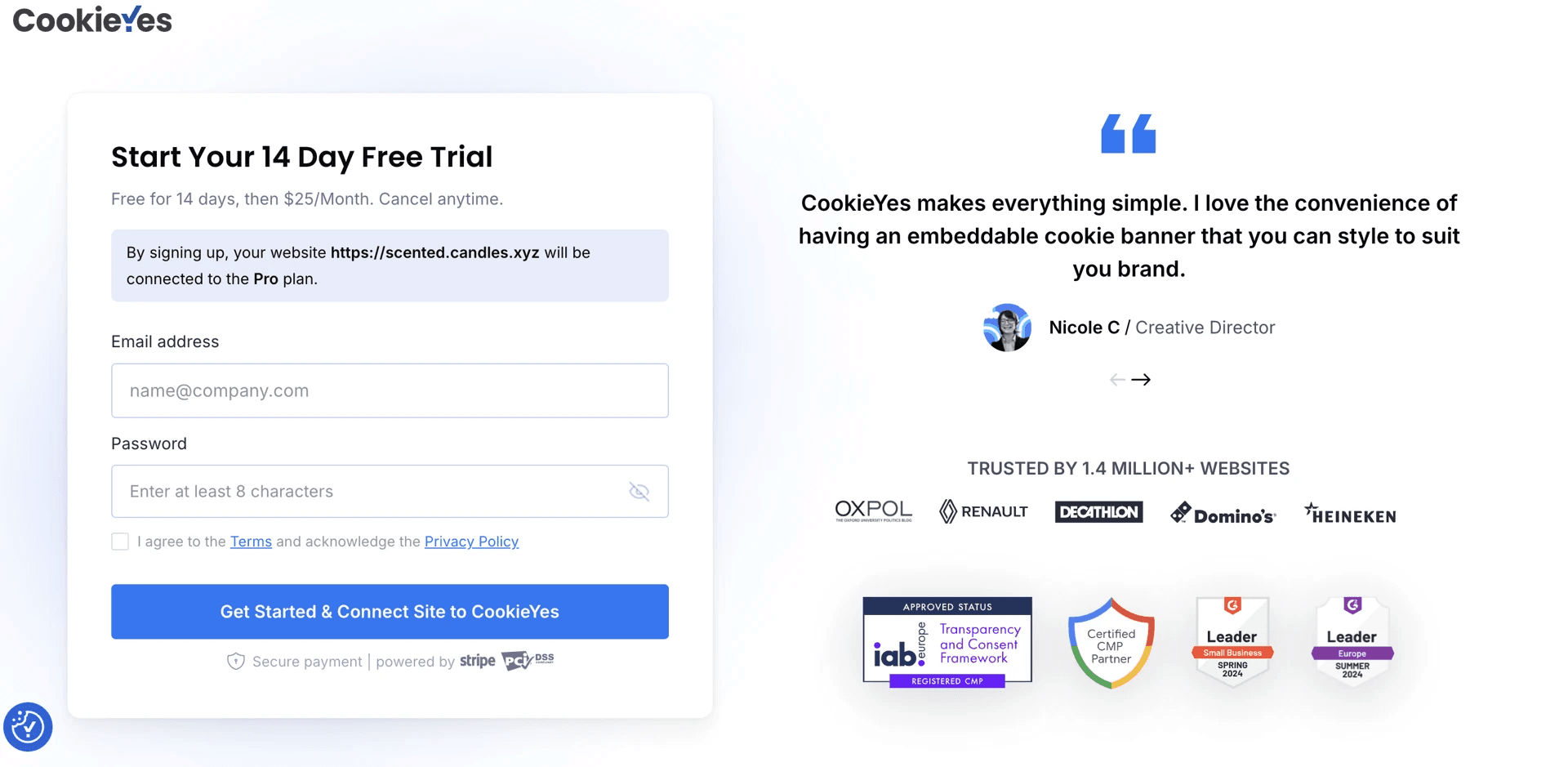
- Provide your Email address and Password and select I agree to the Terms and acknowledge the Privacy Policy. Click Get Started & Connect Site to CookieYes.
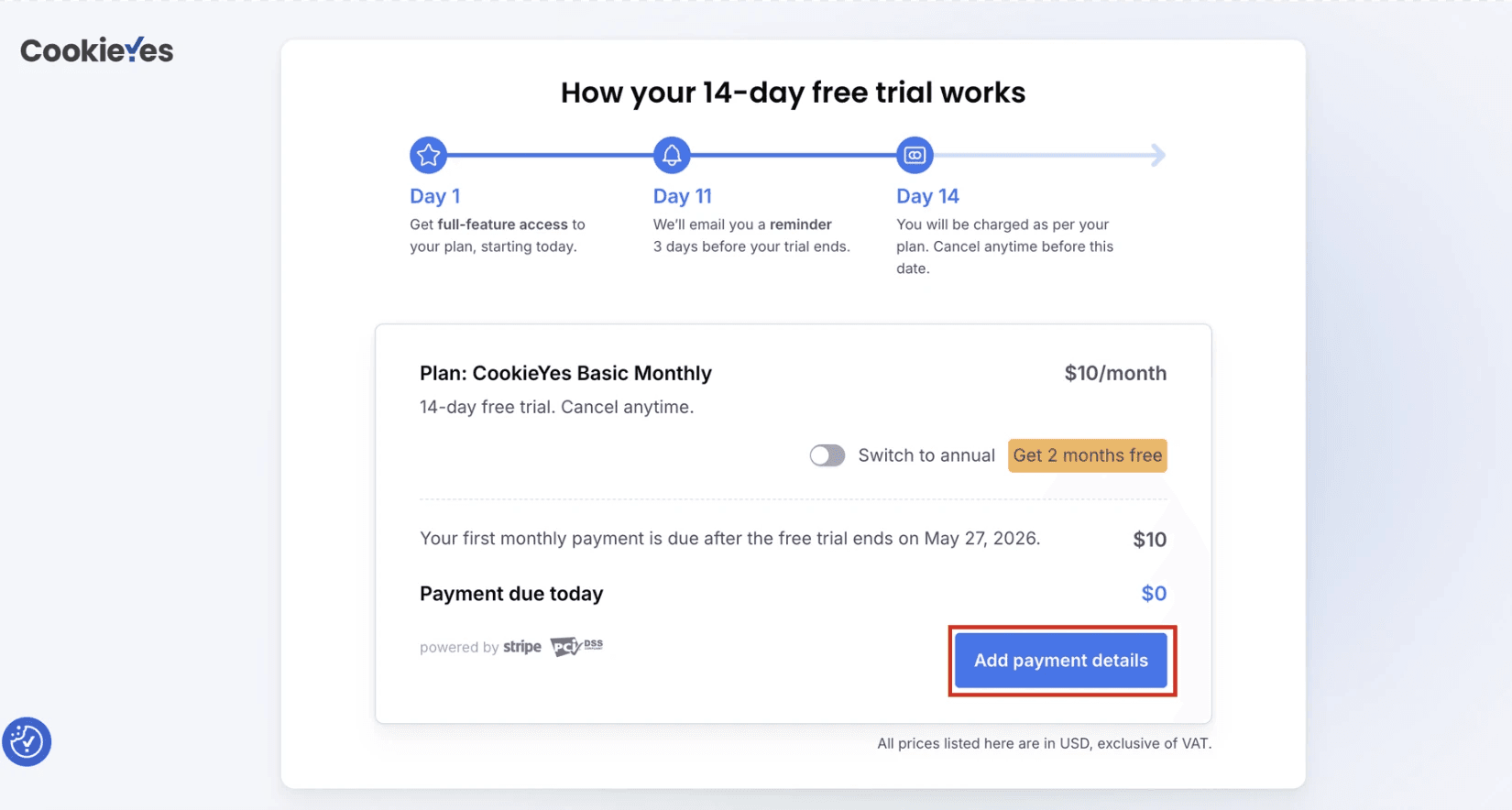
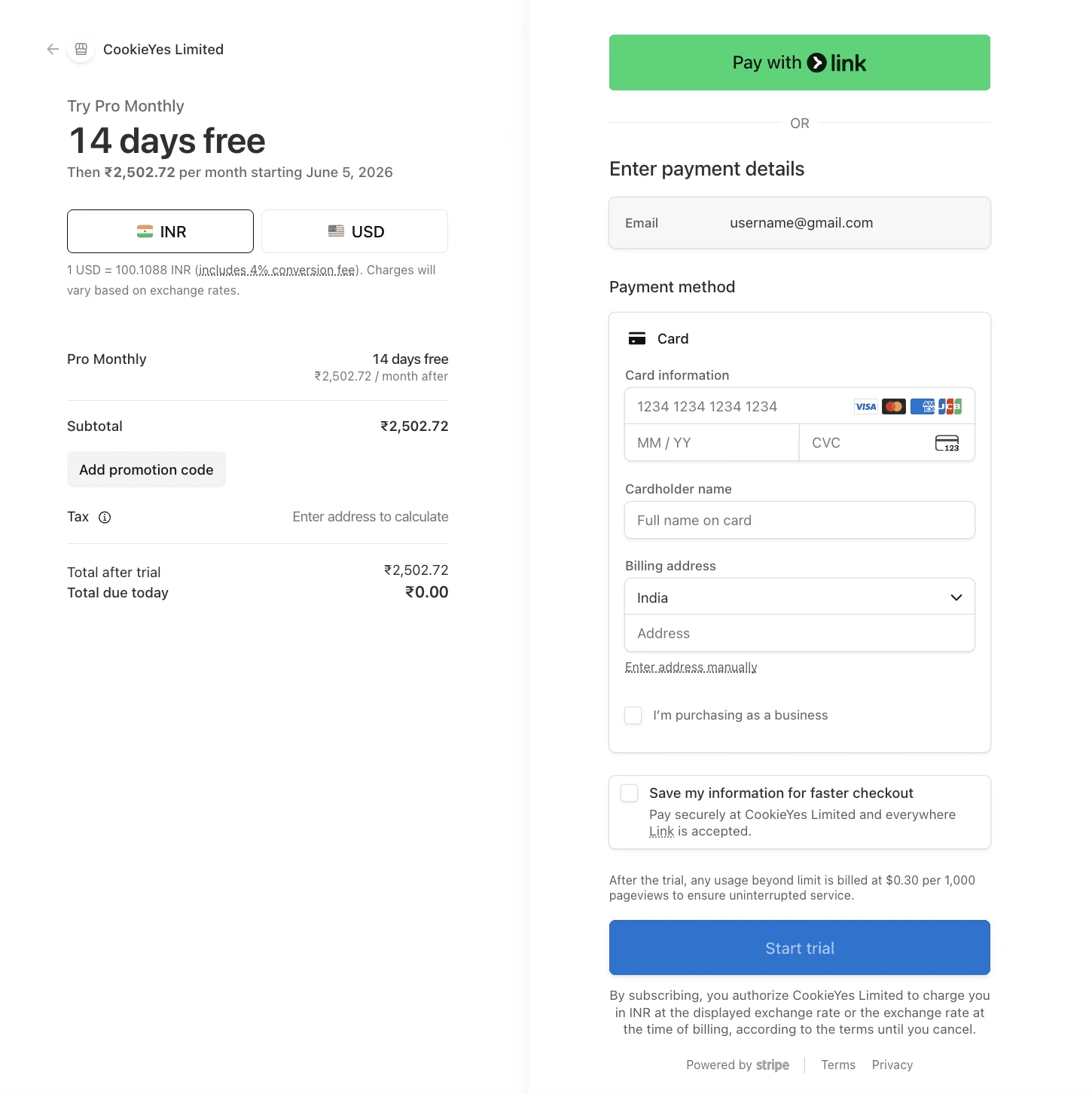
- Click Add payment details.
- Provide your payment details and click Start trial.
Option 2: Connect to an existing CookieYes account
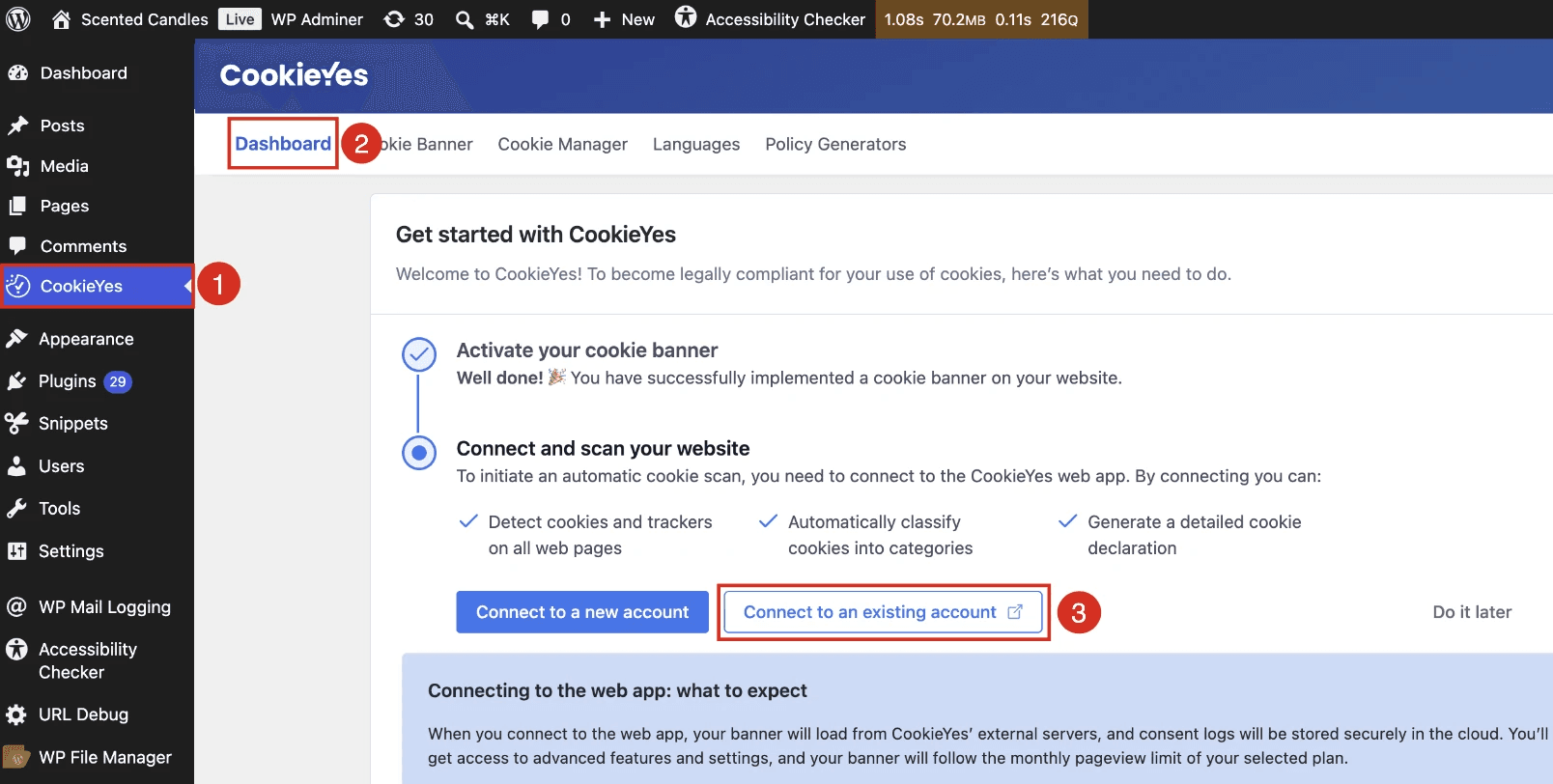
- Go to CookieYes > Dashboard > Connect to an existing account.
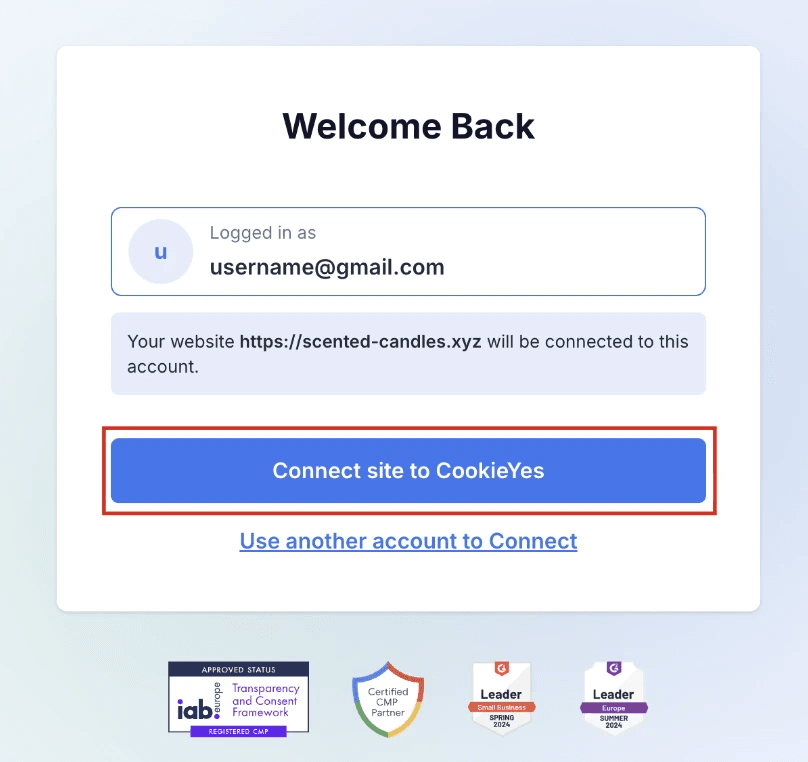
- Click Connect Site to CookieYes.
Step 2: Join the CookieYes Affiliate Program
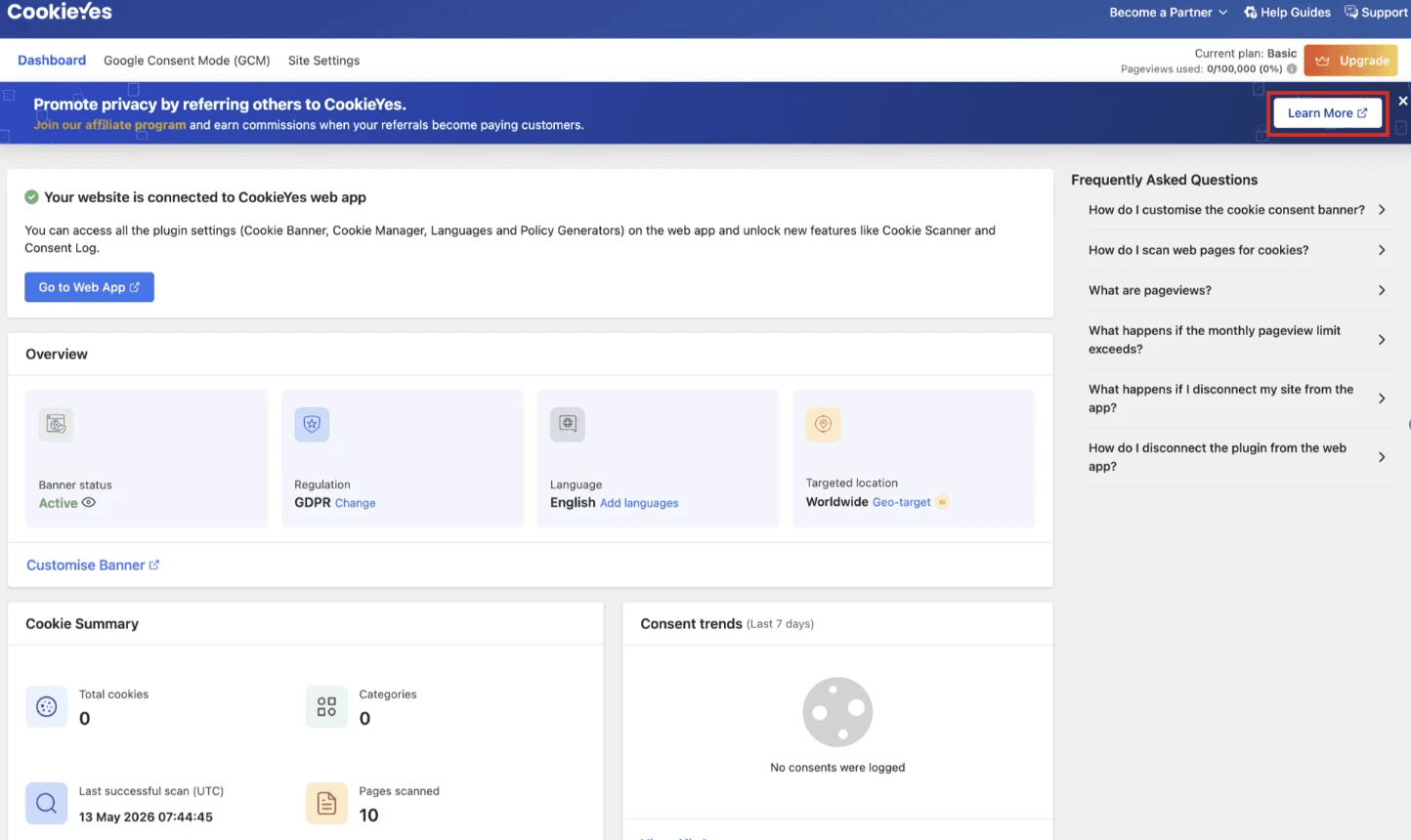
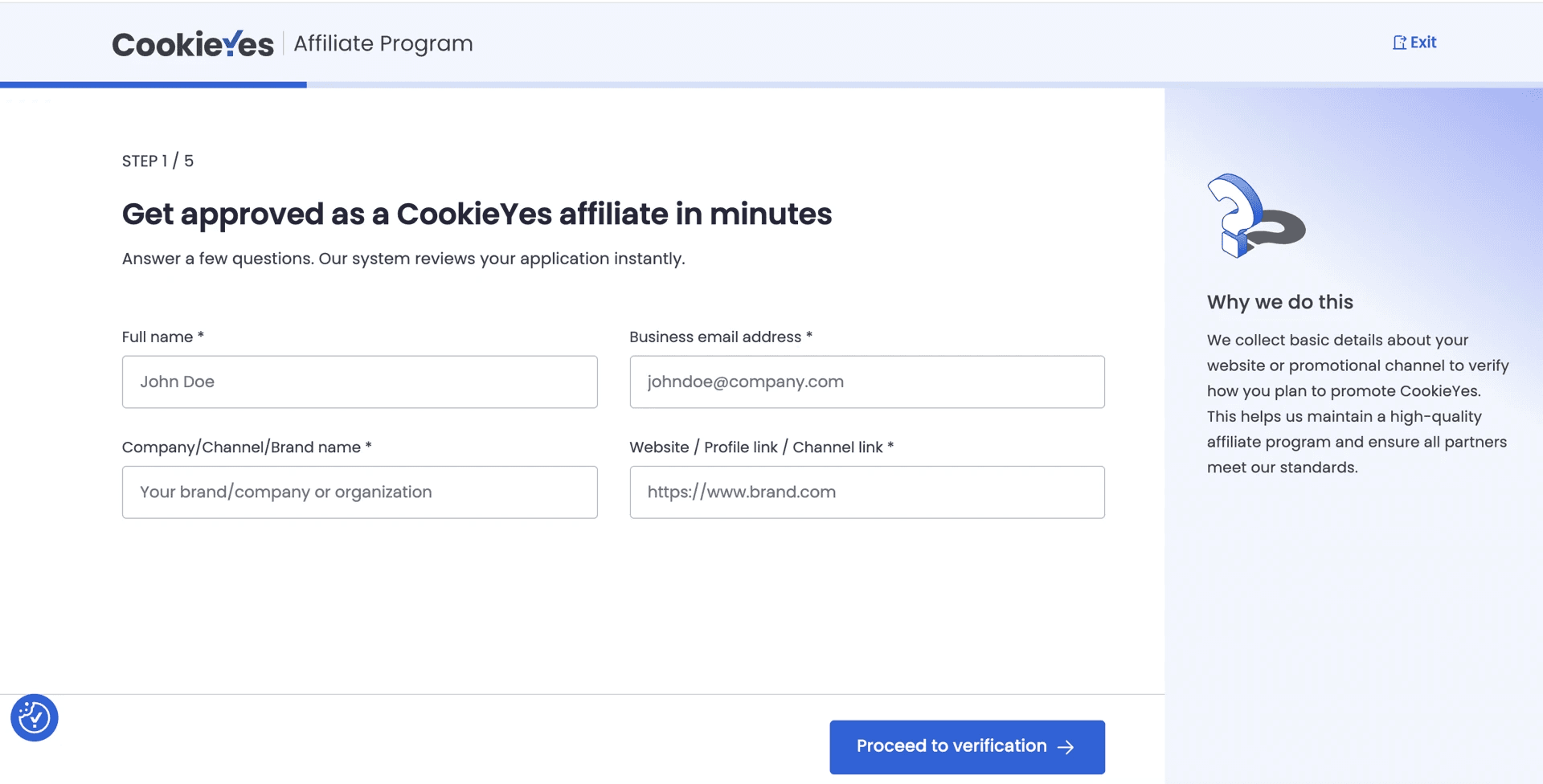
- Provide your basic information, including your Full name, Business email address, Company/Channel/Brand name, and Website/Profile link/Channel link and click Proceed to verification.
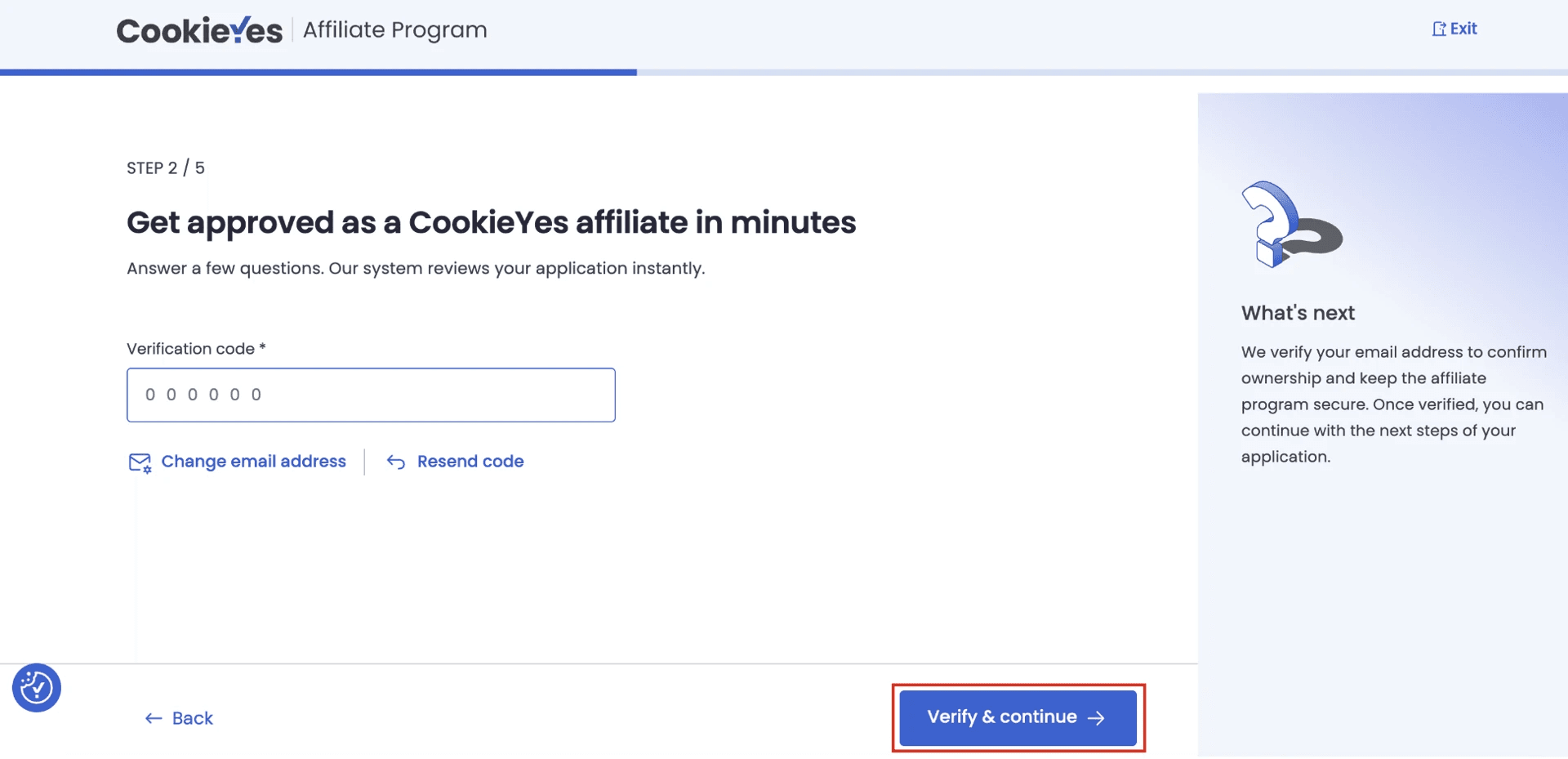
- Enter the verification code sent to your email address, then click Verify & continue to proceed.
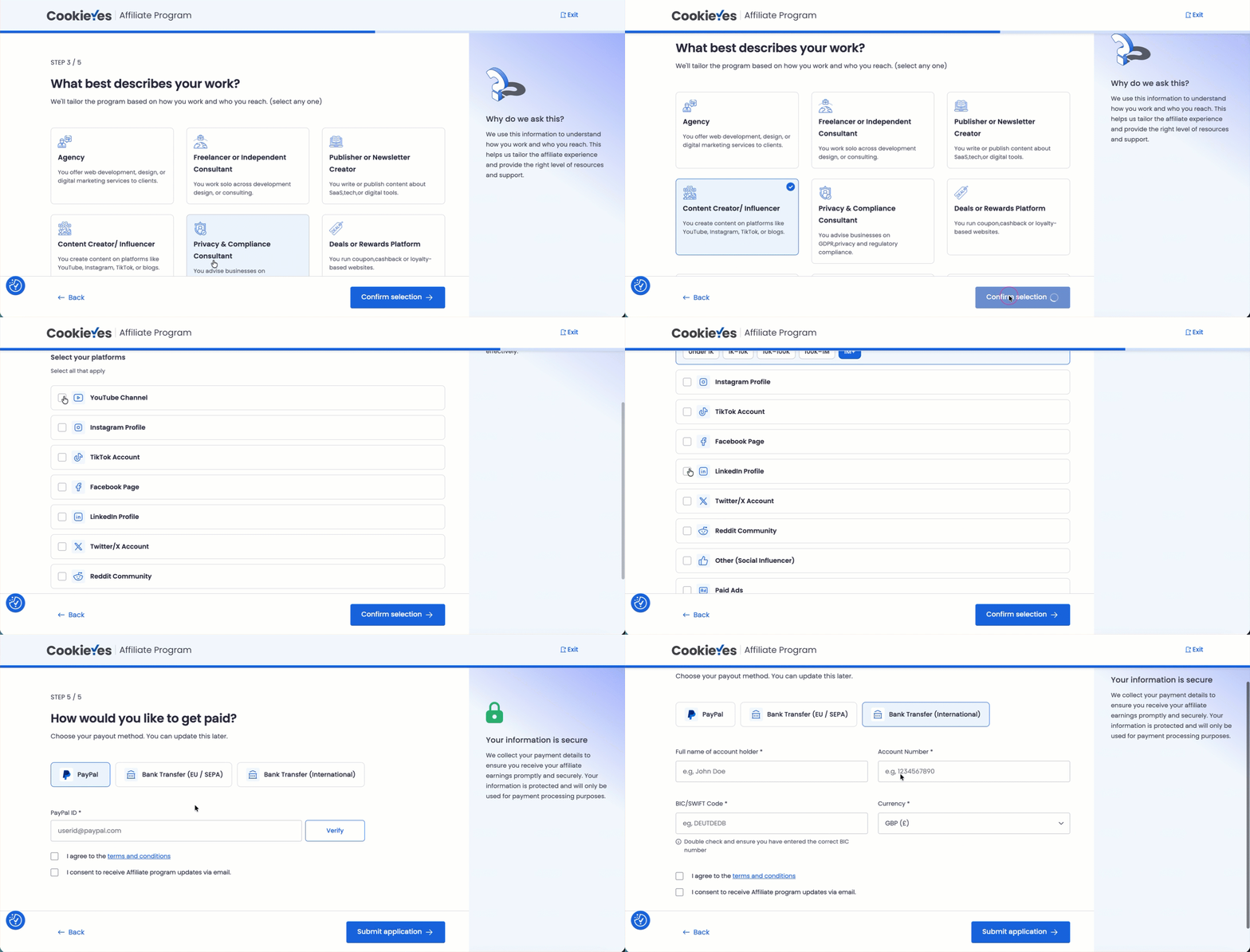
- Complete your profile:
- Select the category that best describes your work from the available options and click Confirm selection.
- Choose the location of your primary audience and select your preferred platforms, then click Confirm selection.
- Pick your preferred payout method — PayPal, Bank Transfer (EU/SEPA), or Bank Transfer (International).
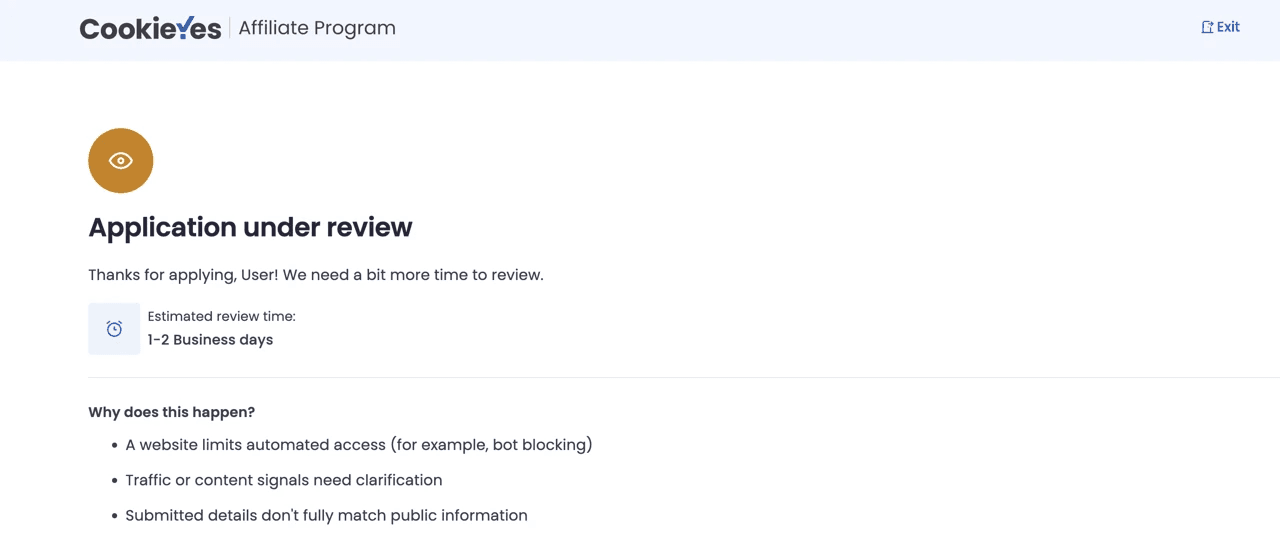
- Review and agree to the terms and conditions, then click Submit application to complete your signup.
Tip
Please ensure all fields are completed accurately, as incomplete applications will be flagged for manual review and may result in rejection. Also, double-check that the account details you provide are correct, since all your commissions will be processed to this account.
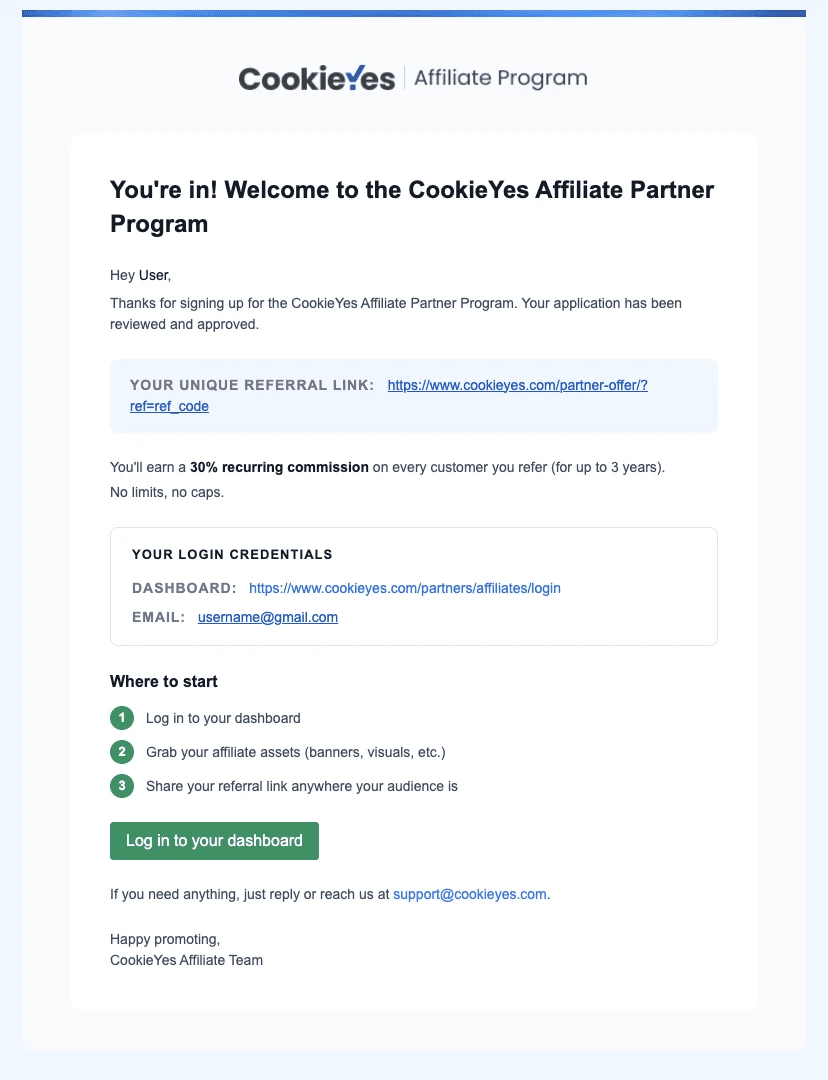
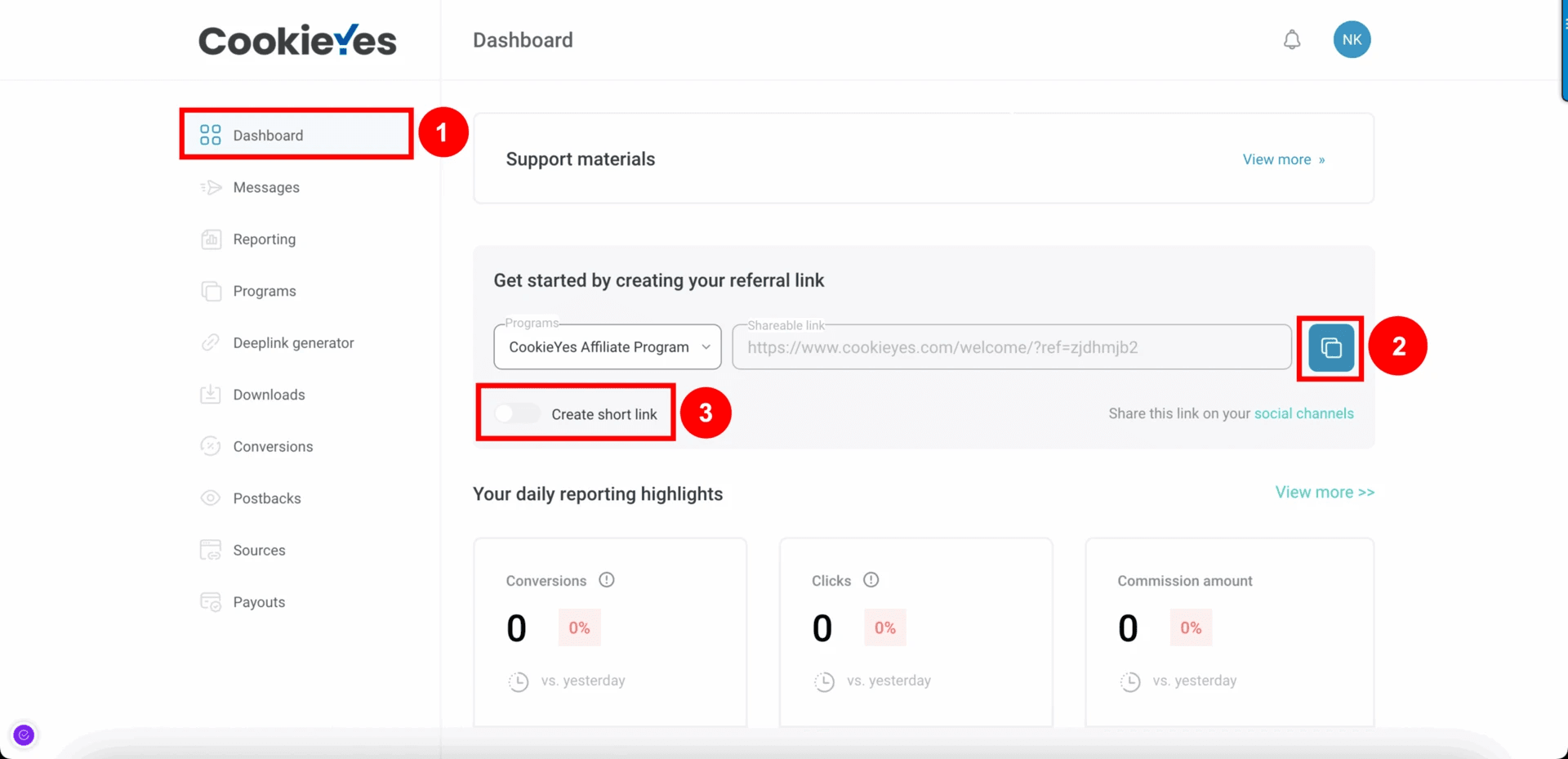
Step 3: Share Your Referral Link
Pro Tip:
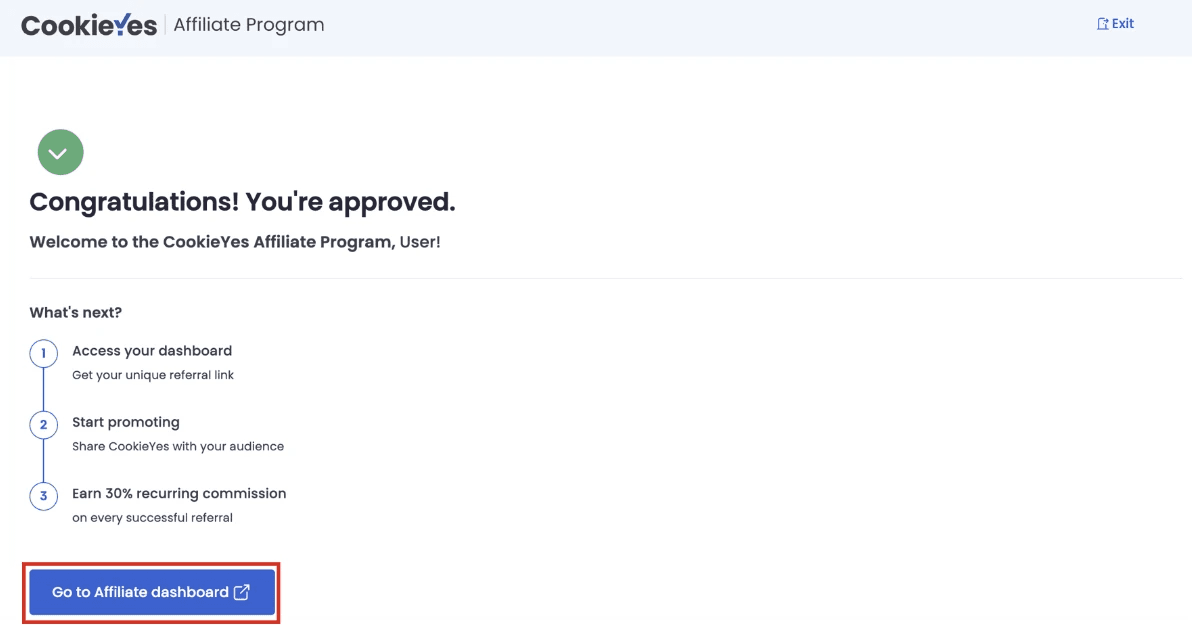
To maximise your reach, distribute your affiliate link via social media, email campaigns, or blog content. Ensure your link gets maximum visibility to increase your chances of earning. You will earn a 30% commission on every successful referral. For additional tips or personalised guidance, email us at [email protected].
Note
For more details on how referral tracking, commissions, and payouts work, refer to the CookieYes Affiliate Program guide.