To cancel your active subscription in CookieYes, follow these steps:
- Log in to your CookieYes account.
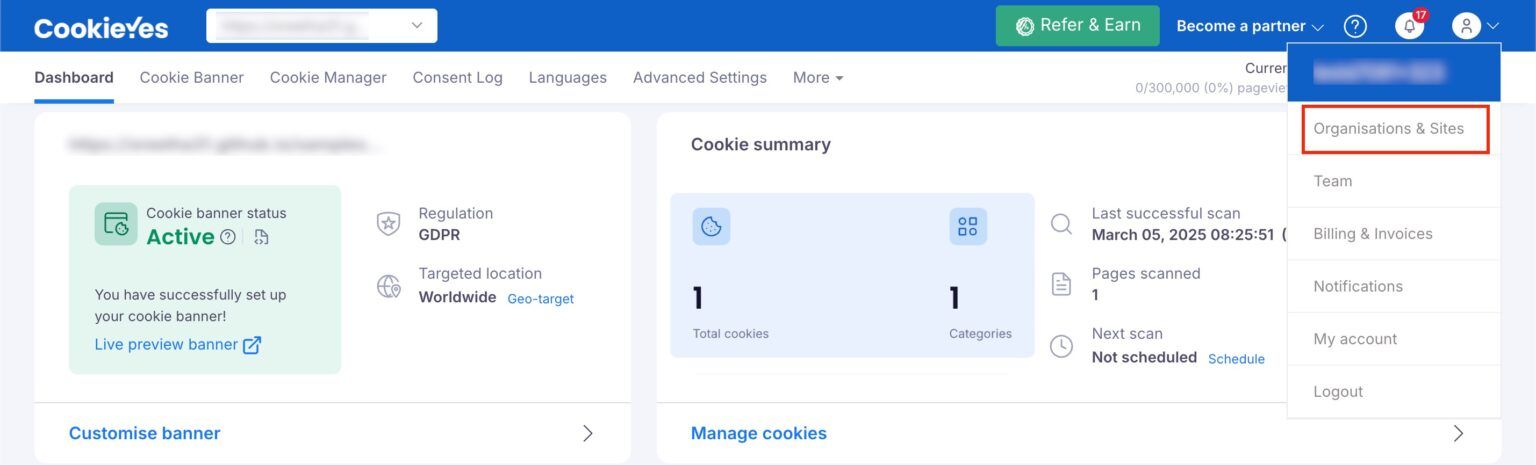
- Click your Profile icon in the top-right corner of the dashboard.
Select Organisations & Sites from the dropdown menu.
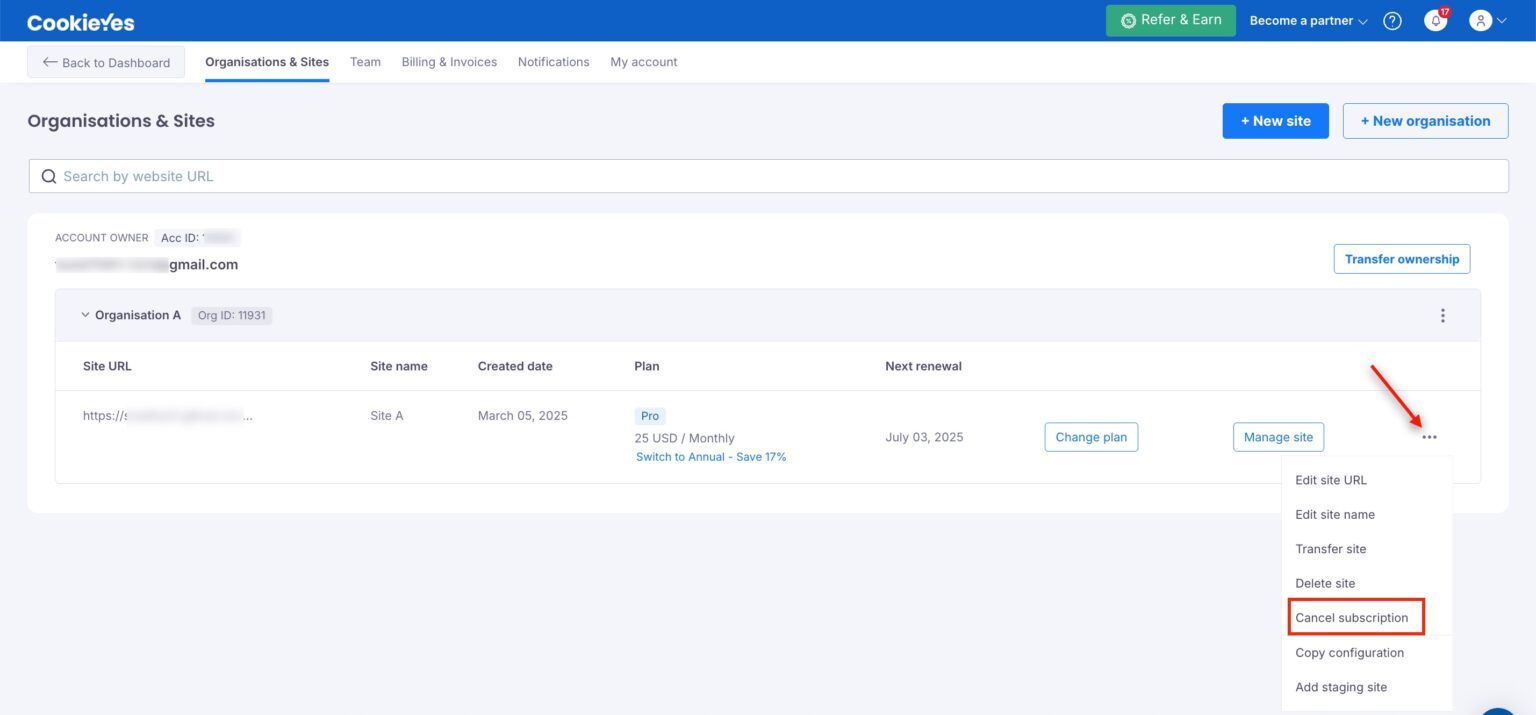
- Locate the site for which you want to cancel the subscription.
- Click the three-dot menu (⋯) next to the site.
Choose Cancel Subscription from the available options.
A confirmation modal will appear; click Cancel Subscription to confirm.
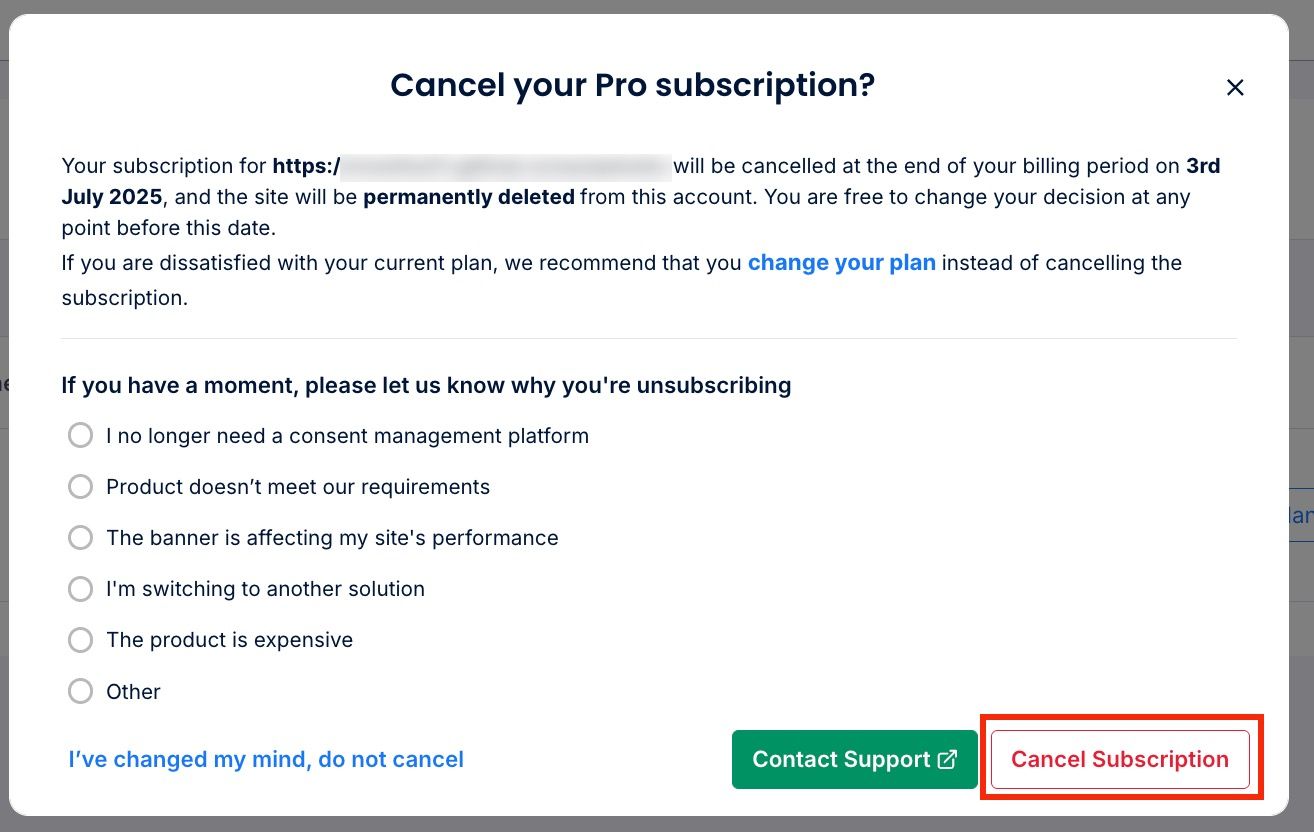
Changed your mind?
Click changed your plan in the modal to cancel the cancellation and select your new plan.