Full site index for AI agents: llms.txt. Every page is also available as Markdown: replace the trailing slash with .md, so /pricing/ becomes /pricing.md. Or send the header Accept: text/markdown to the page URL itself.
We’re officially Built for Shopify. And it’s free. Cookie consent with no code and no slowdown.
Every time a user logs in using Facebook, clicks a LinkedIn share button, or sees an Instagram ad after browsing an online store, social media cookies are at work. These small but powerful trackers help social platforms gather data, deliver personalised content, and fuel ad targeting across the web. Want to know more about these tiny data files on your website? Read along.
What are social media cookies?
Social media cookies are third-party tracking tools set by platforms like Facebook, LinkedIn, and Twitter. These cookies monitor user activity across websites, enable personalised experiences, and perform ad targeting and analytics.
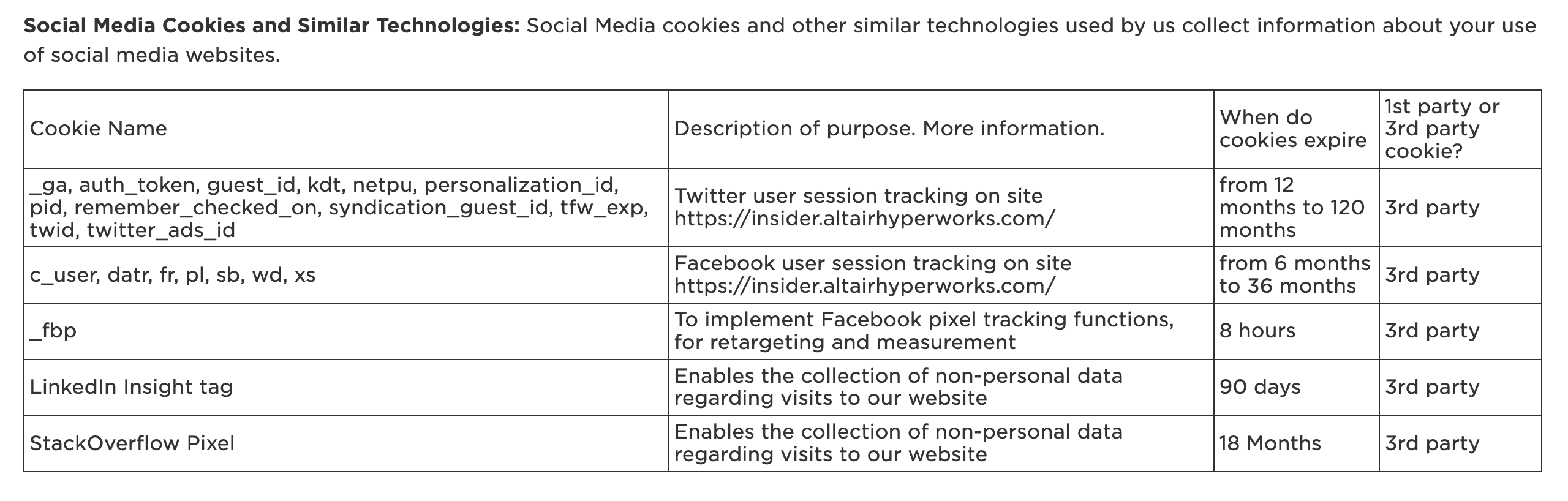
Examples of social media cookies taken from Altair‘s cookie policy
They work in the background when users interact with websites that embed social media features, such as share buttons, comment widgets, or login options.
What are cookies?
Internet cookies are small bits of memory that websites store in your browser to remember who you are, what you did, and what you might want to do next.
Essential cookies: Required for core website functionality like page navigation, login authentication, and access to secure areas.
Preference cookies: Store user settings and choices, such as language selection or region, to deliver a customised experience during future visits.
Performance cookies: Collect anonymous data about how users interact with a site, such as frequently visited pages.
Analytics cookies: Help site owners understand visitor behaviour by tracking metrics like time spent, click paths, and engagement rates.
Advertising cookies: Deliver relevant ads to users based on their interests.
Social media cookies: Enable content sharing and social features and track interactions across websites for ad targeting and analytics.
How do social media cookies work?
When a user visits a website that includes embedded social media features like a Facebook Like button, a LinkedIn Share widget, or an Instagram feed, scripts from those platforms load automatically. These scripts drop social media cookies into the user's browser, which begin tracking their activity on the site and beyond.
Even without interacting with the widget, the social media cookie logs the user's visit, device information, and sometimes referral source. They often persist across sessions and websites, allowing the social platform to follow the user’s browsing journey over time.
The data collected is sent back to the social media provider’s servers and used to build behavioural profiles, segment audiences, and deliver targeted content or advertisements.
In many cases, these cookies work in combination with tracking pixels and other identifiers to improve the accuracy of attribution and personalisation.
For example, if someone visits a travel blog and later sees flight deals on Facebook, it’s likely the result of such social cookie tracking working alongside retargeting mechanisms.
Examples of different kinds of social media cookies from real-life websites
Most websites do not list social media cookies on their website under a separate category and are usually included under third-party cookies. But here are some examples of websites and their cookie policy that list the social media cookies.
#1 Seafish
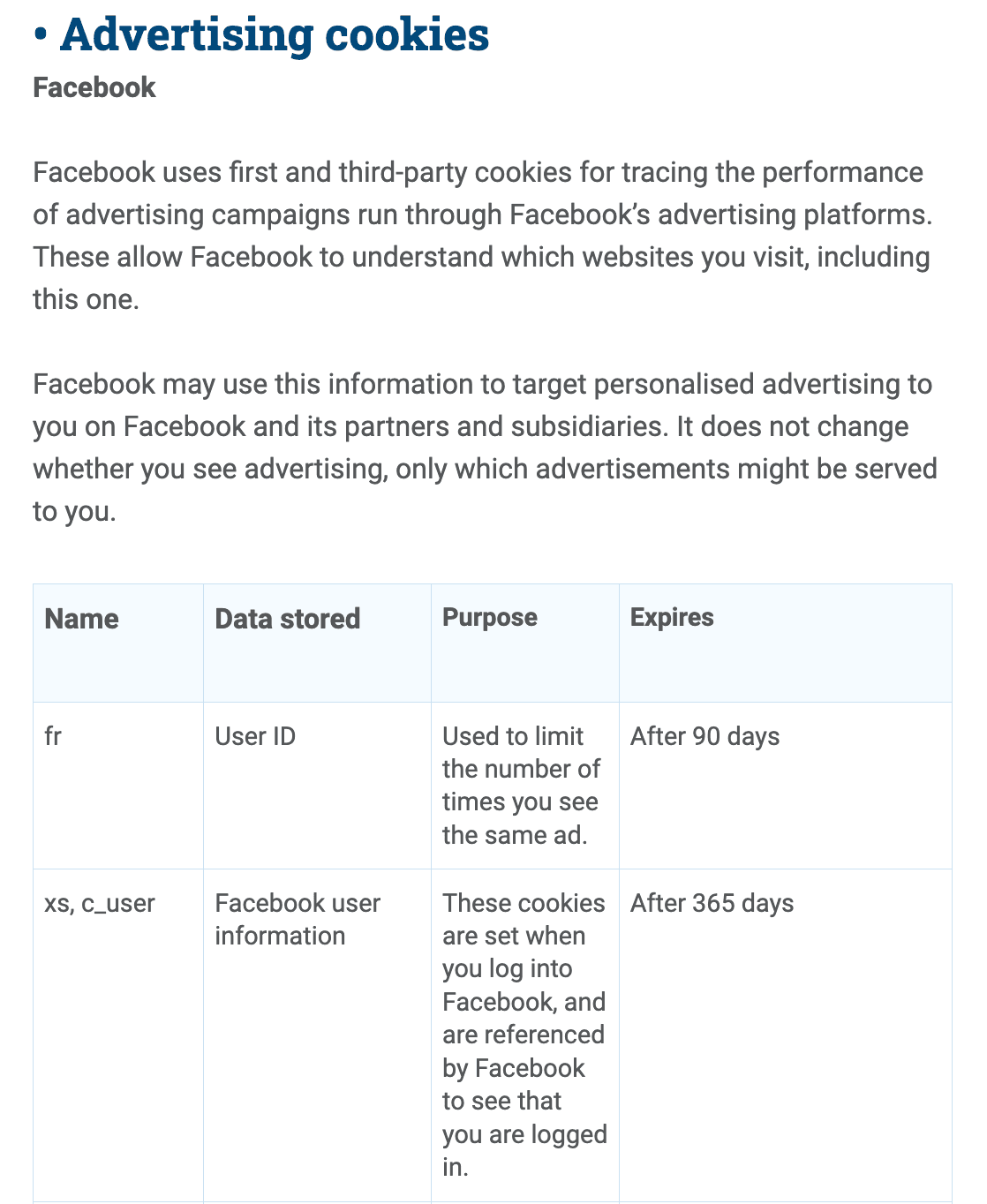
The following image shows how the cookie policy of a UK-based company called Seafish lists the use of the “c_user” Facebook cookie. It is a cookie set by Facebook to improve the user's browsing experience on the website and for advertising purposes. This cookie is typically paired with xs.
#2 Euro Child
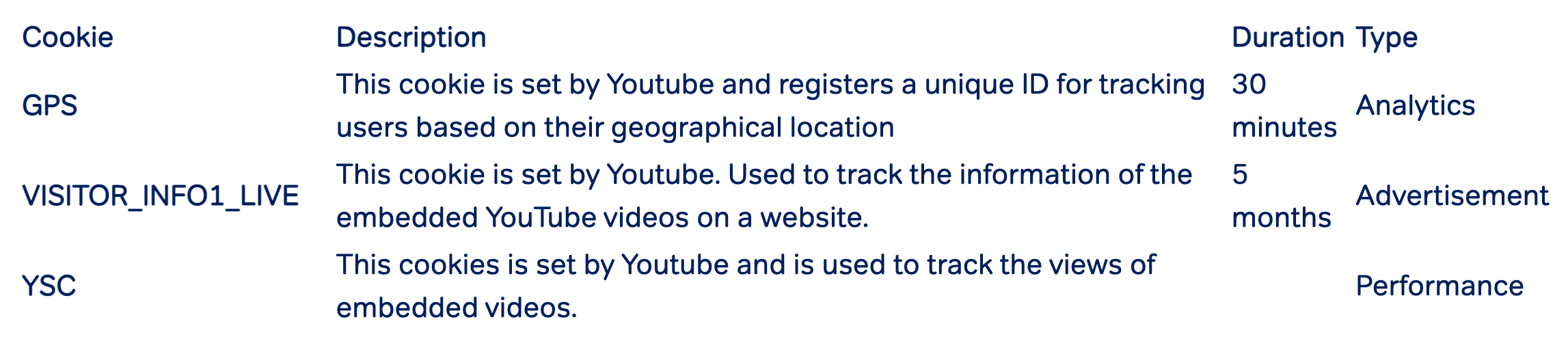
This example, taken from the cookie policy of Euro Child’s website, lists the use of “VISITOR_INFO1_LIVE”, “GPS”, and “YSC”. All of them are social media cookies set by YouTube.
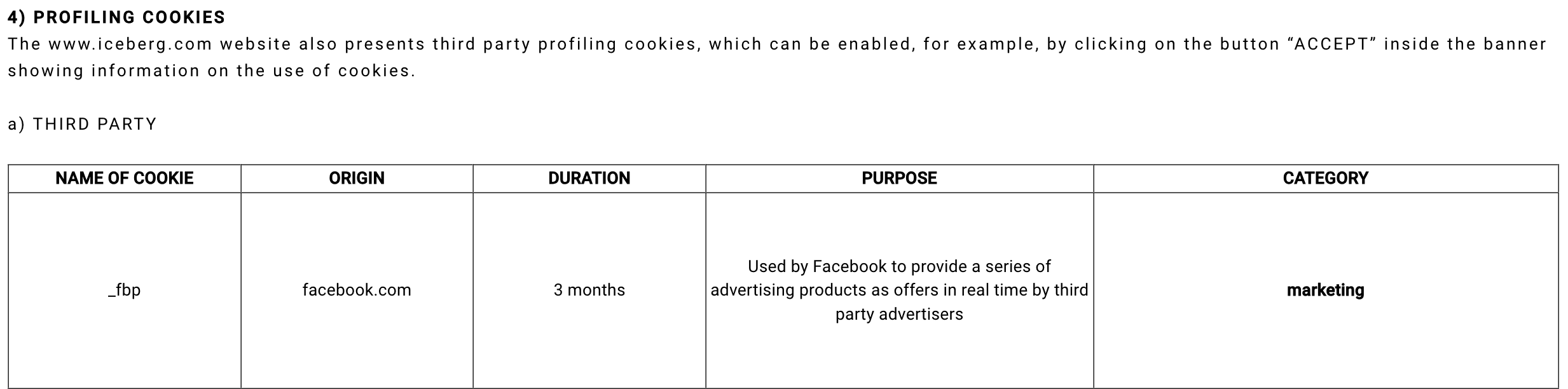
#3 Iceberg
Next is an example from Iceberg’s website. Its cookie policy lists the use of "_fbp", a social media cookie used by Facebook to track user activity and browsing behaviour across websites for improved ad targeting and understanding user interests.
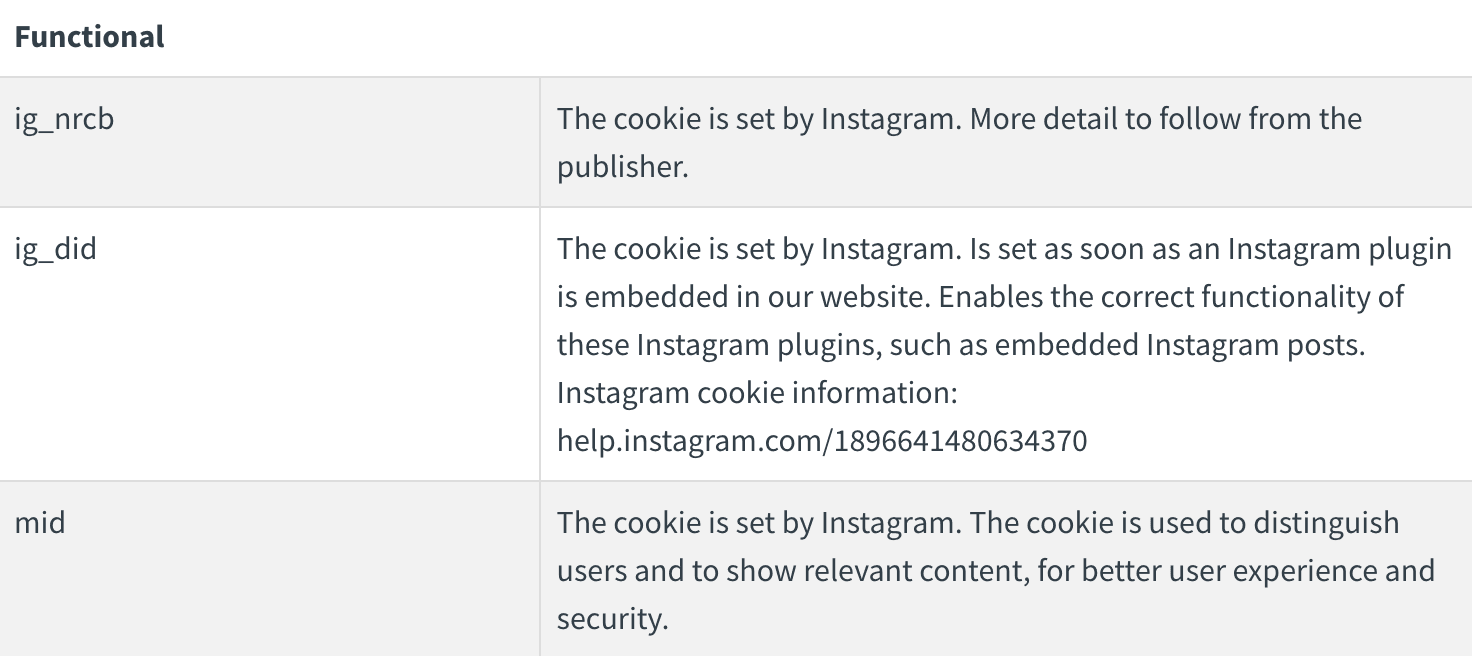
#4 Emerald
In addition to Facebook and YouTube, Instagram also places cookies on websites. For instance, the image below illustrates the social media cookies Instagram places on Emerald's website.
These cookies serve various functions. For example, the "ig_did" cookie set by Instagram facilitates the display of embedded Instagram posts on websites.
#5 Join the Police- UK
In this example of the Join the police website, we can see the use of social media cookies like "guest_id" by Twitter. This cookie helps tell users apart and is usually placed on pages that have Twitter widgets. It gives visitors a unique ID for Twitter to use internally.
Here are some more examples of cookies placed by Twitter, listed on its cookie policy
Should I disclose the use of social media cookies to users?
Yes. Under most privacy laws, website operators must disclose their use of cookies, including social media cookies. This is non-negotiable because cookies can collect personal user information, bringing them under the scope of data privacy regulations.
Take GDPR (EU and UK) for example. It explicitly requires organisations to obtain opt-in consent for non-essential cookies, such as social media cookies. It also requires transparency regarding data collection and processing.
Therefore, all websites must clearly disclose the types of cookies they use, their names, duration, and user rights, including the right to withdraw consent at any time, along with instructions on how to exercise these rights.
That is not all, several countries are building data protection laws, and many of them are already in effect. California CCPA, Texas TDPA and Brazil LGPD are some of them.
Transparency in few simple steps
Create a custom cookie banner and policy using CookieYes
Here is how you can make the cookie disclosure clear, accessible, and compliant, without overwhelming your users.
Include details in your cookie policy
Your cookie policy is the go-to place for users to understand what cookies your site uses. It should go beyond generic terms and include specifics, especially for third-party cookies placed by social media platforms.
Here’s what to cover:
The names and categories of cookies, like c_user from Facebook or YSC from YouTube
Their purpose, such as enabling social logins, tracking for analytics, or personalising ads
Who sets the cookies
How long they stay active on the browser
Instructions on how users can manage or change their cookie preferences
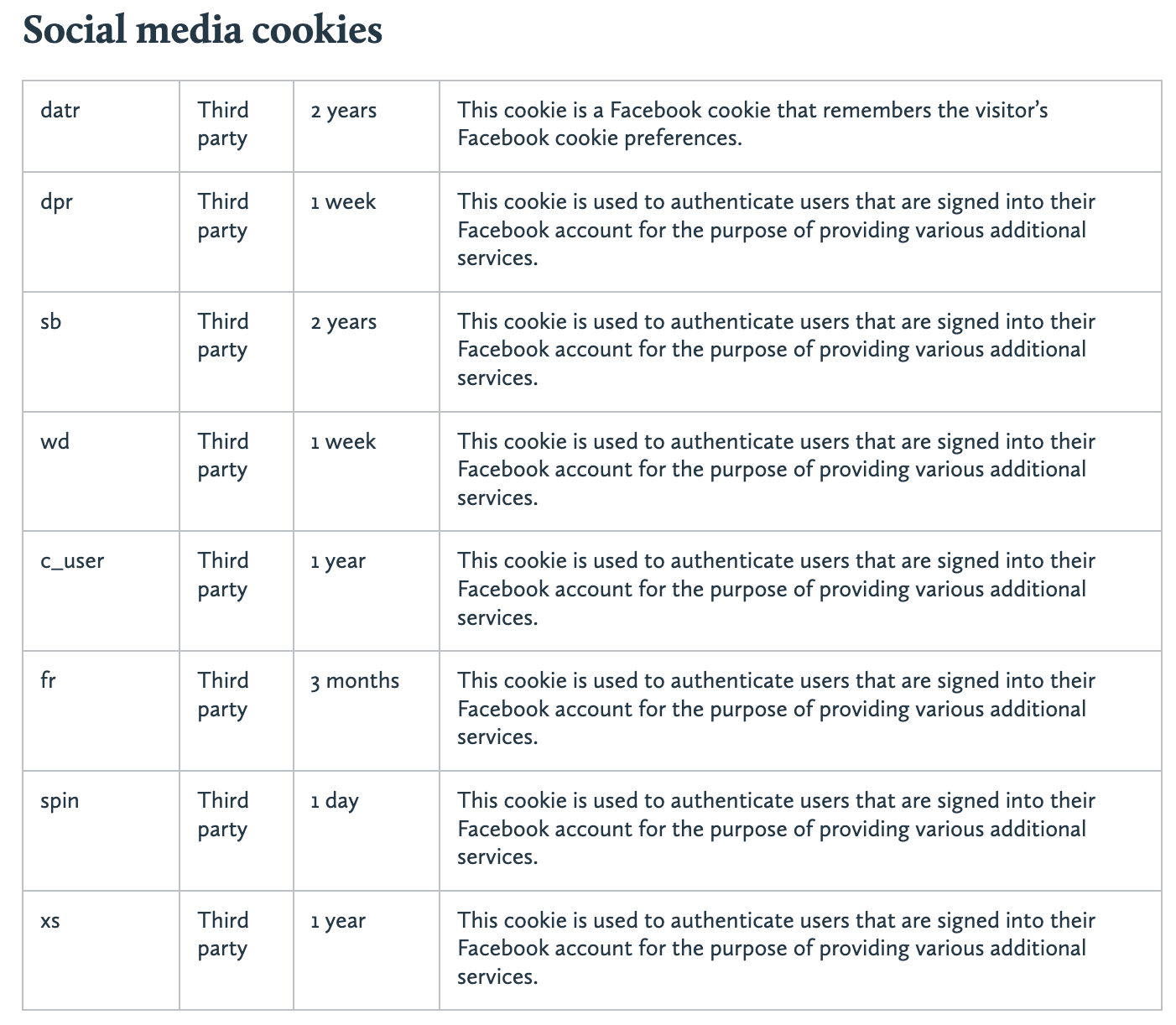
The following example from Contrast’s cookie policy shows how you can disclose the use of social media cookies on a website. Here, it is given in a tabular format, which aids easier comprehension.
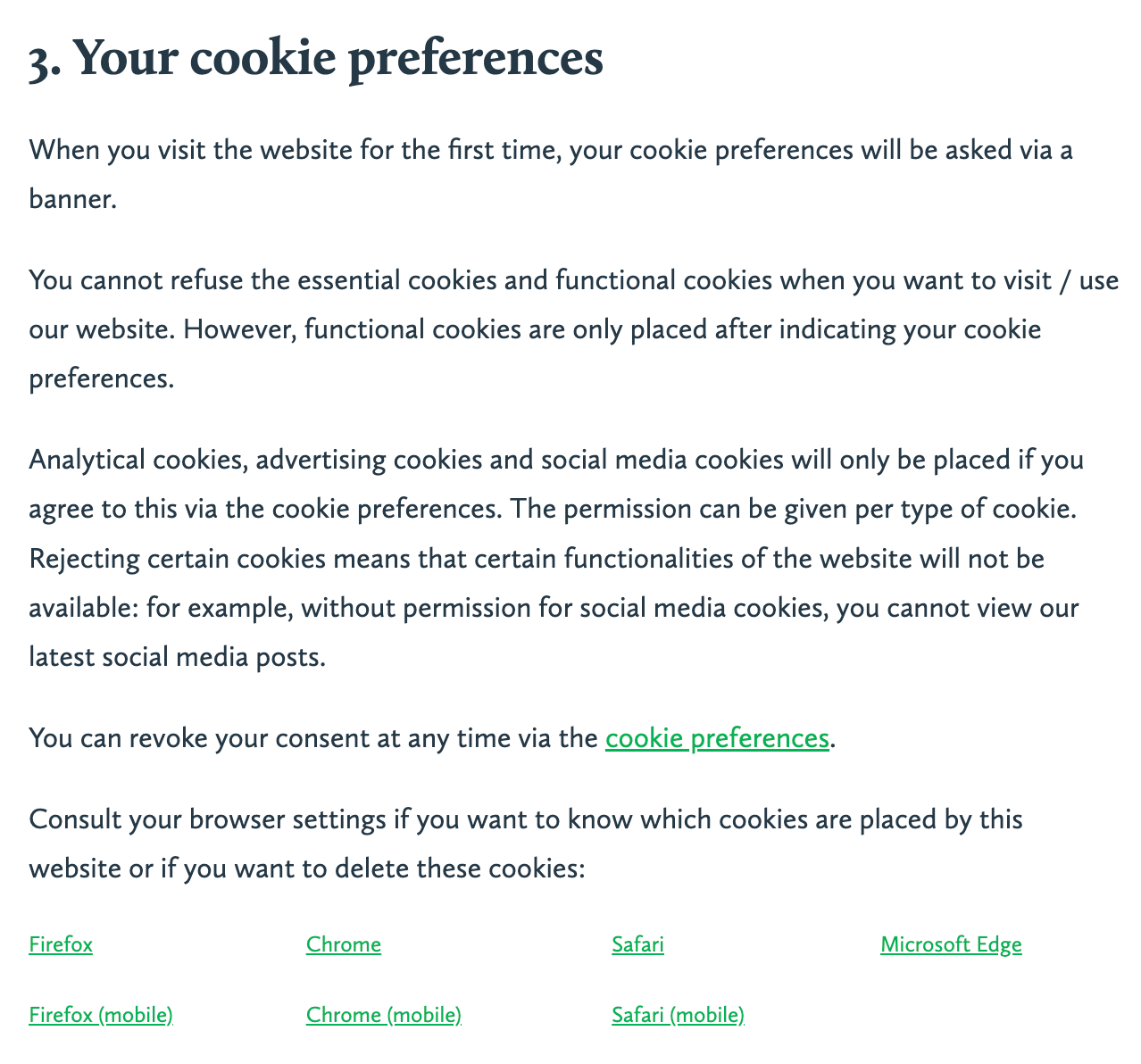
Contrast law also clearly tells its users how they can manage preferences.
Make sure the policy is easy to find. Add a link in your website footer and update it regularly to reflect any changes.
Add cookie information to your privacy policy
Your privacy policy should include a section about cookies. If you have a separate cookie policy, you can offer a brief introduction and a link to it. This prevents repetition.
If you don’t have a standalone cookie policy, your privacy policy must include a clear section dedicated to cookies.
This section should explain:
Which cookies are being used
Why they are used and its duration
How users can opt in or out of them
Avoid hiding this information inside dense legal text.
Link to it clearly from your footer, consent banner, or user settings page. That way, users can find it quickly and understand their rights without digging.
Cookie preference centre
A cookie preference centre, usually part of a Consent Management Platform (CMP), helps users control what cookies they accept. This is often required under laws like the GDPR and is also a trust-building tool.
Here’s what your preference centre should include:
Cookie categories with a short explanation of what they do
A way for users to turn this category on or off independently (Toggle buttons)
A visible icon/ widget that lets users return and update their choices.
This setup keeps your site compliant while giving users real control over their data.
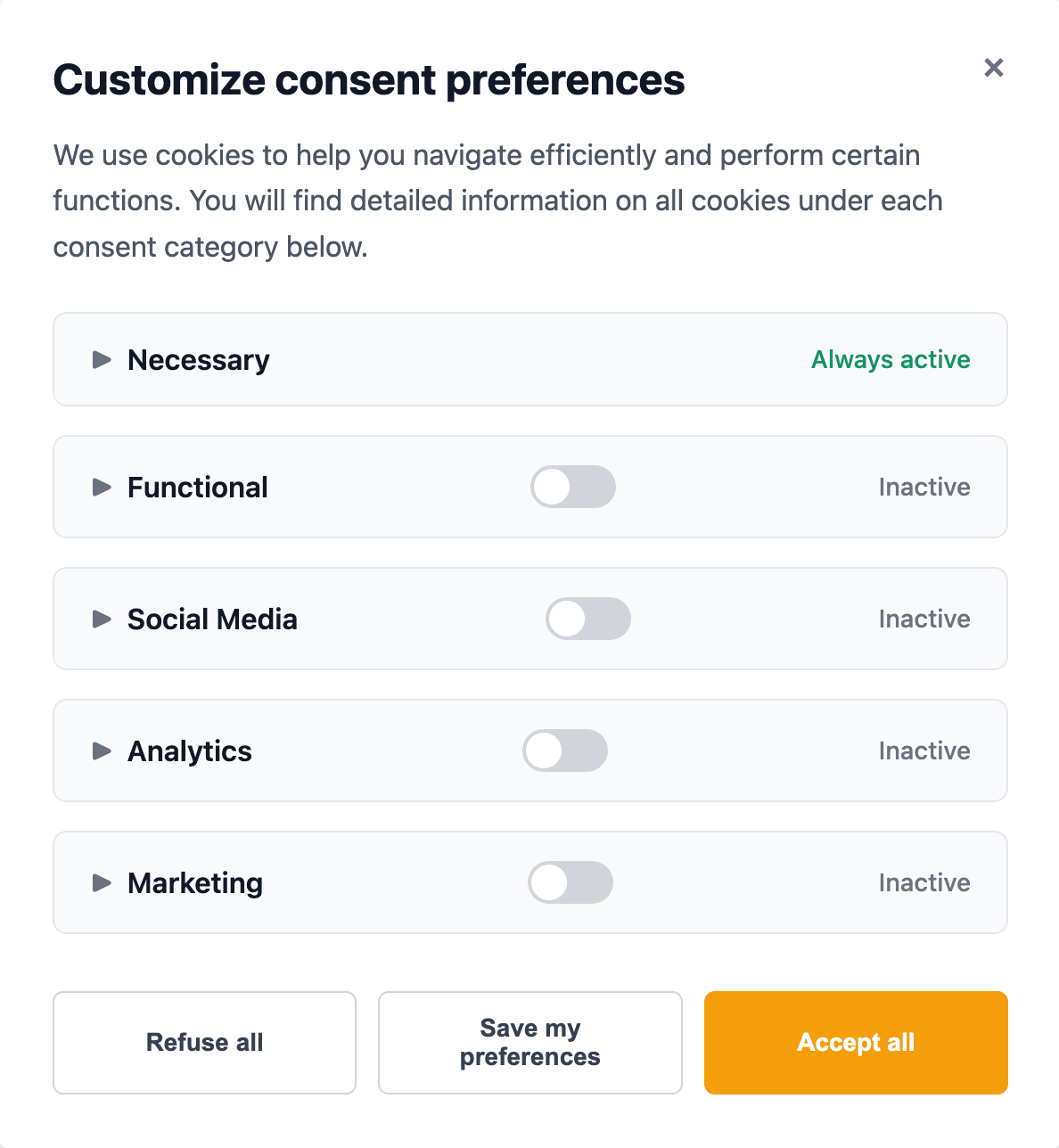
Cookie banner with toggle controls for different cookie types
Do I need consent for social media cookies?
If you are dealing with social media cookies, you almost always need user consent before setting them, especially under the GDPR or the ePrivacy Directive.
Such opt-in laws say that, apart from cookies strictly necessary for basic website functionality, all non-essential cookies, including those set by social media plug-ins, must only be stored or accessed after obtaining a user's clear, informed, and voluntary consent.
However, if your website is only targeting jurisdictions like the US or specifically California, explicit prior consent is typically not required. That said, you need to provide a clear opt-out option (“Do not sell/share my personal information” link).
Websites use social media cookies to power features like social logins, share buttons, and embedded posts. These cookies connect the site to a user’s social account, making it easy to share content or log in. At the same time, they let social platforms track user activity for analytics and targeted ads. In short, they provide social functionality for the site and collect data for personalisation and marketing.
Are social media cookies third-party cookies?
Yes. Social media cookies are third-party cookies because they’re set by the social network’s domain and not the site’s own domain.
How are social media cookies different from advertising cookies?
Social media cookies are set by platforms like Facebook or Twitter when you use their tools on a site, enabling both social features (like logins, shares, embeds) and ad targeting. Advertising cookies, usually set by ad networks, focus only on tracking users to show targeted ads. In short, social media cookies power site features and feed data to social platforms, while advertising cookies exist purely for ads. Both are non-essential and often require consent.