Why does Shopify GDPR compliance matter?
Shopify merchants need to follow strict data protection laws, especially when handling personal data through tools like:
- Google Analytics
- TikTok pixels
- Third-party apps from the Shopify App Store
Why this matters:
- Each tool or API you use may act as a data processor.
- You’re responsible for how these tools collect and use customer data.
- Not following the rules can lead to:
- Data breaches
- Legal penalties
- Loss of customer trust
- Data breaches
The bottom line:
Being GDPR-compliant helps you:
- Avoid fines
- Meet global privacy laws
- Build a trustworthy, privacy-first e-commerce brand
What are the key challenges Shopify store owners face?

GDPR Cookie banner as seen on Peter Matthewson Groundworks
#4 Lack of Data Subject Requests (DSR) Workflows
The GDPR data subject rights are something that many countries are inspired by. Customers have the right to access, correct, or request deletion of their data. Many stores struggle to handle these data subject requests efficiently.
How can you make your Shopify store GDPR-compliant?
#1 Set up cookie banners
Under GDPR and the ePrivacy Directive, you must obtain explicit consent before firing any cookies that aren't strictly necessary. Yes, even the Google Analytics pixel needs permission.
Use a Consent Management Platform (CMP) like CookieYes to create a cookie consent banner tailored for your Shopify store.
A CMP helps you manage user consent preferences, log consent for audits, and allow users to adjust their customer privacy settings anytime.
How to add a cookie consent banner to your Shopify store in 3 easy steps?
Getting a cookie consent banner live on your Shopify store is quick and simple. Here’s how you can do it:
Step 1: Install the CookieYes GDPR Cookie Banner app
Find and install the CookieYes GDPR Cookie Banner from the Shopify app store.
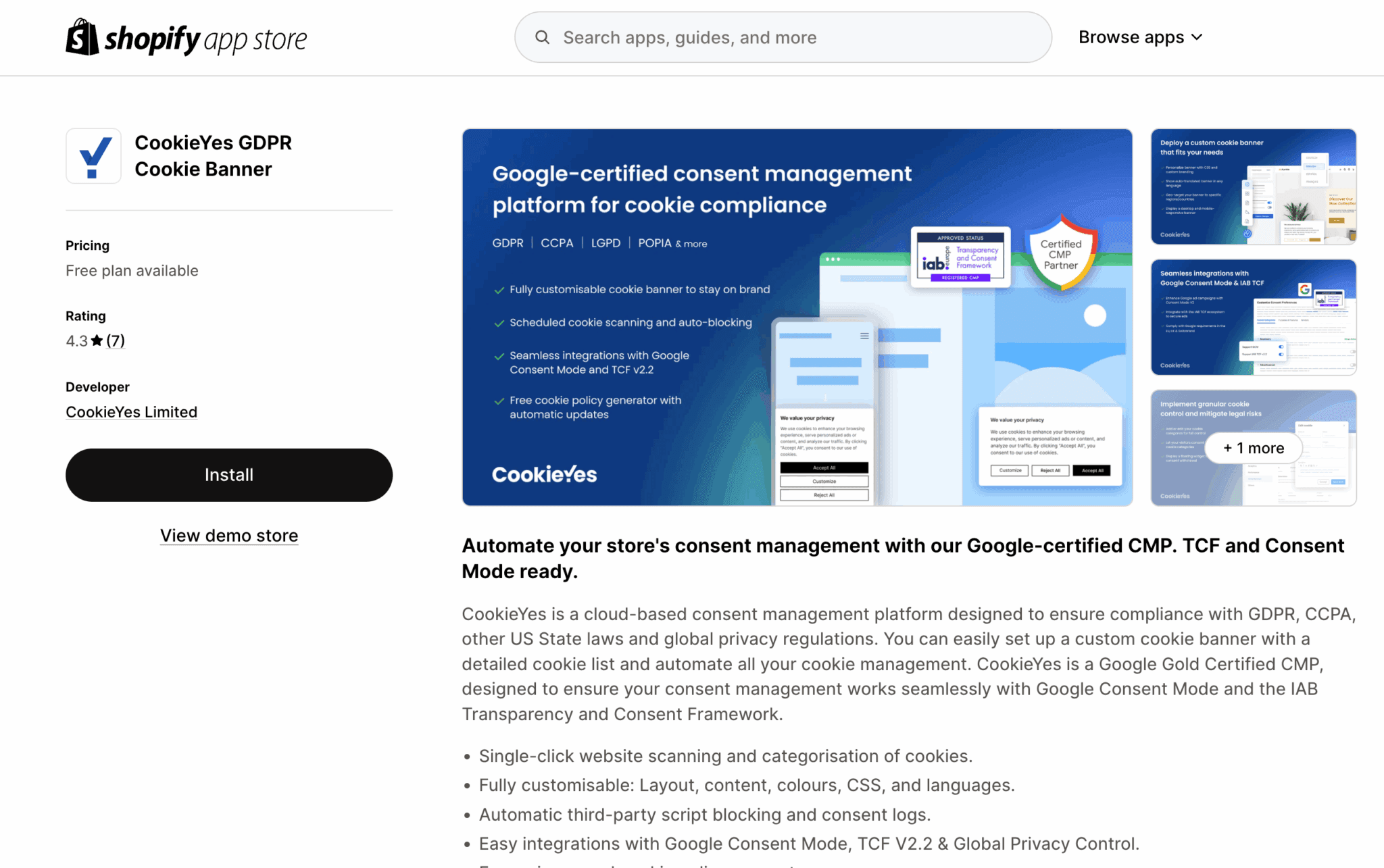
CookieYes on Shopify app store
Step 2: Create your CookieYes account
Sign up for a CookieYes account to access your dashboard and set up your consent banner.
Step 3: Customise and add the banner to your store
Choose a banner layout that fits your storefront, customise it to match your brand, then copy the generated code and paste it into your Shopify theme.
That's it! In just a few minutes, you can have a GDPR-compliant cookie consent banner up and running, helping you meet data privacy requirements and build customer trust.
#2 Update privacy policies
Your privacy policy isn't just a checkbox; it's a legally required manifesto of how you collect, use, and share personal data. Make sure your privacy policy addresses:
- Types of personal data collected (email addresses, IP addresses, etc.)
- How you process customer data
- Use of third-party apps and APIs
- Data subject rights (access, correction, deletion, data portability, etc.)
- Data breaches and response protocols
You can start with a privacy policy template if you're feeling overwhelmed, but always customise it to reflect your specific store functionality and integrations. Or, simply use a privacy policy generator.

#3 Managing customer data access and deletion
Store owners must provide customers with ways to make data subject requests (DSRs) easily. That includes requests for data access, rectification, and deletion.
Use the Shopify Admin to handle DSRs efficiently, but remember: if you use third-party providers from the Shopify App Store, your obligations extend to them, too.
Configure your apps correctly, and ensure data processing agreements (DPAs) are in place with each provider.
#4 Review and manage third-party apps
Every third-party app you install on your Shopify store could access personal data. Under GDPR, you must:
- Treat each app as a potential data processor
- Review how each app handles customer data
- Request or review their data processing agreements (DPAs)
- Remove any apps that don’t meet privacy regulations
Before installing apps from the Shopify App Store, check if they:
- Clearly explain their data use
- Comply with GDPR
- Include a data processing addendum/agreement
This step helps you stay compliant and reduces the risk of data breaches.
#5 Implement security safeguards
Shopify takes data security seriously, but as a Shopify store owner, you must watch out for financial fraud, security attacks, phishing emails, etc. Implement access controls, enable two-factor authentication (2FA), and use secure payment gateways for transactions.
How Shopify supports your GDPR compliance
Shopify offers several built-in features to help you meet your responsibilities under the GDPR. While the platform includes tools that support compliance, it’s still your duty as a Shopify store owner to understand the law and configure your store accordingly.
Here are the key ways Shopify helps you stay on the right side of data privacy regulations:
Customer privacy controls
From your Shopify admin, you can set up a cookie banner, add a privacy policy, and enable a data sales opt-out page—all from the Customer privacy settings section.
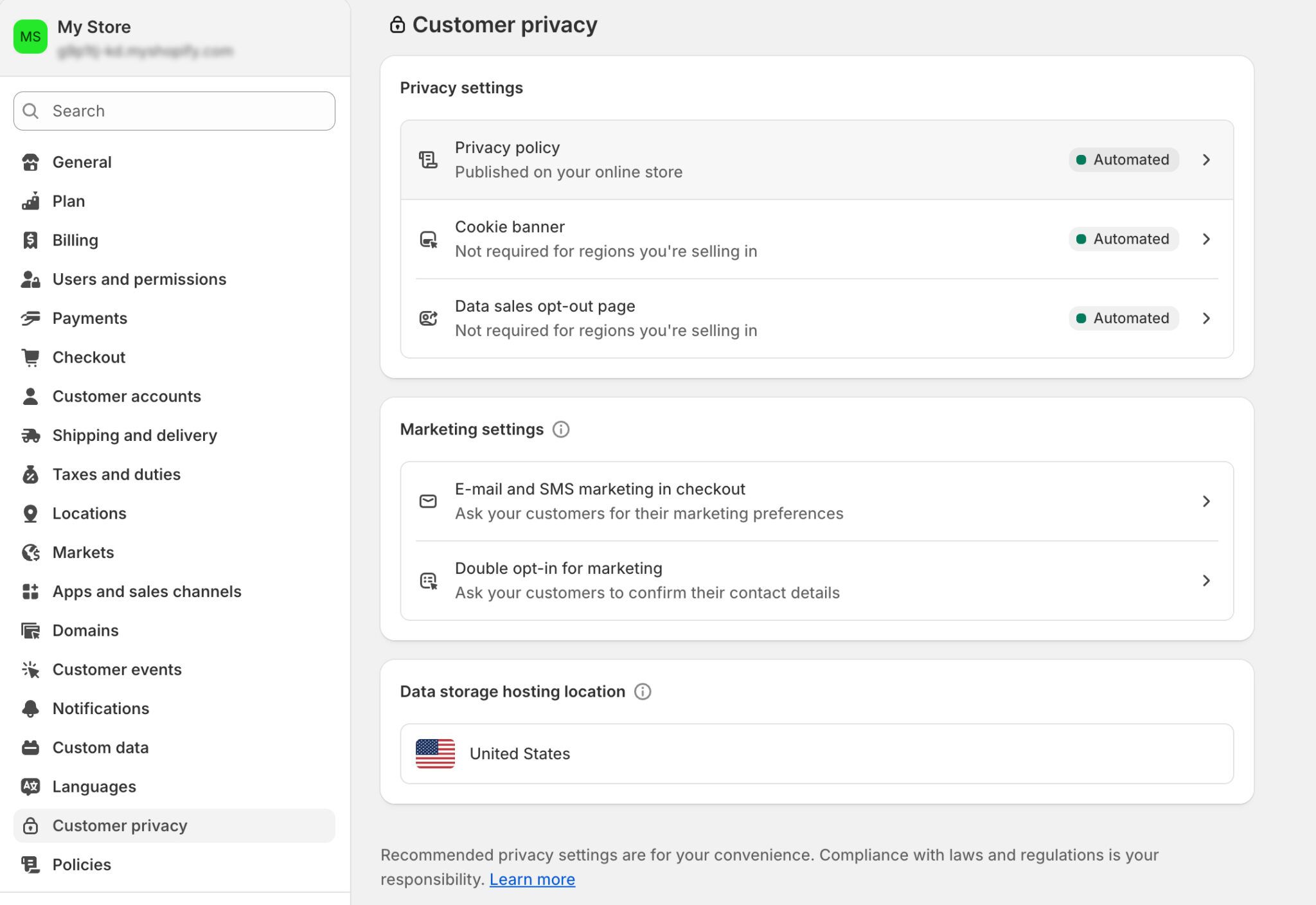
Shopify customer privacy settings
Data Processing Addendum (DPA)
Shopify provides a standard Data Processing Agreement, which defines how customer data is handled between you and Shopify. This is essential for GDPR compliance when Shopify acts as your data processor.
Data access and deletion tools
Shopify gives you the ability to access, edit, or delete personal data at the customer’s request, helping you meet requirements for data subject requests like access and deletion.
Privacy policy templates
You can start with Shopify’s pre-built privacy policy templates and customise them to reflect how your store collects and uses customer data.
Security infrastructure
Shopify protects customer data with industry-standard safeguards like encryption, firewalls, and frequent security audits to reduce the risk of data breaches.
Mistakes to avoid in Shopify GDPR compliance
Watch out for these common Shopify GDPR compliance mistakes:
Treating GDPR as a one-time setup
Privacy laws change—often. From UK GDPR to evolving interpretations of Google Consent Mode, you need to run regular audits to stay current.
Ignoring third-party compliance
Each app you use should come with clear GDPR documentation and a DPA. If not, find alternatives.
Poor consent UX
A poorly implemented pop-up can invalidate your compliance. Ensure cookies are only triggered after clear user consent is given.