Full site index for AI agents: llms.txt. Every page is also available as Markdown: replace the trailing slash with .md, so /pricing/ becomes /pricing.md. Or send the header Accept: text/markdown to the page URL itself.
Digital advertising in the European Union is governed by strict data protection rules. The ePrivacy Directive and the General Data Protection Regulation (GDPR) require informed consent before storing or reading cookies or personal data on a user’s device. To ensure that its advertising and analytics products comply, Google introduced the EU User Consent Policy. This policy applies to a wide range of Google services, and non-compliance risks suspension of Google services and fines under GDPR.
This guide is written for business owners, marketers and compliance officers who rely on Google products for advertising or analytics. It explains what the policy requires, who must comply, the consequences of non‑compliance and actionable steps to stay compliant.
What is Google EU User Consent Policy?
Google’s EU User Consent Policy is a contractual requirement for publishers and advertisers using Google products that collect or process personal data in the European Economic Area (EEA), the United Kingdom and Switzerland.
It requires two key actions:
Transparency regarding data processing.
Explicit consent before processing.
The policy aligns with the GDPR, the ePrivacy Directive (Cookie law) and the UK Data Protection Act (UK DPA).
Google EU user consent policy timeline:
Introduced in 2015, Google's EU User Consent Policy was updated in May 2018 with the implementation of GDPR. Further revisions occurred in October 2019, culminating in July 2024 with final updates to include Switzerland within its scope.
Who does the EU User Consent Policy apply to?
Many businesses mistakenly believe that the policy is only for EU‑based organisations. That’s not the case.
In reality, the policy applies to end users in the EEA, UK, and Switzerland if your website or app uses Google products that incorporate the policy, no matter where your business is located.
However, if you do not target these areas and have removed Google services for users from these countries, the policy may not apply to your site or app.
Specific examples of what the EU User Consent Policy covers include:
Websites and apps accessible to EU users, even if EU users are not the primary target audience.
Digital marketers and advertisers using Google services like Google Ads, Google Analytics, Ad Manager, AdSense or AdMob, the policy applies to you.
E‑commerce platforms and content publishers using Google’s advertising networks or analytics must comply.
Other Google services such as Google Maps, the YouTube API, reCAPTCHA and Blogger come under its scope.
What are EU user consent requirements for publishers and developers?
Google distinguishes between properties under your control (e.g., your own website or app) and properties under a third party’s control (e.g., when you embed a third‑party script that shares data with Google).
The core obligations are:
#1 Obtain legally valid consent
Implement a cookie banner to collect explicit opt-in consent for cookie usage and for the collection, processing, and storage of data used for advertising.
Ensure that the banner is accessible when the end user from the EEA, EU, Switzerland and UK visits your website.
Consent must be freely given, specific, informed and unambiguous, in accordance with the GDPR consent requirements.
Users must actively opt in, meaning no pre‑ticked boxes or assumed consent are allowed. Additionally, auto-block cookies or tracking scripts until valid consent is obtained.
#2 Provide transparent notices
Your banner or pop‑up must inform users what personal data is collected, why you collect it and how long you retain it. Referring to the use of their data and the use of cookies or mobile ad identifiers for personalised or non-personalised ads or measurement is also important.
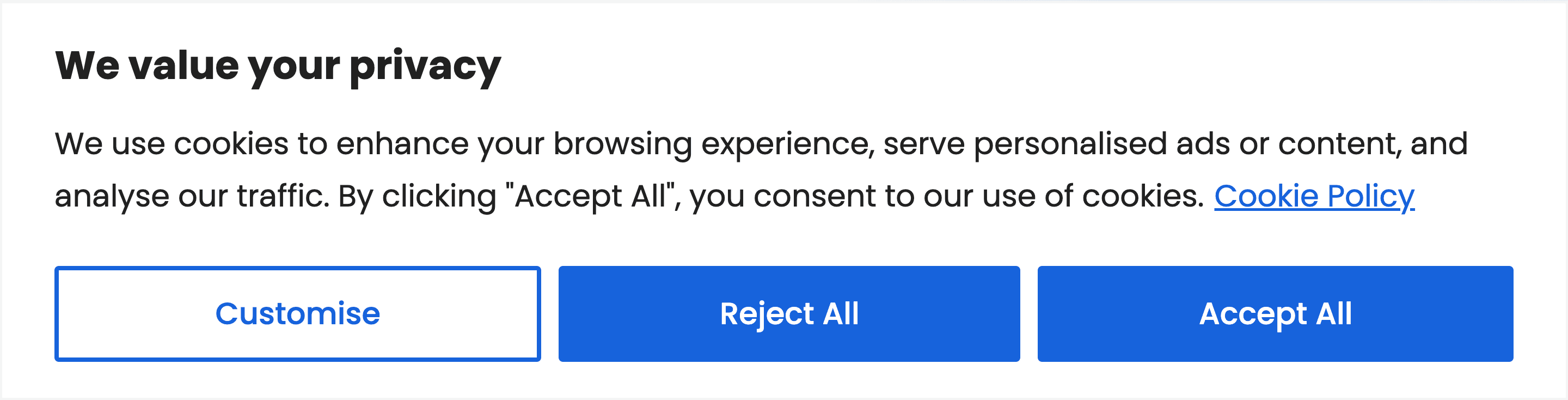
Example of a transparent and compliant cookie notice powered by CookieYes
What counts as personalised ads?
Personalised ads are advertisements tailored using a user’s past data, such as search history, site/app activity, demographics, or location.
Examples include demographic targeting, interest-based targeting, remarketing, customer Match, and audience lists uploaded in Google Marketing Platform.
Moreover, name each party that will receive or process user data as a result of your use of Google’s products. This includes Google and any third-party ad technology providers you work with. Link to Google’s Business Data Responsibility site, which details how Google uses personal data on your consent banner or privacy policy.
Also, inform users on how to revoke consent.
#3 Maintain records and enable withdrawal
Google requires businesses to document the text shown to users, the options they selected and the date/time of consent.
Users must be able to withdraw consent easily via ad settings or your site/app. Ensure that it is as easy to withdraw consent as it was to give it.
Revocation must be honoured, and data should be deleted or anonymised.
#4 Implement Consent Mode v2 and consent signals
From July 2025, Google started restricting data collection from websites that do not transmit user consent signals through Google Consent Mode v2. Consent Mode adjusts how Google tags behave based on the user’s choice.
If your integration causes end‑user data from a third‑party site to be shared with Google, you must use commercially reasonable efforts to ensure the third party meets these obligations.
Consequences of non‑compliance with EU User Consent Policy
Failing to follow the EU User Consent Policy has both operational and legal repercussions:
SuspensionofGoogleservices: Google may suspend your use of AdSense, Ad Manager or AdMob if you do not fix consent issues after receiving a non‑compliance notice. However, you will be given a cure period to bring your website into compliance.
Lossofdataandrevenue. From July 2025, websites without proper consent systems risk losing analytics and advertising data. Tags will not fire, and remarketing lists may be disabled.
LegalpenaltiesunderGDPR. GDPR violations can result in fines of up to €10 million or 2% of global annual revenue for less serious offences, and €20 million or 4 % for severe or repeat offences. Businesses may also face reputational damage and loss of consumer trust.
How to achieve compliance with EU User Consent Policy: A step‑by‑step guide
Follow these steps to implement a compliance programme across your digital properties:
#1 Assess your data flows and Google integrations
Identify all Google products (Ads, Analytics, AdSense, Ad Manager, Tag Manager, Maps, reCAPTCHA, etc.) used on your sites and apps. Determine which cookies and data they set.
#2 Choose a Google‑certified consent management platform
Adopt a CMP that integrates with Consent Mode v2 and the IAB TCF 2.2. CMPs such as CookieYes automatically handle consent collection, granular preferences and audit-ready record‑keeping.
#3 Configure your consent banner
Present users with a clear, prominent banner before any non-essential cookies are set.
The banner should explain how personal data will be used (e.g., ads personalisation), offer accept and reject options on the first layer, include a visible link to your privacy/cookie policy, and link directly (or indirectly via policy) to Google’s Business Data Responsibility site.
#4 Implement Google Tag Manager with consent mode
Set default consent states to “denied” and configure tags to fire based on user consent. Use Consent Mode to adjust how analytics and ads behave when consent is refused.
#5 Provide granular controls and vendor identification
Allow users to choose cookie categories (functional, analytics, marketing, etc.).
Also, identify all third-party vendors (including Google) that receive user data and ensure vendor disclosures are accessible from the consent banner or policy page.
#6 Document and store consent records
Your CMP should capture consent details, including text shown and timestamp. Keep these records in case of audits or user requests.
#7 Offer easy withdrawal mechanisms
Include a “cookie settings” or “privacy settings” link where users can revoke or adjust their preferences. Ensure changes to preferences are immediately reflected in your tags and that withdrawal signals are sent to Google and other vendors.
The withdrawal process must be as easy as giving consent.
#8 Update privacy and cookie policies
Your policies should describe all cookies, trackers, data collected and retention periods. Link these policies from your banner and emphasise users’ rights.
How CookieYes helps with EU User Consent Policy compliance
Google now requires publishers and advertisers to use a certified Consent Management Platform (CMP) to collect and manage user consent. CookieYes makes this process simple, fast, and reliable:
Google‑certified CMP: As a Gold-tier Google-certified CMP, CookieYes fully supports Consent Mode V2 and is listed on Google’s official partner directory. It also supports IAB TCF V2.2.
Customisableconsentbanners: Match your brand style, offer granular choices, and link to your policies in a user-friendly way.
Globalcompliancecoverage: Go beyond EU rules- CookieYes delivers geo-targeted cookie banners that adapt to GDPR, ePrivacy, CCPA, and other international laws.
Automaticcookiescanninganddeclaration: It detects cookies, local storage and session storage used on your site and updates your cookie list.
Record‑keeping and withdrawal: CookieYes stores consent records for proof of compliance and also provides users with an easy interface to withdraw or adjust their preferences.
Technicalsupport: Provides easy-to-understand documentation, setup guides and customer support for implementation.
Do you have a cookie banner on your website?
Deploy a banner and comply with privacy laws using CookieYes
Use this checklist to verify that your organisation is meeting Google’s EU User Consent Policy requirements:
Implement a Google-certified Consent Management Platform.
Display a transparent cookie banner on your website.
Obtain explicit, informed, free and granular consent as required by GDPR.
Block all non‑essential cookies and tracking tags until the user consents.
Document consent choices, text displayed and timestamps.
Enable easy consent withdrawal.
Be transparent about your data processing, cookie usage and data sharing practices.
List all vendors (including Google) that receive data and link to Google’s ad‑technology provider list.
FAQs on Google EU User Consent Policy
Why does Google have the EU User Consent Policy?
Google’s policy reflects the requirements of the GDPR, the ePrivacy Directive and the UK Data Protection Act. These laws require transparency and valid consent for cookies and personal data.
Google enforces these requirements for its products to ensure compliance across its advertising and analytics ecosystem.
Do I need to comply if my company is based outside the EU?
Yes. The policy applies whenever you collect data from users in the EU/EEA, UK or Switzerland, regardless of where your business is located.
Non‑EU websites accessible by EU users must therefore implement a compliant consent mechanism.
Which Google products are covered under the EU user consent policy?
The policy covers Google products like Google AdSense, Ad Manager, and AdMob. If you use these services to personalise ads or track users, you must comply with the EU user consent policy.
How does Google enforce compliance?
Google regularly reviews sites and apps that use its products. It checks for a visible cookie notice, explicit consent, disclosure of data collection and whether user choices are respected.
Non‑compliant sites receive a notice with a deadline to fix issues; failure to do so can lead to service suspension.
Do I need cookie consent for Google Ads?
Yes. If your website uses Google Ads, you must obtain consent from EU users before using cookies or other trackers for personalised advertising.
How do I choose a Consent Management Platform?
Select a Consent Management Platform like CookieYes that is certified by Google (Gold-tier partner), integrates with Consent Mode v2 and the IAB TCF 2.2, offers granular consent options, maintains consent records and supports your website or app platform.