
Yes, you can add your brand logo to the cookie consent banner to align it with your brand identity. This feature is available only on the Ultimate plan. Follow these steps to upload your logo:
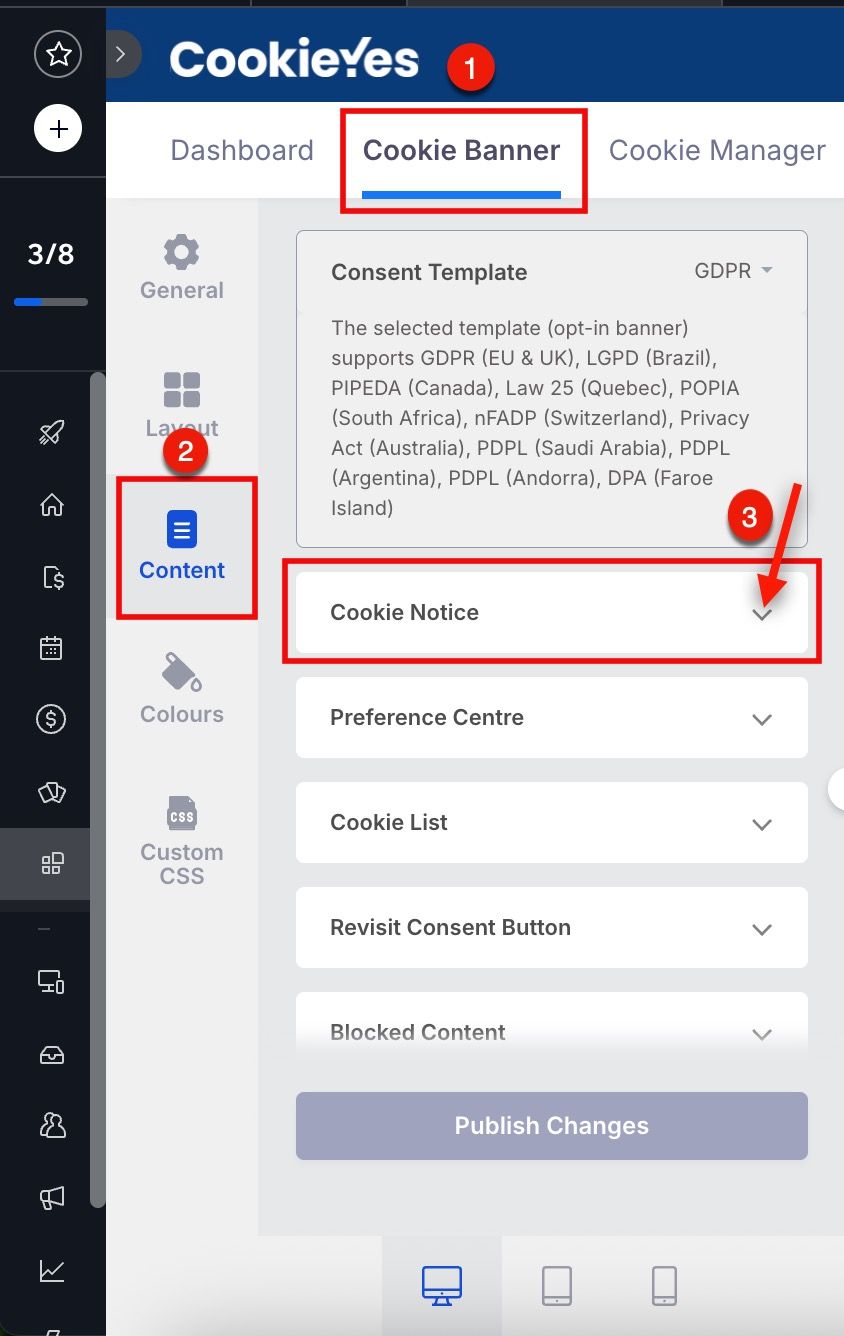
- From the Cookieyes Dashboard, navigate to Cookie Banner > Content > Cookie Notice.
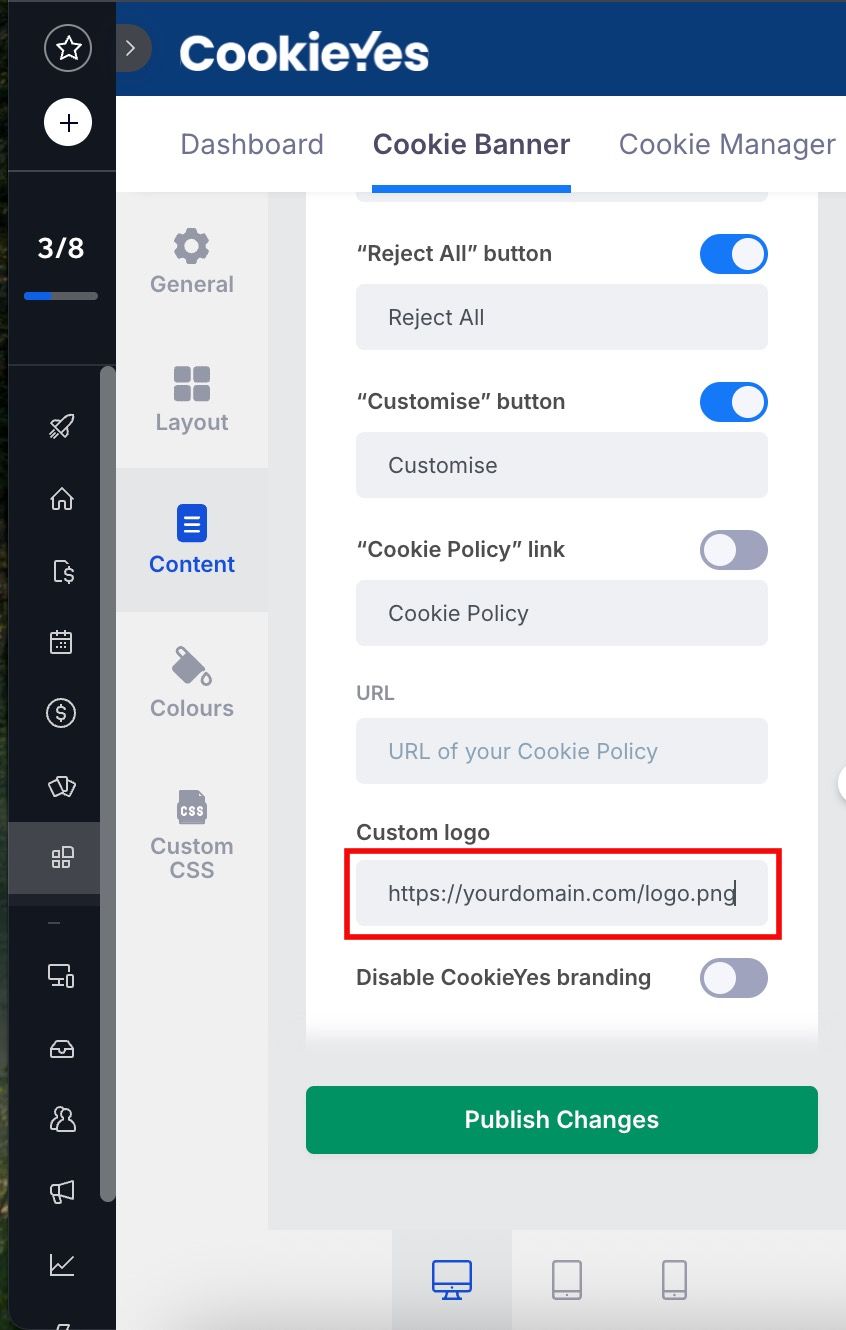
2. In the Custom logo field, enter the URL of your logo image.
3. Click Publish Changes.
Warning: By default, the Custom logo field contains a placeholder #. Make sure to remove it and paste the full URL of your logo (e.g., https://yourdomain.com/logo.png).