Think about this. You land on a website, the cookie banner pops up, and it looks something like this.
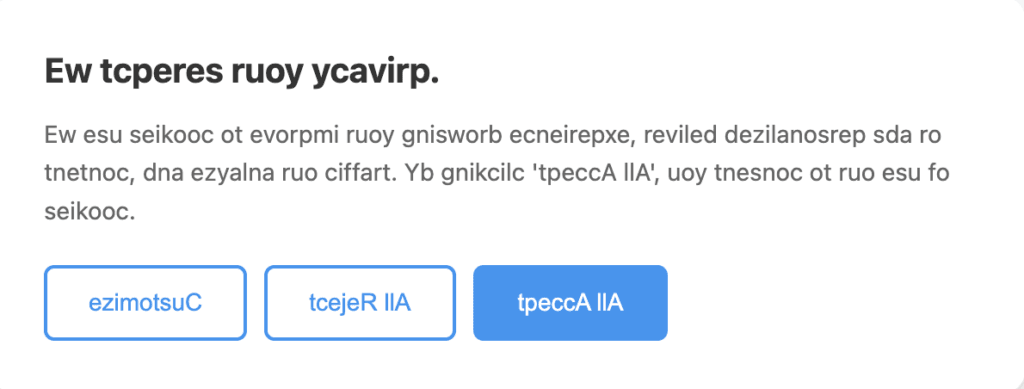
A gibberish cookie banner, symbolising the confusion a user feels when it appears in an unfamiliar language.
Your visitors may feel this way, too, when your cookie banner appears in a language they don’t understand. No matter what language we speak, landing on a banner we can’t understand creates a quick pause and a bit of uncertainty. But there is a fix: Multilingual or auto-translated cookie banners. They adapt to your visitor's language, making the message clear in the language they understand best.
With CookieYes, this becomes effortless. Your banner meets users where they are, creating a smoother path to trust, confidence, and meaningful engagement across markets. Read more to learn how.
The language barrier in privacy
A cookie banner informs your visitors of the cookies used on your website and gives them control over which cookies they allow.
It is meant to inform and empower users to make consent choices. But if your banner text is in a language they can’t read, it fails at its purpose.
A banner written only in a single language might work for some visitors, but not for everyone. For instance:
- A visitor from Spain might skip reading your consent message altogether.
- A user in France might click Reject without truly understanding what they’re disagreeing with.
When users can’t understand your banner, they can’t give valid consent, and that’s a problem for both compliance and experience.
How auto-translated cookie banners work
The auto-translated/multi-lingual banner feature in CookieYes detects your visitor’s browser language and automatically displays your cookie banner in their preferred language.
This ensures that every visitor, regardless of where they’re from, sees your banner in a language they understand.
CookieYes supports multilingual banners in 170+ languages and offers automatic translations for 40+, so you can localise consent experiences for global audiences effortlessly.
Why auto-translated cookie banner improves user experience
Here are the benefits of auto-translation in cookie banners:
#1 Builds trust
When users see your cookie banner in their native language, they instantly feel acknowledged. It signals that your brand values transparency and accessibility while also enhancing your legal compliance.
#2 Reduces friction and confusion
No one enjoys guessing what “Necessary” or “Preferences” means in another language. Clear, native-language messages lead to better engagement and informed consent choices.
#3 Enhances accessibility
Language is a core part of accessibility. Auto-translation ensures that everyone, regardless of region or background, can understand your privacy message clearly.
#4 Strengthens compliance
Privacy laws like the GDPR require that consent be informed. Displaying cookie notices in the user’s own language helps fulfil that requirement more effectively.
#5 Supports global growth
If your business serves multiple markets, localised banners make your website feel local everywhere. It’s one of the simplest ways to create a consistent, trustworthy brand experience worldwide.
How to enable auto-translated banners on your website?
Setting up multilingual or auto-translated cookie banners is quick and straightforward with CookieYes.
For existing users:
- Log in to your CookieYes dashboard in any paid plan.
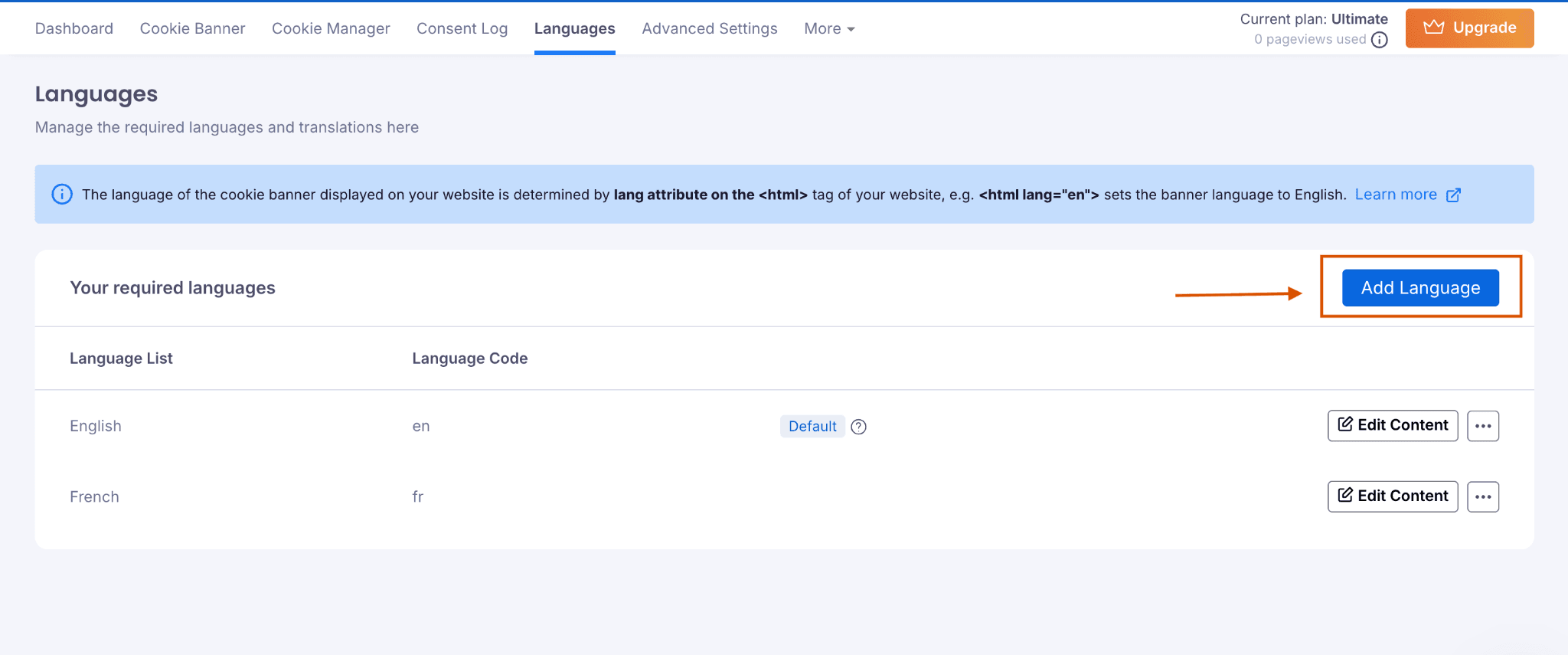
- Go to Languages.
- Select Add languages and choose from over 170 available options.
- Edit or add banner content if needed.
- Save your preferences.
For new users:
- Sign up for CookieYes.
- Set the default language for your cookie banner.
- Navigate to Languages.
- Select Add languages and choose from 170+ options.
- Edit or add content as required.Save your preferences.
CookieYes provides ready auto-translated banner content for more than 40 widely used languages such as Spanish, French, Arabic, and Chinese. For all other supported languages, you can easily add your own translations.
Once the multilingual feature is enabled, CookieYes automatically detects a visitor’s browser language from over 170 possibilities and displays the appropriate translated banner instantly, without any additional setup.
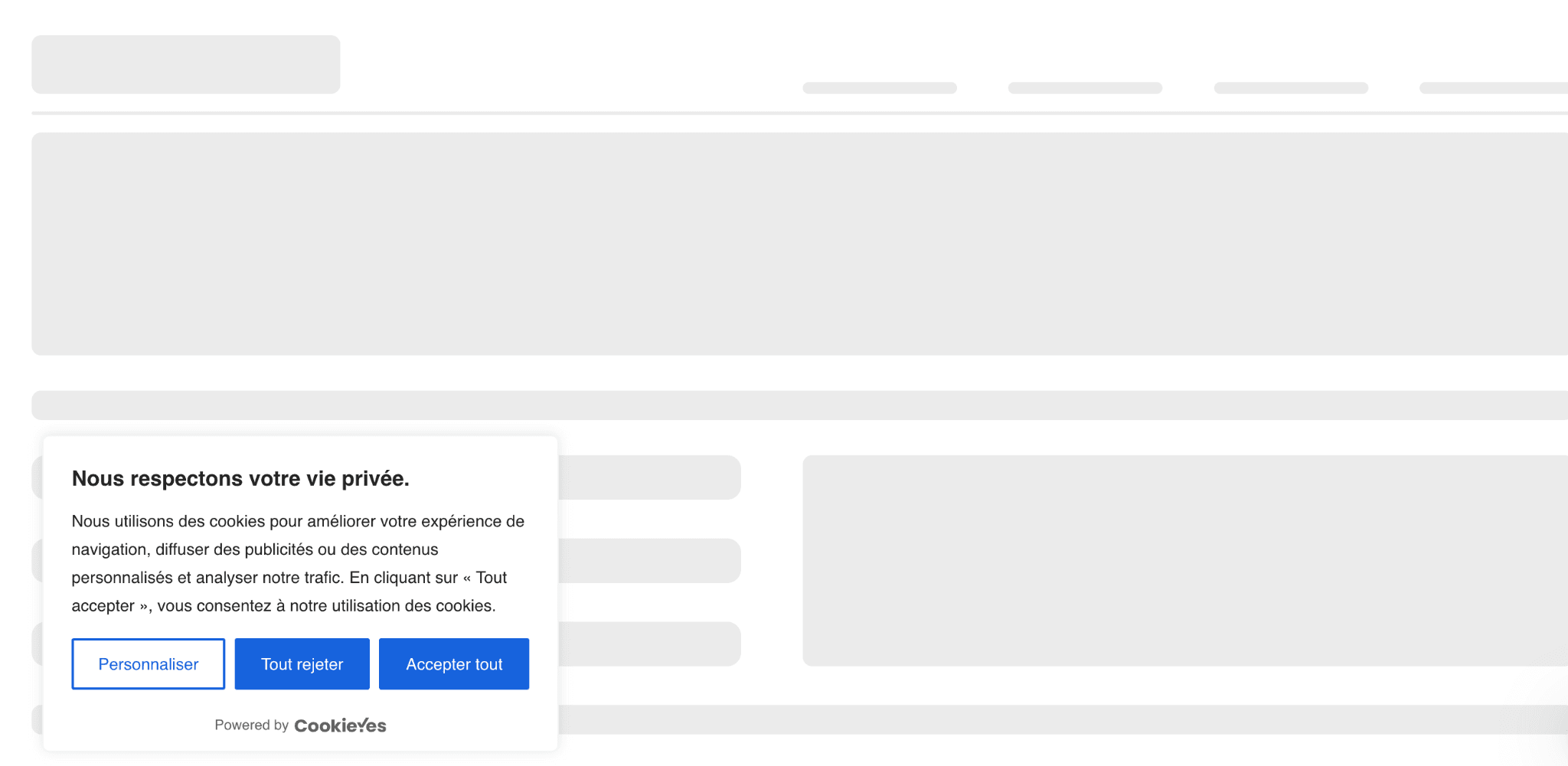
Example of a bottom-left aligned cookie banner in French language customised by CookieYes
Speak to your visitors in their language
Enable auto-translated cookie banners and improve UX across markets.
Try for free- 14-day free trial
- Cancel anytime
Auto-translated cookie banner: Which plan is right for you?
The Auto-translated banner feature is available across the Basic, Pro, and Ultimate plans, each designed for different website needs.
👉 Basic plan: For small websites or beginners
Perfect for websites starting with multilingual visitors and has not more than 100,000 pageviews in a month. You’ll get access to features including:
- Auto-translated cookie banners for improved UX
- Cookie audit reports and consent logs
- 2 pre-built layouts and basic customisations
- Cookie and privacy policy generators
👉 Pro plan: For growing businesses
Ideal for websites with regional audiences and not more than 300,000 pageviews/month. You’ll also unlock premium features like:
- Geo-targeted banners and monthly scheduled scans
- Simultaneous display of US and GDPR banners to relevant audience
- Centre pop-up overlay layout
- Global Privacy Control and IAB TCF v2.2 compliance
👉 Ultimate plan: For large or global businesses
This is our top plan and is built for organisations managing global compliance at scale. It includes everything in Pro and basic, plus:
- Weekly scheduled scans
- Statitic IP scanning and Scan behind login
- Advanced customisation including custom logo
- Remove CookieYes branding
Checkout our pricing plan for more information.
Free user: Why should you upgrade?
If you’re on the Free plan, upgrading unlocks automatic translations and other features that make compliance effortless. This way, you reaffirm your commitment towards informed privacy choices, user experience and customer satisfaction.
You will also unlock advanced customisation, scheduled cookie scans, geo-targeted banners, and enhanced compliance capabilities, such as recognising universal opt-out signals.
With these upgrades, your organisation stays ready for proactive compliance and supports your ongoing growth.
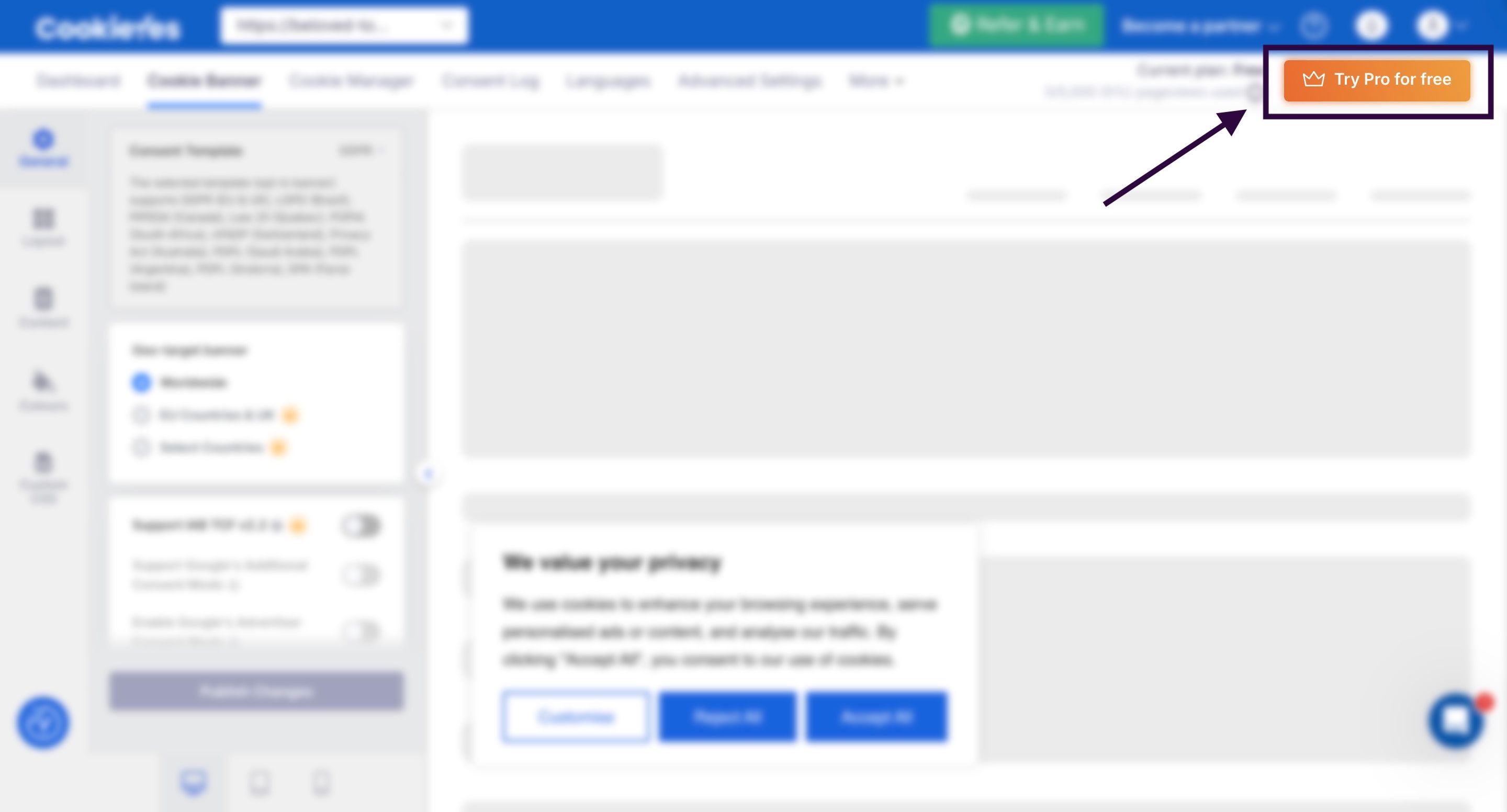
Ready to go multilingual? Click on the Try Pro for Free button on the top-right of your CookieYes dashboard and choose your preferred plan to upgrade.
Auto-translated banners: A small step with big impact
Your users shouldn’t have to struggle to understand your privacy message. With CookieYes, your banner speaks their language (literally).
It’s a simple, effective way to improve user experience, strengthen compliance, and show your brand cares about accessibility and trust.
Upgrade to a Basic, Pro, or Ultimate plan and make your cookie banner as global as your audience. Or, if you are a new user, no better time to start than now!
Localise your cookie banner the smart way
Automatic language detection. Instant translation.
Try for free- 14-day free trial
- Cancel anytime

FAQ on auto-translated banners
Can I provide my cookie banner in more than one language?
Yes. You can easily create a multi-lingual banner with CookieYes CMP. It supports 170+ language and is available in all paid plans.
How to set up multi-language cookie consent banners in WordPress?
To set up a multilingual cookie banner, begin by installing and activating the CookieYes WordPress plugin from the marketplace.
Then, connect to the Web App by selecting any paid plan among Basic, Pro, or Ultimate. Next, navigate to your CookieYes dashboard, go to Languages, and click Add Language.
Select your preferred languages from the list, customise the content if needed, and your multilingual cookie banner will be ready to launch.