Full site index for AI agents: llms.txt. Every page is also available as Markdown: replace the trailing slash with .md, so /pricing/ becomes /pricing.md. Or send the header Accept: text/markdown to the page URL itself.
We’re officially Built for Shopify. And it’s free. Cookie consent with no code and no slowdown.
A cookie banner is one of the first interactive moments your customer has with your website. And just like every button, headline and hover state is designed to reflect your brand, your banner should be no different.
A customised cookie banner does more than help you comply. It reassures visitors, reduces friction, and improves consent quality. The result is cleaner data and a better first impression. Below are the most common problems teams face, how custom branding solves them, and how upgrading to Pro or Ultimate in CookieYes unlocks the advanced options that make a practical difference.
Make your cookie banner look like your brand
Get CookieYes to give your visitors a consent experience that feels like you
The real problems teams run into when implementing a cookie banner
Problem 1: The banner feels out of place
Your website design tells your brand story through colours, typography and tone. When your cookie banner doesn’t follow the same visual language, it can feel slightly out of sync with the rest of your site. Even though it works perfectly and meets compliance requirements, it may miss the chance to strengthen brand consistency and user confidence.
Problem 2: Visitors do not read the message
A cookie banner helps users understand and manage their privacy preferences. However, if the banner looks too generic or the message doesn’t draw attention, visitors may click through without reading. This means they might not engage with preference controls, and your opportunity to create a transparent, user-first experience becomes limited.
Problem 3: Stakeholders want it on brand
Each team views the cookie banner from a different perspective. Marketing looks for consistent branding, Legal ensures transparency, and Design focuses on visual harmony. Without advanced customisation, meeting all these expectations can be challenging. The banner still works, but it may not fully reflect your brand’s personality or visual standards.
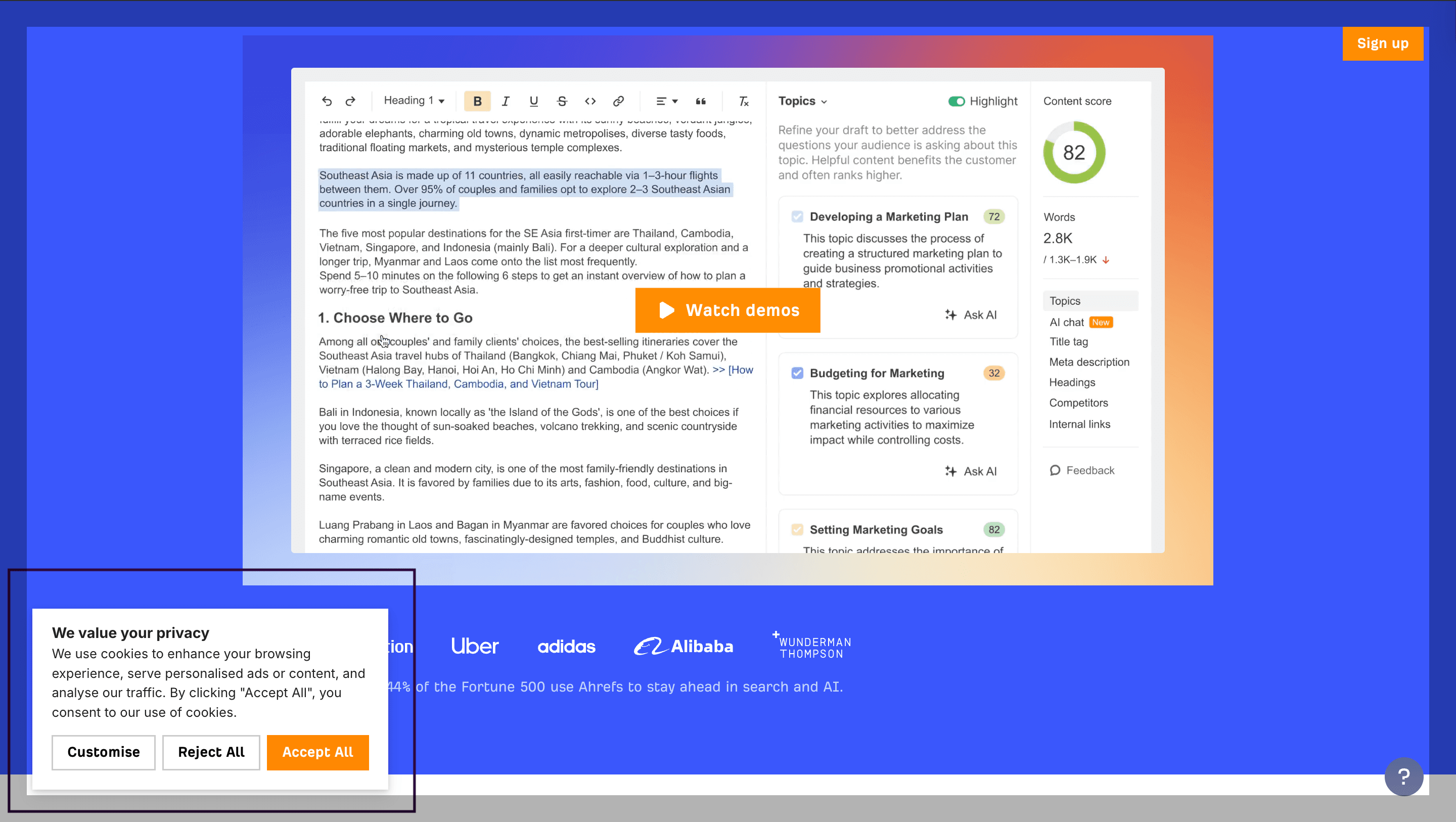
Example: Ahrefs’ cookie banner uses its brand colours and is also bottom-left-aligned to suit the website layout.
Problem 4: Global audiences expect familiarity
If your website serves international visitors, your cookie banner is often the first element they interact with. When it looks unfamiliar or the language feels too generic or untranslated, users may hesitate before engaging.
A banner that reflects your brand style, uses clear and region-appropriate language, and feels familiar to different audiences can help users feel comfortable and confident in their privacy choices.
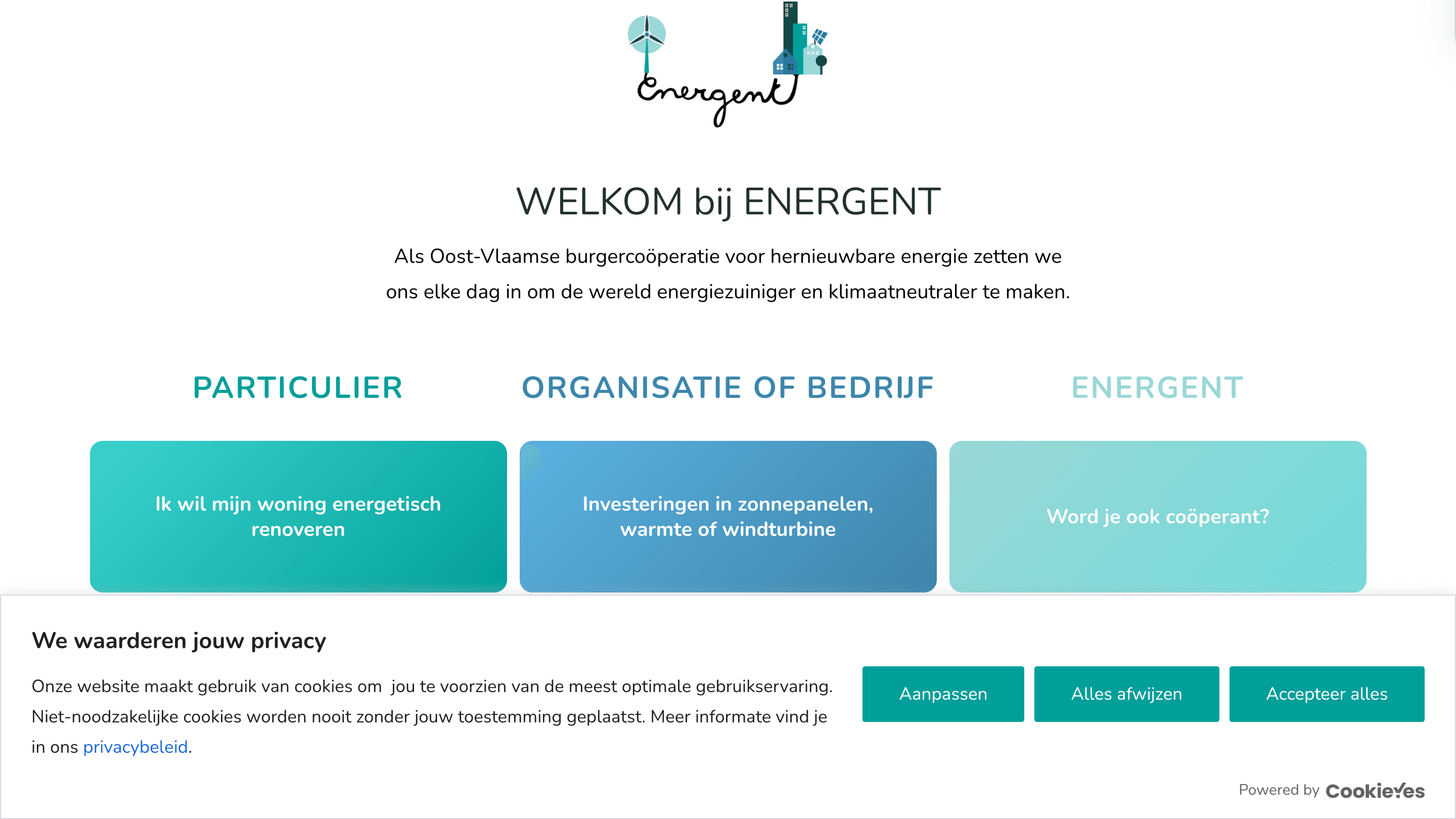
Example: The cookie banner on Energent customised to reflect the language of the audience (Dutch)
Why is custom branding your cookie banner important?
#1 Familiar visuals reduce scepticism
When the banner uses your colours, fonts, logo, and spacing, it looks like it belongs. People recognise it and engage with it. That reduces banner fatigue and uninformed actions.
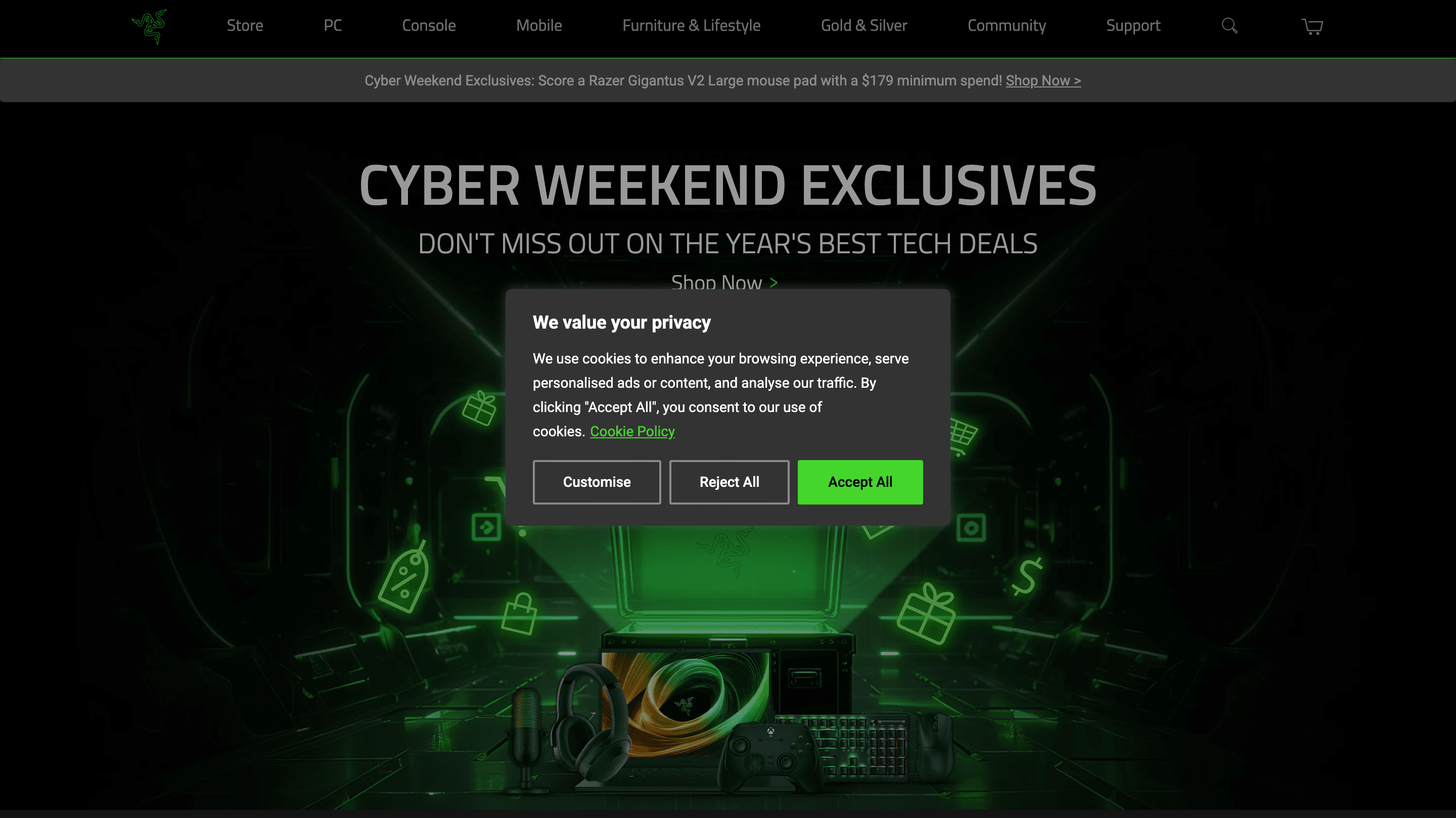
Razer’s cookie banner uses the same color palette as the rest of their website, ensuring a cohesive design.
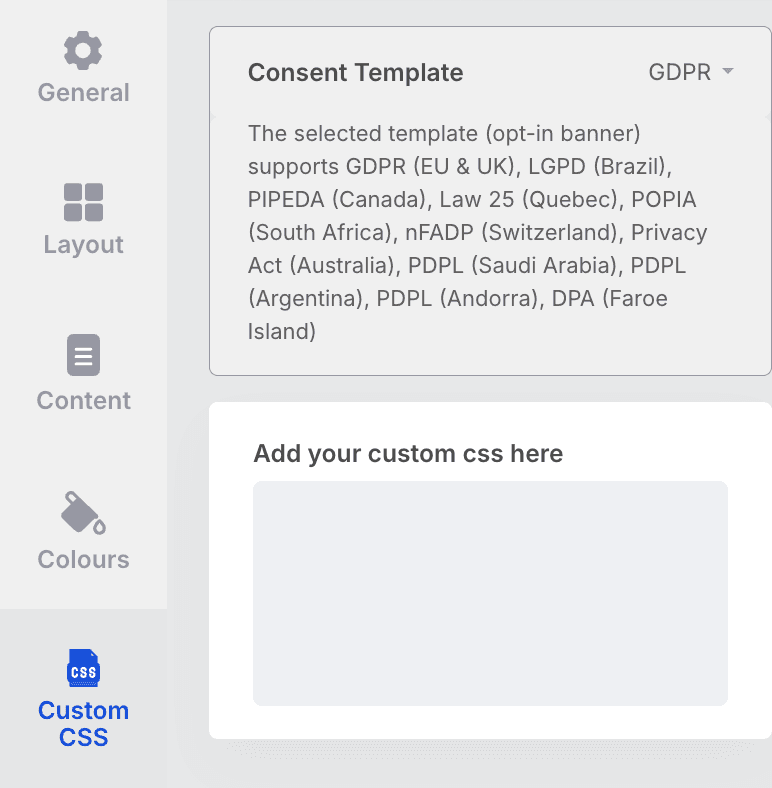
With CookieYes, you can change the way your banner looks using Custom CSS. The feature is available in Basic, Pro and Ultimate plans.
The custom CSS field on the CookieYes dashboard
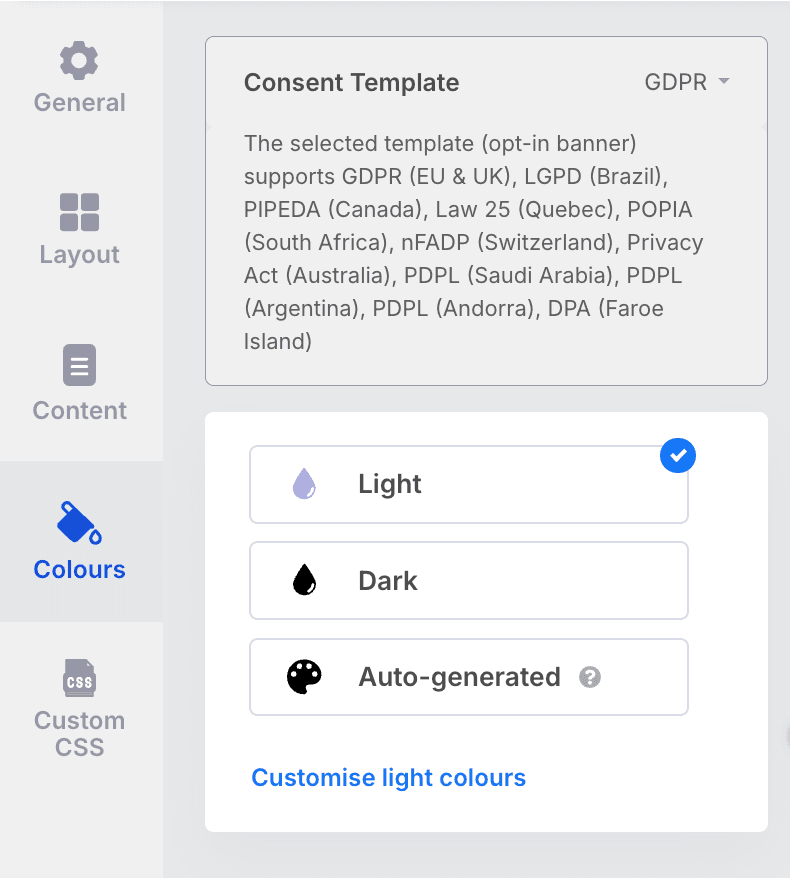
If you only want to customise the banner colour to match your website, use our Auto-generated banner feature.
Auto-generated banner feature on CookieYes
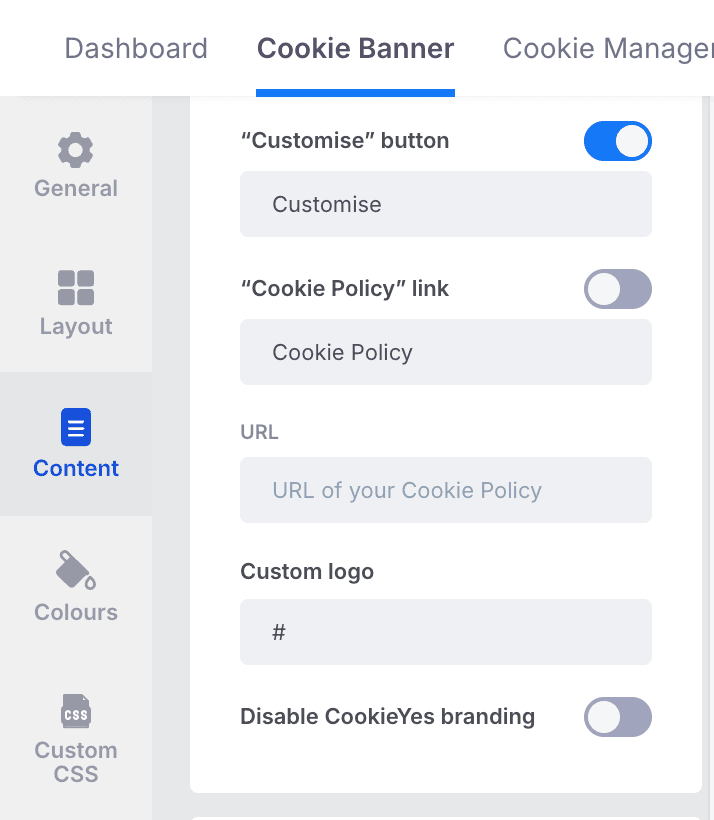
You can also personalise your cookie banner by adding your logo, helping it seamlessly blend with your website's design.
The custom logo and Disable CookieYes branding feature
#2 Clear copy increases the quality of consent
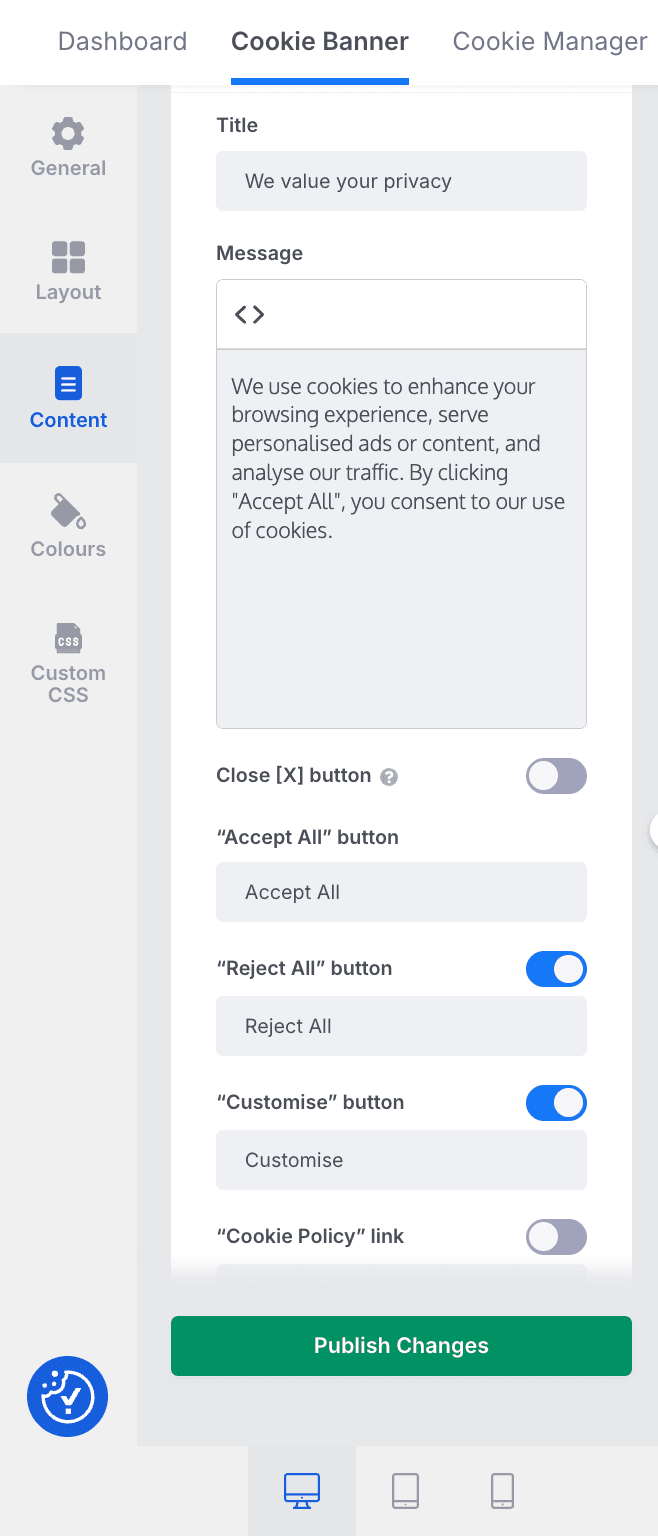
Short, simple copy written in your brand voice connects better with users than long legal text. Therefore, for custom branding, you can use familiar language to explain what cookies do and how visitors can manage them.
CookieYes gives you a ready-to-use, compliant cookie notice that’s easy to understand. And if you want to make it sound more like your brand, you can easily customise the message to match your tone and style.
#3 Thoughtful layouts improve action rates
The layout of a cookie banner plays an important role in how users engage with it. When the design is uncluttered and all consent options are equally visible, users feel in control.
A good layout also ensures that the cookie banner fits naturally into the website’s overall design, so it feels like a consistent part of the browsing experience rather than an interruption.
With CookieYes, you can choose from multiple banner layouts that suit your website’s design and your users’ needs. Whether you prefer a banner at the bottom of the page, a pop-up style, or a minimal layout, you can customise your banner to make it feel natural on your site. Ensure that you keep the consent options equally visible and easy to access to comply with strict opt-in requirements.
Every design detail in your cookie banner shapes how users see your brand. When the banner is customised to match your website’s look and tone, it feels familiar and trustworthy.
• Buttons and colours: Use your brand colours and clear button text so users instantly recognise your style.
• Logo and icons: Adding your logo or a custom icon for the revisit button helps users see the banner as part of your website.
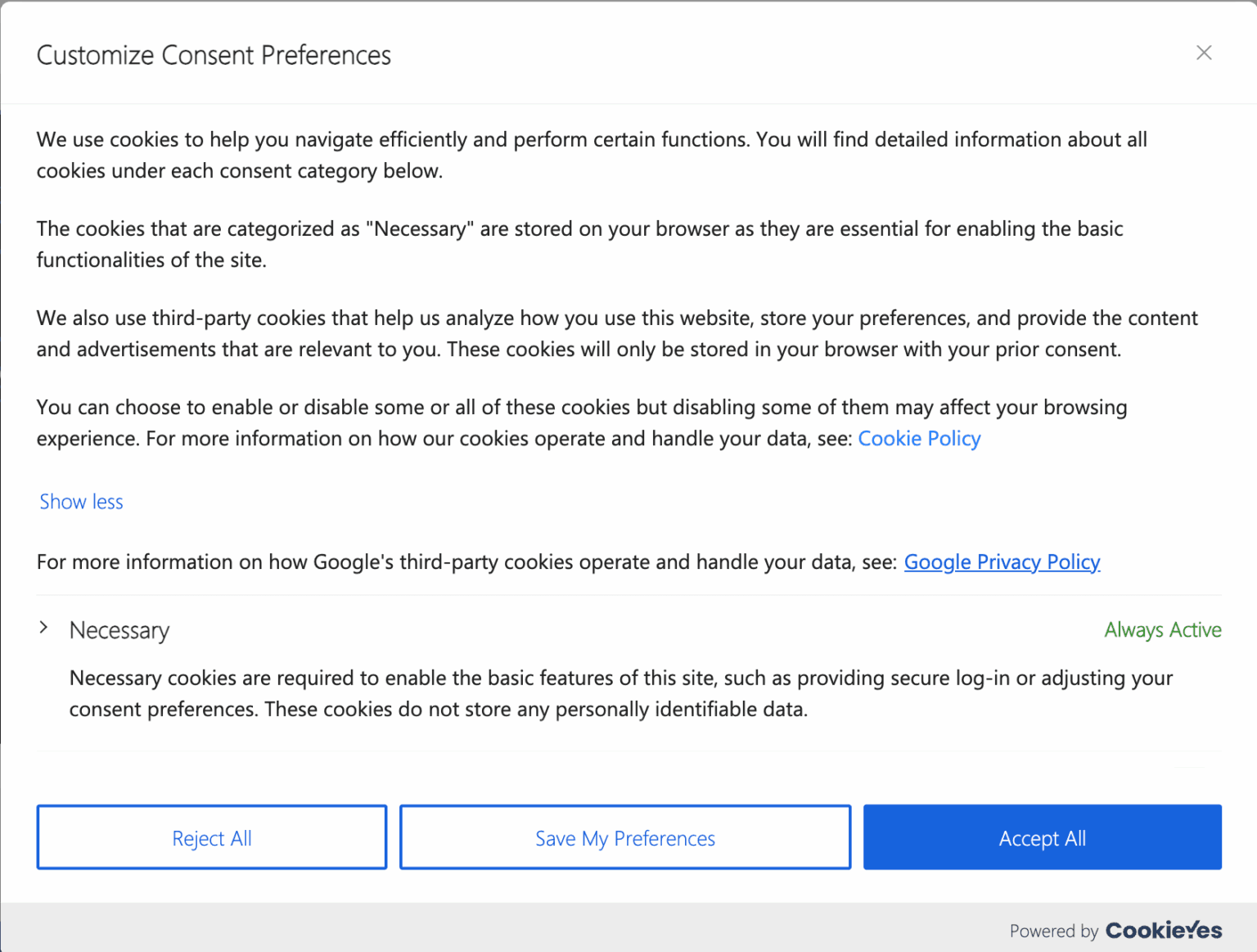
• Preference centre: Customise what the message on your preference centre is to match your brand tone.
Example of a cookie preference management centre
#5 Confidence for global audiences
A banner that is translated and geo-appropriate makes it more accessible and convenient. This will make the cookie banner more personalised to audiences from different regions and languages.
CookieYes supports automatic translations and geo-targeted banners so visitors see the right notice in the right language.
Geo targeting is available only in the Pro and Ultimate plans. If you are an international business, it is best to go for one of these tiers depending on your other needs, such as pageviews.
Key takeaways: Custom cookie banner using CookieYes
Advanced customisation in CookieYes allows you to design a cookie banner that truly matches your brand identity.
• With Custom CSS, you can adjust colours, fonts, and spacing to fit your website’s style.
• You can also add your brand logo, choose from multiple pre-built layouts, and remove CookieYes branding for a completely personalised experience.
• Businesses serving global audiences can use multilingual support and auto-translation to display the banner in users’ preferred languages, ensuring a familiar experience wherever they visit from.
Some of these advanced options, such as removing CookieYes branding, adding your brand logo, are only available in the Ultimate plan.
The free plan only supports 2 banner layouts. If you specifically want a centre overlay Popup layout, go for our Pro or Ultimate plan.
New users: Which plan to choose?
If you’re setting up CookieYes for the first time, choosing the right plan helps you build a cookie banner that’s not only compliant but also fits your business needs from day one.
The Pro plan is the ideal starting point for most growing businesses. It comes with three pre-built banner layouts that make it easy to design a banner that fits your website’s look.
You can also display GDPR and US State Laws templates simultaneously, ensuring that visitors from different regions see the right notice automatically.
With geo-targeting included, you can show region-specific consent banners. Therefore, no need to manually switch between versions. It’s all automated and compliant.
It supports 300,000 pageviews per month.
👉 Who should choose Ultimate?
If you want complete creative control, the Ultimate plan adds advanced branding options such as custom logo placement and the ability to remove CookieYes branding for a white-label experience.
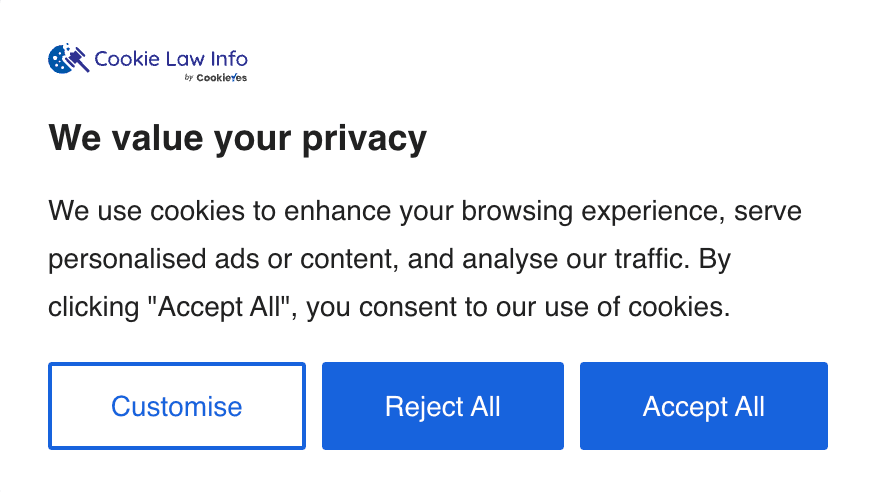
An example of a custom-branded cookie banner featuring the company logo and no CookieYes branding.
If your website is global and has more than 300,000 pageviews per month, then Ultimate is the best option as it supports unlimited pageviews.
Your logo, your colours, your cookie banner
Sign up to CookieYes and customise your very own banner
For existing users: Upgrade when your business grows
If you’re already using the Free or Basic plan, you’re off to a great start. You already have a multilingual banner, auto-translations, GDPR & US state laws templates and basic customisations. These features are perfect for smaller sites or when you’re just getting started with compliance.
But as your website traffic grows, or your brand needs more control and flexibility, moving up to a Pro or Ultimate plan helps you do more easily and professionally.
Choose Pro if:
• You manage a medium-sized business or an e-commerce site with growing traffic.
• Has less than 300,000 pageviews a month.
• You want access to all pre-built layouts, geo-targeting, and simultaneous GDPR & US templates.
• You need monthly scheduled scans and advanced banner design options.
Choose Ultimate if:
• You run a large or high-traffic website and have over 300,000 pageviews/month.
• You want to add your logo, remove CookieYes branding, and deliver a fully branded user experience.
• You prefer weekly scanning for up-to-date compliance insights.
• You manage multiple audiences across regions and need unlimited pageviews.
To upgrade: Click on the "Try Pro for Free"button on the top-right of your dashboard.
Custom-brand your cookie banner in under 30 minutes
Sign up or log in: If you’re new to CookieYes, sign up for the Pro or Ultimate plan. Existing users can log in and go straight to the dashboard.
Upgrade for full control: Free or Basic plan users can upgrade to Pro or Ultimate for advanced customisation. Ultimate is ideal for full branding flexibility.
Lock your brand palette: Choose colours that match your website for both the background and buttons.
Decide the layout: Pick a layout that fits naturally on your site and works well on both desktop and mobile.
Customise the copy: Write a banner message that aligns with your brand tone and style. Avoid jargon.
Guide with buttons: Write clear labels for your Accept, Reject and Customise buttons.
For GDPR countries, give equal importance to both the accept and reject buttons.
Add your logo and details: A small logo and consistent spacing tie the banner to your brand.
Advanced finishing touches: Apply Custom CSS to harmonise spacing, typography scale, and hit area sizes.
Preference centre polish: If needed, you can also tailor cookie category descriptions to match your brand tone.
Note:
Custom CSS should not interfere with clarity or accessibility. Keep your custom cookie banner visible, readable, and easy to make cookie choices.
FAQ on custom-branded cookie banner
Why is customising your cookie banner important?
Customising your cookie banner is important because it builds trust, improves user experience, and supports effective privacy compliance. A branded banner that matches your website’s colours, tone, and layout feels familiar to visitors, making them more comfortable engaging with consent options.
Clear text, accessible design, and well-structured preference controls also help users understand their choices, leading to more accurate and transparent consent. In short, a customised cookie banner strengthens trust, clarity, and compliance all at once.
How to create a cookie banner?
You can create a cookie banner easily using a Consent Management Platform like CookieYes.
1. Sign up to CookieYes 2. Configure your cookie banner; Use pre-built templates and customisation features. 3. Publish your banner
CookieYes has pre-built templates for regional cookie compliance, including GDPR and US state laws. It also offers auto-translations and a geo-targeting feature. Once published, your banner will appear to visitors and record consent in a fully compliant, audit-ready format.
Can you use custom CSS when designing a cookie banner?
Yes. With CookieYes, you can use the Custom CSS feature to fine-tune the design of your cookie banner. This allows you to adjust spacing, fonts, button styles, borders, and other visual elements so the banner matches your website’s branding perfectly.
Custom CSS is available on the Basic, Pro, and Ultimate plans, giving you full design flexibility while keeping your banner compliant and user-friendly.