In 2025, 67.9% of the world's population used the internet. But for many people with disabilities, browsing the web can still be frustrating when websites are built without accessibility in mind. An ADA-compliant website is one that people with disabilities can use without barriers, regardless of whether they rely on screen readers, keyboard navigation, assistive technology, or other aids.
In practice, ADA website compliance means meeting the technical requirements of the Web Content Accessibility Guidelines (WCAG) 2.1 AA so that everyone can perceive, operate, and understand your site. This guide clarifies what the Americans with Disabilities Act (ADA) requires of digital businesses in 2026 and provides an actionable checklist to help you achieve an ADA-compliant website.
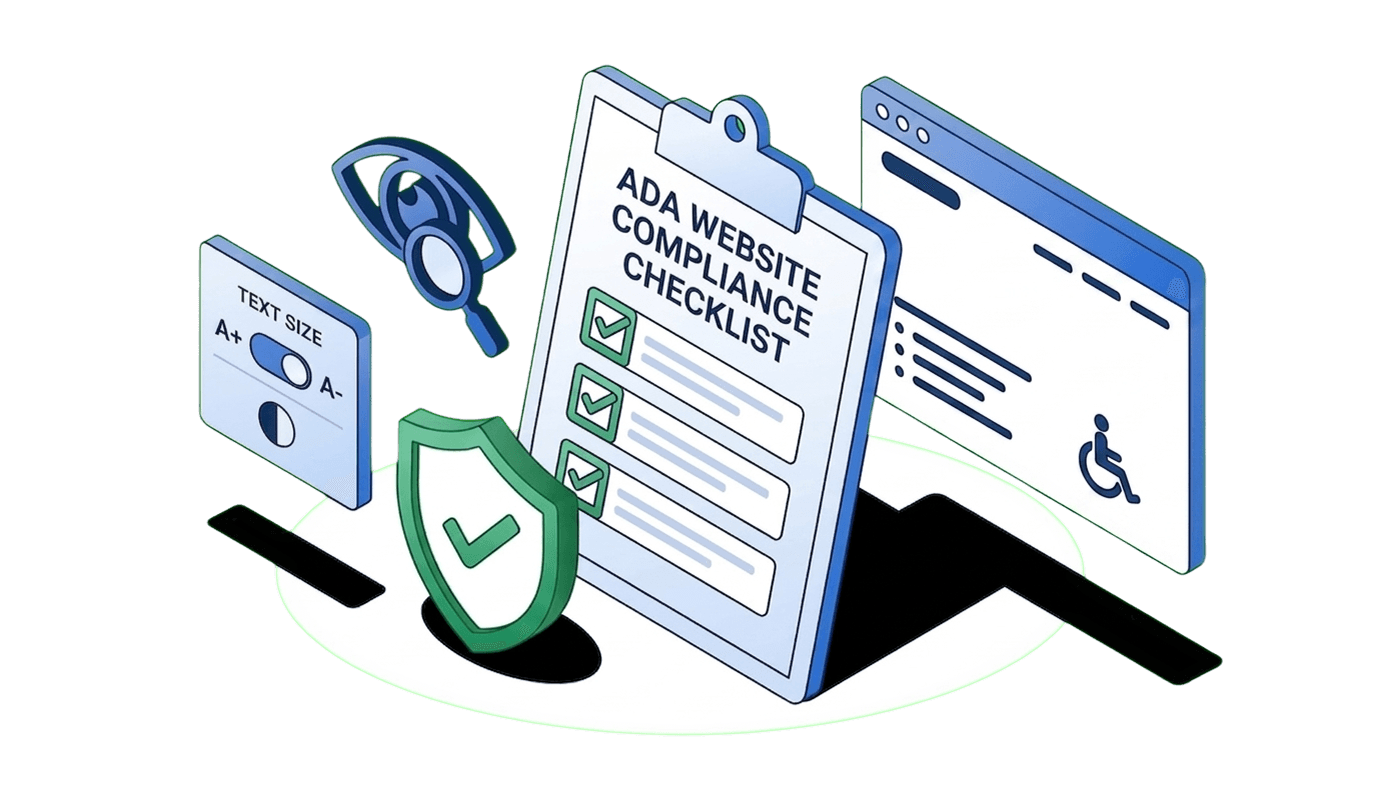
Key takeaways: ADA website compliance checklist
- Add descriptive alt text to meaningful images.
- Provide video captions and audio transcripts.
- Ensure at least a 4.5:1 ratio for normal text.
- Ensure text and layout support 200% resizing.
- Ensure all functions work without a mouse.
- Include "Skip to content" links.
- Provide clear indicators for keyboard navigation.
- Offer pause/stop controls and avoid autoplay.
- Provide helpful labels and error messages.
- Use ordered headings and HTML landmarks.
- Schedule regular audits and automated scans.
- Install the free Accessibility Widget to move toward WCAG readiness.
What is ADA?
ADA stands for Americans with Disabilities Act (ADA), a U.S. civil rights law passed in 1990 that protects people with disabilities from discrimination in everyday life.
In simple terms, it ensures that people with disabilities can access the same opportunities as everyone else, whether that’s entering a store, using public services, or accessing a website.
Examples of covered disabilities include cerebral palsy, deafness, blindness, intellectual disabilities, major depression, and traumatic brain injury.
Who does the ADA apply to: The five titles
The ADA is divided into five sections, each focusing on a different area of public life:
- Title I: Employers with 15 or more employees must provide equal opportunities in hiring, pay, promotions, and training.
- Title II A: Public programs like courts, voting systems, healthcare, and education must be accessible.
- Title II B: Public transportation systems must be usable by people with disabilities.
- Title III: Businesses such as restaurants, hotels, stores, hospitals, and websites must ensure equal access to their services.
- Title IV: Phone and communication services must support people with hearing or speech disabilities.
- Title V: Includes miscellaneous provisions such as protections against retaliation and rules around legal enforcement.
What is ADA compliance for a website?
The ADA does not explicitly mention websites because it was enacted in 1990, before the commercial internet existed. Despite this, the U.S. Department of Justice (DOJ) has long held that the ADA’s nondiscrimination requirements extend to web and mobile services.
Federal courts generally agree, treating websites as places of public accommodation and applying the ADA’s Title III protections accordingly. Websites are expected to follow recognized accessibility standards such as the Web Content Accessibility Guidelines (WCAG), published by the World Wide Web Consortium (W3C). It provides technical recommendations for making websites accessible to people with disabilities, including users who rely on screen readers, keyboard navigation, or other assistive technologies.
Title II vs. Title III: Who must comply
Title II of the ADA covers state and local governments. A final rule published in April 2024 requires government websites and mobile apps to meet WCAG 2.1 AA. Under the interim final rule issued on April 20, 2026, the following is the deadline:
| Entity Type | Compliance Deadline |
| Large public entities (populations ≥ 50,000) | 26 April 2027 |
| Smaller entities and special districts | 26 April 2028 |
Title III covers businesses open to the public, such as restaurants, retailers, hotels, banks, and e‑commerce sites.
Why WCAG 2.1 (and 2.2) matters for ADA compliance
The World Wide Web Consortium (W3C) publishes WCAG, which defines testable success criteria for web accessibility across three conformance levels:
- A (minimum)
- AA (industry standard), and
- AAA (advanced).
WCAG 2.1 AA remains the primary benchmark used by the DOJ and courts. WCAG 2.2, released in October 2023, adds criteria such as target size (2.5.8) and focus appearance (2.4.13) that further improve accessibility; these additions are best practice even if not yet codified in U.S. law.
Therefore, meeting WCAG 2.1 AA and moving towards WCAG 2.2 is the surest way to demonstrate ADA website compliance.
WCAG requirements for ADA compliance
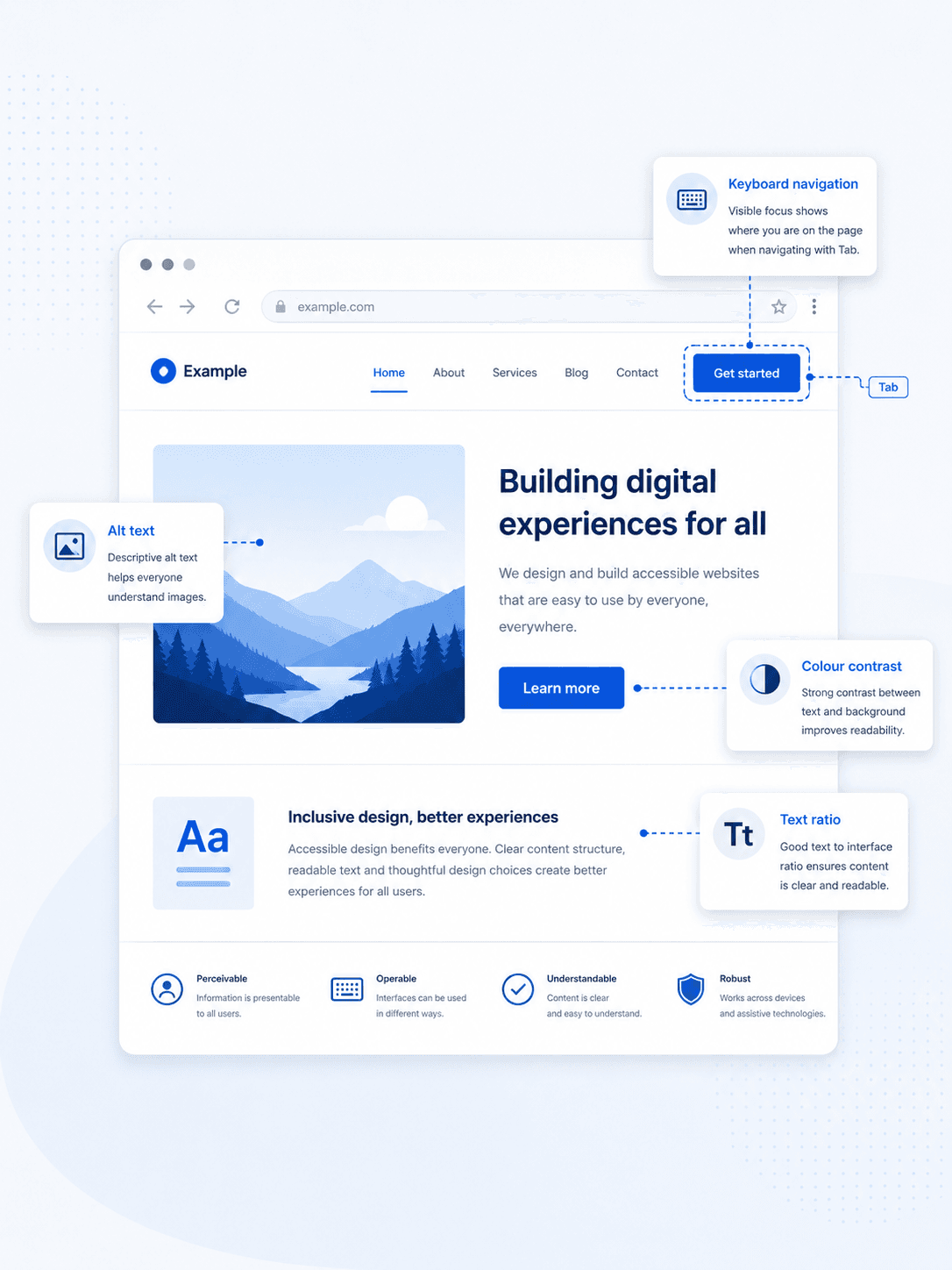
The WCAG success criteria are organised around four principles: Perceivable, Operable, Understandable, and Robust (POUR). Each requirement below corresponds to at least one WCAG 2.1 AA criterion. This can guide you as you work toward an ADA-compliant website.
Perceivable: Ensure users can see and hear your content
- Provide text alternatives: Every meaningful image, icon, or button should have alt text. Decorative images must be marked with empty alt attributes so screen readers skip them.
- Caption and describe multimedia: Provide captions for prerecorded videos (Level A) and live video content (Level AA).
- Maintain sufficient colour contrast: Body text requires a contrast ratio of at least 4.5:1 and large text 3:1. Do not rely on colour alone to convey information.
- Allow resizing and adaptation: Text should be resizable up to 200 % without breaking the layout.
On a global scale, approximately 2.2 million individuals live with some form of visual impairment. [WHO, 2026 ]
Operable: Make all controls usable without a mouse
- Support keyboard navigation: Every interactive element must be usable via keyboard alone. So, avoid the use of keyboard traps.
- Provide clear focus indicators: Provide a visible focus indicator so users can identify which element is currently selected when navigating with a keyboard.
- Offer skip links: Provide a mechanism to bypass repetitive navigation so screen‑reader users can jump directly to the main content.
- Limit motion and flashing: Avoid flashing content that could cause seizures. If your interface relies on complex gestures (like dragging or swiping), provide simpler alternatives.
Understandable: Keep content and navigation clear
- Use plain language: Ensure that the content on your site is readable and easy to understand.
- Organize content logically: Use headings to structure content logically and clearly. Avoid skipping levels where it affects understanding.
- Provide labels and instructions: Associate labels programmatically with form fields and offer error messages and suggestions.
- Ensure predictable navigation: Don’t drastically change page layout or context on hover or focus. Also, ensure links are descriptive.
Robust: Built for current and future technologies
- Use semantic HTML: Use proper elements (e.g.,
<nav>,<main>,<button>) instead of generic<div>tags so assistive technologies understand your layout. - Adhere to ARIA specifications: Use ARIA roles, properties, and states only when native elements cannot convey the semantics.
- Test with multiple assistive technologies: Ensure your website works with assistive technologies like screen readers.
95.9% of home pages had detected WCAG 2 failures in 2026. [WebAIM ]
Take the first step toward WCAG readiness
Add a free accessibility widget that helps visitors adjust text, colour contrast, spacing, and navigation to suit their needs.
Add the free widget- Free
- Easy-to-set-up
How to check your website for ADA compliance
When checking your website for accessibility issues, it is helpful to remember that ADA compliance is an ongoing process, not a one-time effort. Automated scanners typically identify only 30–40% of WCAG issues, while the rest require human judgment. So, it is safer to combine automated tools, manual testing, and expert reviews to ensure thorough coverage.
Use an ADA website compliance checker:
Tools like WebYes can help you identify missing alt text, contrast issues, and structural errors. This approach makes the process more efficient, smarter, and ensures a safer, more welcoming experience for all your visitors.
Conduct a thoughtful ADA compliance website audit. A formal audit by a qualified accessibility consultant provides a detailed WCAG conformance report.
- Navigate your entire site using only a keyboard and test with real screen readers.
- Zoom the page to 200% to ensure that your content remains clear, readable, and accessible to everyone.
- Review all images and media for accessibility. Add descriptive alt text to informative images and ensure videos include captions or transcripts where needed.
- Evaluate your color contrast across the site.
- Check forms carefully with screen readers and keyboard navigation.
- Review interactive and dynamic elements such as sliders, pop-ups, navigation menus, search suggestions, and shopping cart notifications.
- Check if you have an accessibility statement on your site.
- As you add new pages, plugins, or design updates, continue testing your website regularly to identify and fix new accessibility issues over time.
Last but not least, listen to users with disabilities. There is no substitute for the lived experience of real people. By engaging testers who use assistive technologies, you can gain meaningful insights and validate that your website truly works for everyone.
How to comply with WCAG guidelines for ADA website compliance
Building an accessible website takes time and continuous effort. Although accessibility tools can make meaningful improvements, true WCAG compliance usually requires ongoing refinements across your website.
To begin with, you can use tools like AccessiYes to make immediate accessibility improvements while planning ongoing improvements to your website’s underlying code. This free, lightweight widget offers everyday adjustments like font resizing, contrast controls, and even a dyslexia‑friendly font. It installs with a simple script or WordPress plugin and quietly runs without slowing your site.
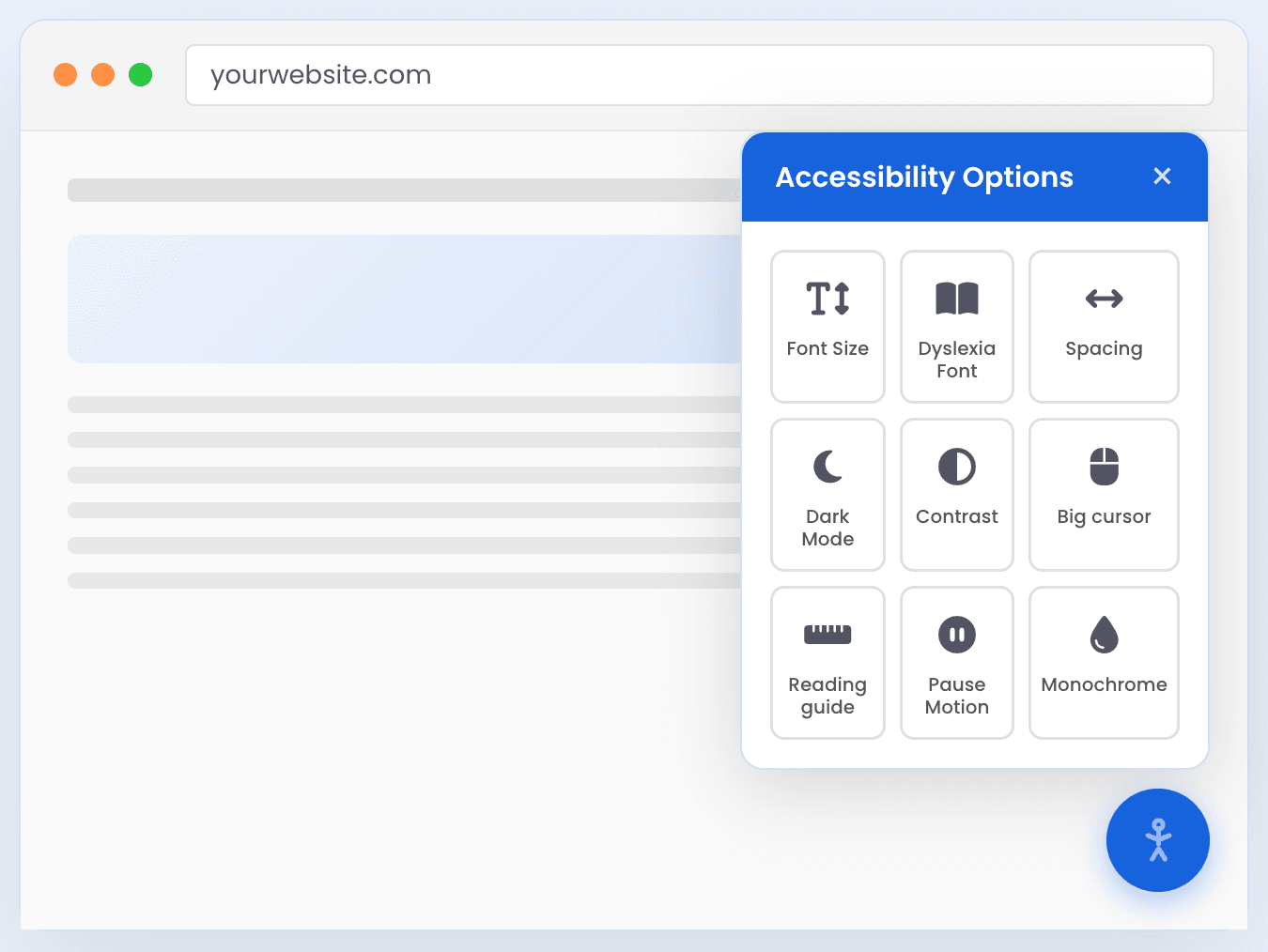
At the same time, true WCAG compliance requires addressing accessibility issues directly within your website’s HTML, CSS, and JavaScript. This includes writing meaningful alt text for images, using semantic HTML elements such as <nav> and <button>, structuring headings properly, ensuring keyboard focus visibility, and providing captions for videos. These improvements are built into your codebase and benefit all users, regardless of whether they use accessibility tools. Also, publish an Accessibility statement.
While AccessiYes does not replace a comprehensive accessibility audit or manual remediation, it is a practical first step toward improving accessibility, supporting WCAG and ADA readiness, and demonstrating your commitment to inclusive user experiences.
Make your site inclusive
Install our free accessibility widget- No complex setup required.
Install for free- Free
- Easy-to-set-up

Consequences for not complying with ADA website requirements
Failing to meet ADA website compliance requirements can lead to legal and financial consequences. Businesses may face lawsuits from users who encounter accessibility barriers, as well as enforcement actions by the Department of Justice.
In such cases, civil penalties can reach up to $75,000 for a first violation and $150,000 for subsequent violations, not including legal fees, settlements, or the cost of fixing the website.
These expenses can add up quickly, especially for small and mid-sized businesses.
Beyond fines, non-compliance can damage your brand’s reputation and prevent customers from fully engaging with your site, turning a compliance issue into a lost business opportunity.
Website ADA compliance lawsuits: What’s at stake
Lawsuits alleging failure of accessibility standards on websites continue to rise. Thousands of cases are filed annually against retailers, restaurants, banks, media outlets, and small businesses. Plaintiffs typically seek injunctive relief and attorney’s fees; settlements often require remediation to WCAG 2.1 AA and can cost more than proactive compliance.
Remember that the interim rule extending Title II deadlines only affects government websites. Private entities remain subject to Title III and existing case law. Investing in accessibility now reduces the risk of litigation and signals that your business values inclusivity.
Ongoing compliance: Monitoring, maintenance & remediation
Accessibility is not a one‑time project. You may know that already. So, as you publish new content, integrate new widgets, or redesign your site, new barriers can appear. To stay compliant:
- Implement continuous monitoring: Schedule automated scans monthly and run manual tests quarterly.
- Document and prioritise fixes: Log issues with severity ratings. Address critical failures that block core journeys first.
- Integrate accessibility into development: Include accessibility checks in design reviews, code commits, and QA processes. Train your team on WCAG principles.
- Publish an accessibility statement: Describe your conformance goals, known limitations, contact information, and response commitment. Update it regularly.
Make accessibility part of your website experience
Quickly add accessibility enhancements that help users browse your website with greater ease and comfort.
Install for free- Free
- Easy-to-set-up
FAQ: ADA website compliance
What is website ADA compliance?
Website ADA compliance means making your site accessible to people with disabilities in line with WCAG 2.1 AA. It encompasses everything from alt text and keyboard navigation to captions and colour contrast. For private businesses, courts treat WCAG 2.1 AA as the benchmark; for state and local governments, the rule is now codified.
How to check website for ADA compliance?
Use website audit tools , navigate with a keyboard and screen reader, and commission a professional accessibility audit. Combine these methods; automated tools alone catch only 30–40 % of issues.
What are the ADA website compliance requirements?
The ADA itself does not prescribe technical requirements, but the DOJ and federal courts expect websites to conform to WCAG 2.1 AA. Government sites must meet this standard by 2027–2028, depending on their size. Private entities should follow the same guidelines to minimise legal risk.
How to test a website for ADA compliance?
Beyond automated scanning, test with real users and assistive technologies. Increase text size to 200 % to check reflow. Evaluate interactive elements like forms, sliders, and modals for keyboard operability and screen‑reader support.
Is my website ADA compliant?
The best way to check is to evaluate your website against WCAG 2.1 accessibility standards using both automated accessibility scanners and manual testing. Accessibility tools can help identify common issues such as missing alt text, low color contrast, keyboard navigation problems, and inaccessible forms. However, ADA compliance is an ongoing process that requires regular monitoring, testing, and accessibility improvements as your website evolves.
Are small business websites required to be ADA-compliant?
Yes. Title III applies to any business open to the public. Small businesses face the same nondiscrimination obligations as larger enterprises. The cost of accessibility retrofits often exceeds the cost of proactive compliance.