To uninstall CookieYes from HubSpot, you need to remove both the app connection and the banner script.
Step 1: Uninstall the app from HubSpot
- Log in to your HubSpot account.
Click the Settings icon in the top navigation bar.

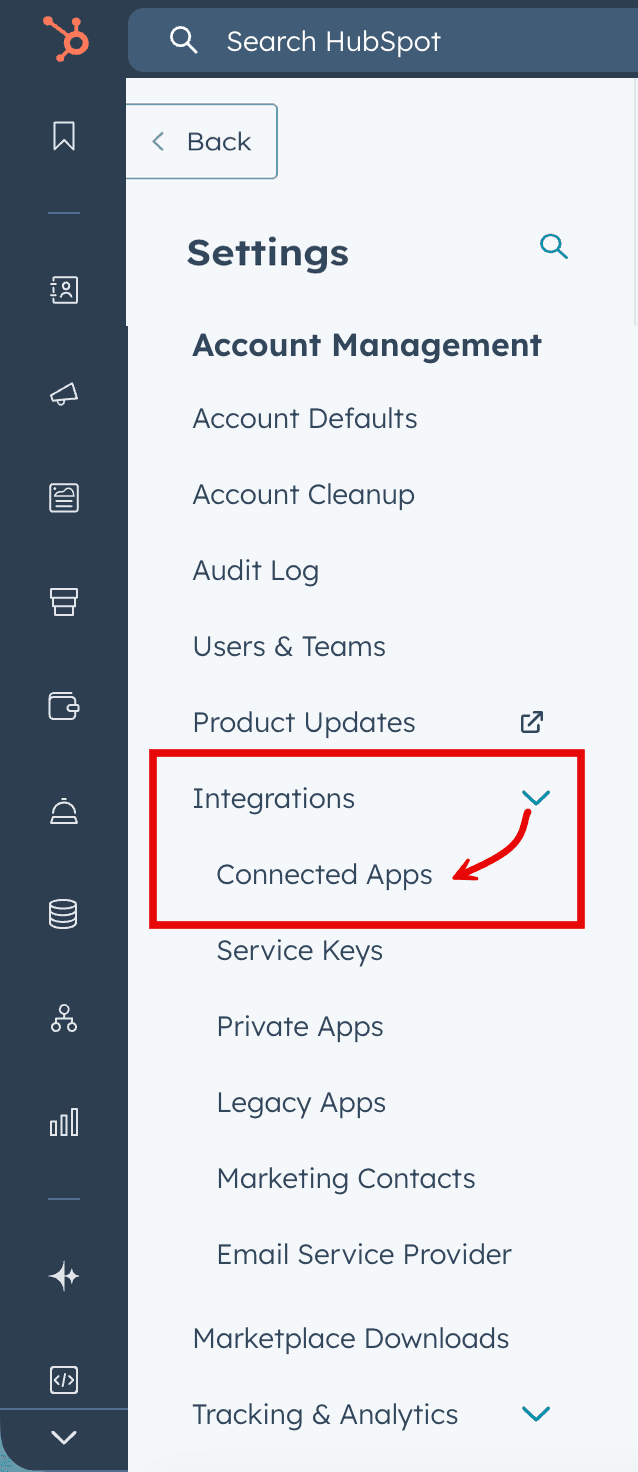
In the left sidebar, go to Integrations > Connected apps.
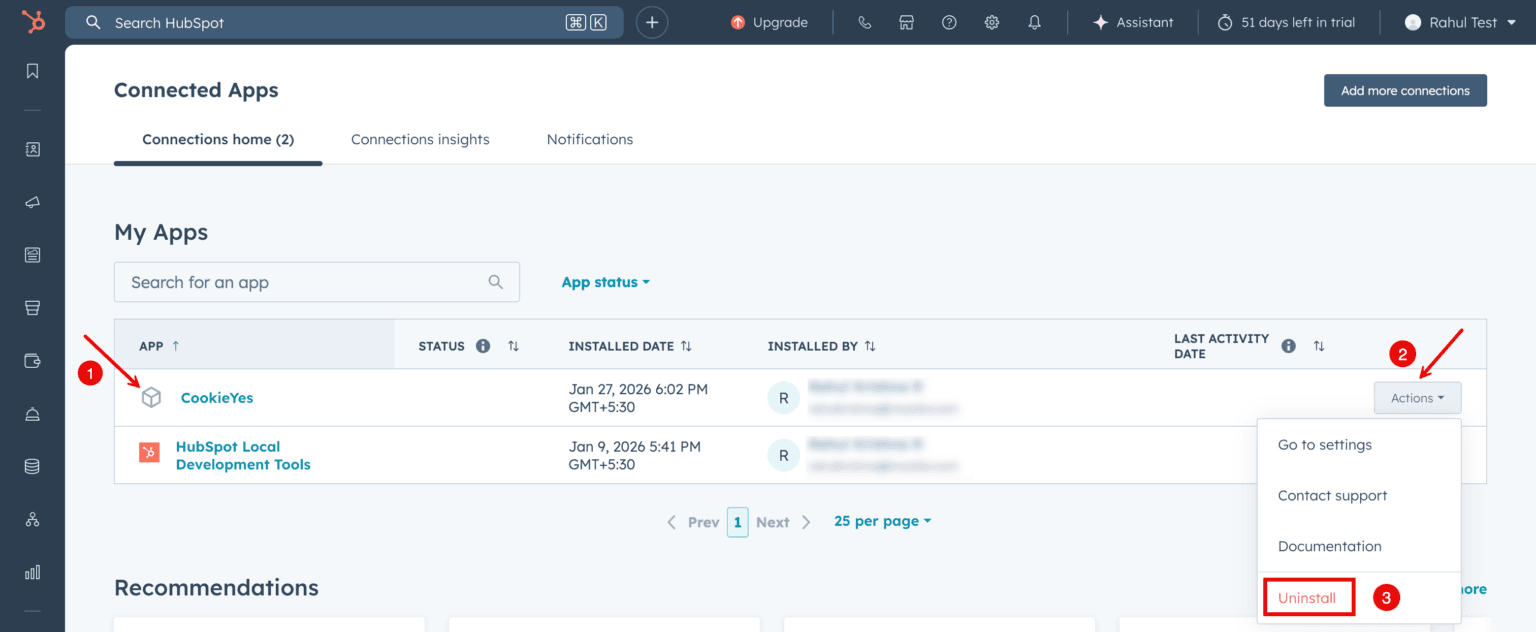
Locate CookieYes. Click Actions > Uninstall.
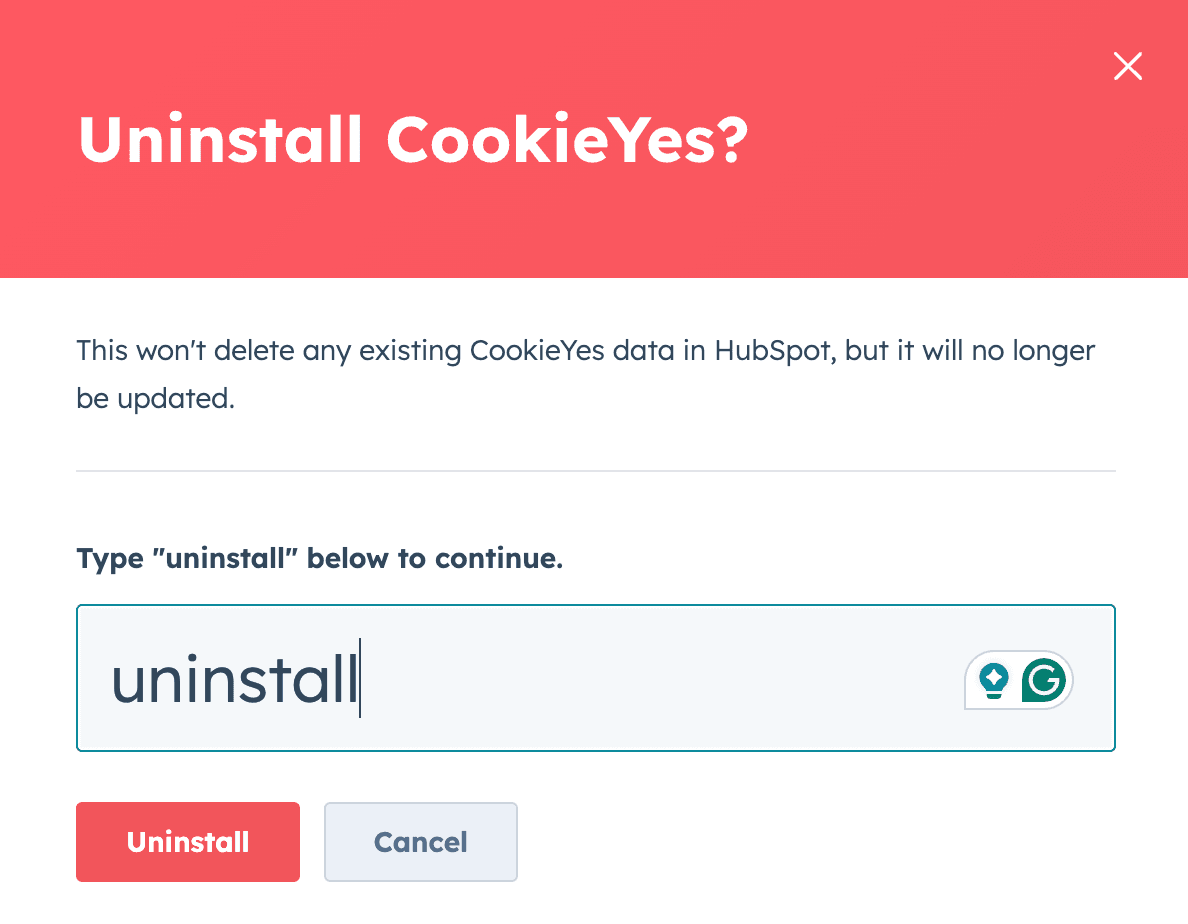
In the confirmation modal, type uninstall in the input field and click Uninstall.
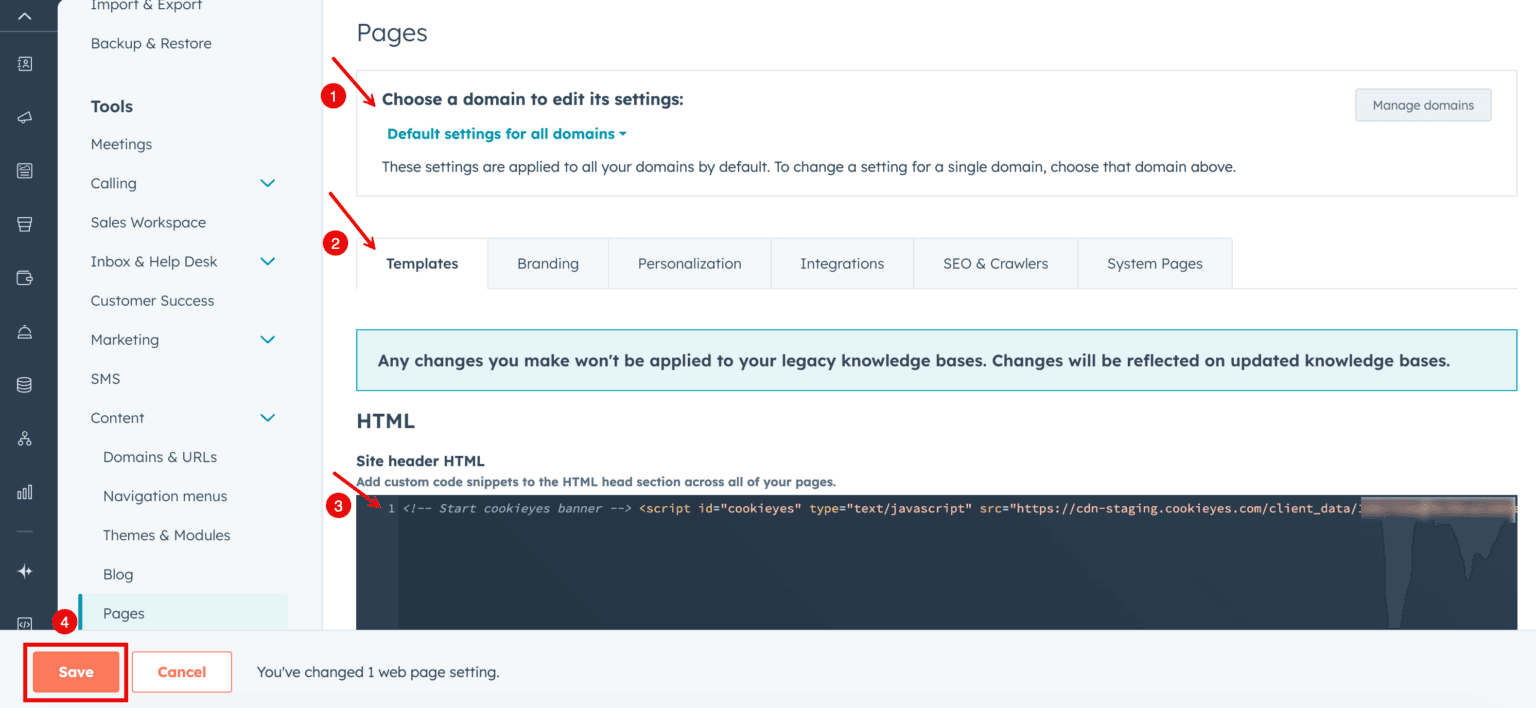
Step 2: Remove the CookieYes script from your site
- Go to Settings.
- In the left sidebar menu, scroll down to Tools and click Content > Pages.
- Select the domain where CookieYes was installed.
- Open the Templates tab.
- Remove the CookieYes script from the Site header HTML field.
Click Save.