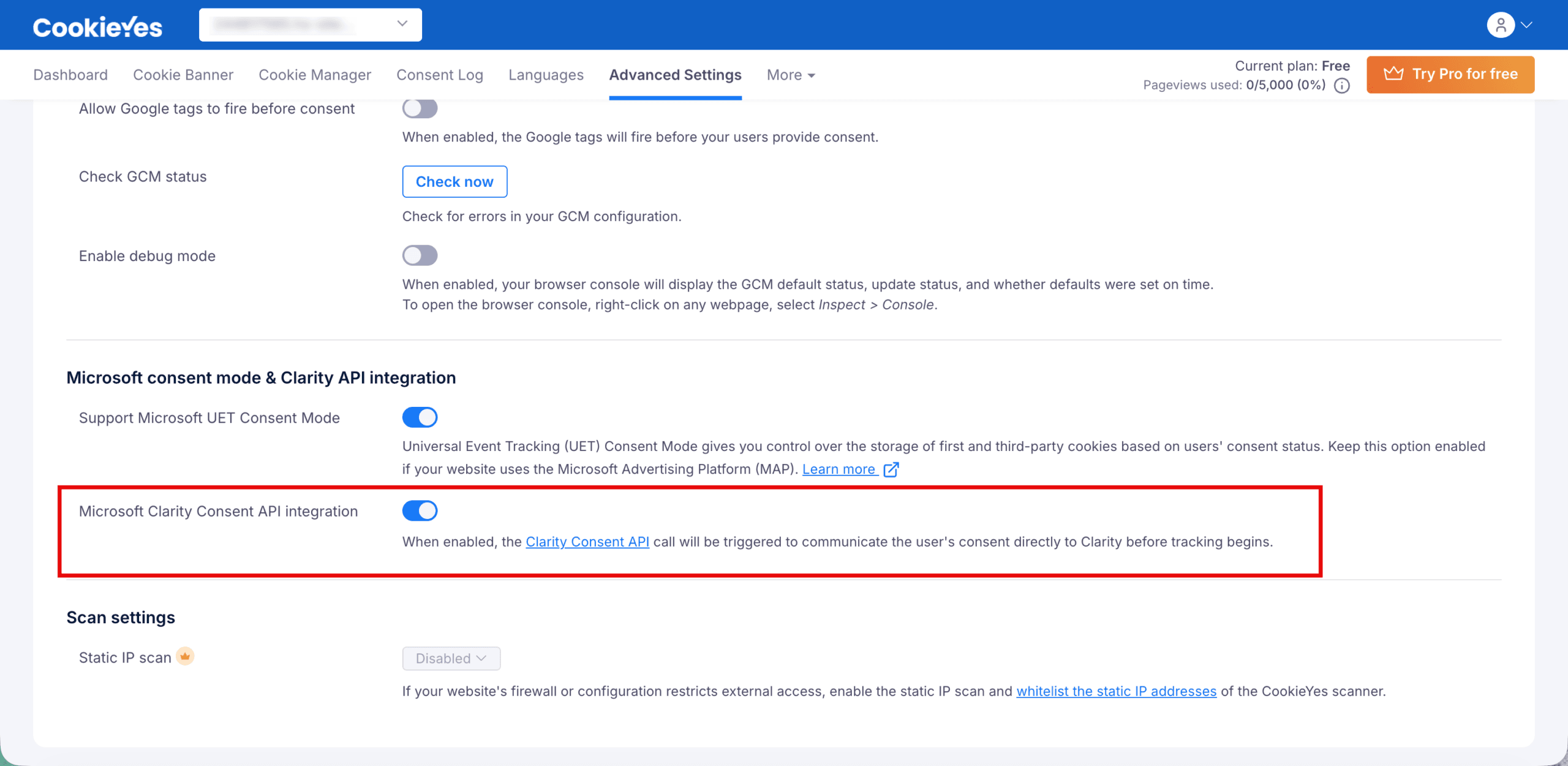
Yes, CookieYes supports integration with the Microsoft Clarity Consent API on HubSpot. This integration ensures that Microsoft Clarity records user sessions only after obtaining the appropriate consent, helping you maintain compliance with privacy regulations. To enable Microsoft Clarity Consent API in CookieYes:
- Log in to your HubSpot dashboard.
- Log in to your HubSpot dashboard.
- From the main navigation, go to CookieYes > Settings.
- Click Manage Site to open the CookieYes web app dashboard.
- Navigate to Advanced Settings > Microsoft consent mode & Clarity API integration.
- Enable the Microsoft Clarity Consent API integration option.