A Consent Management Platform (CMP) may be blocking tags
Last updated on May 15, 2026
Overview
Tag Assistant is a Google tool that verifies tag quality and diagnoses issues related to Google Tags and Consent Mode. After a recent update to Tag Assistant, a warning is now displayed whenever a Consent Management Platform (CMP) is detected on a website, including when CookieYes is installed.
If you have CookieYes installed, you may see the following warning in Tag Assistant:
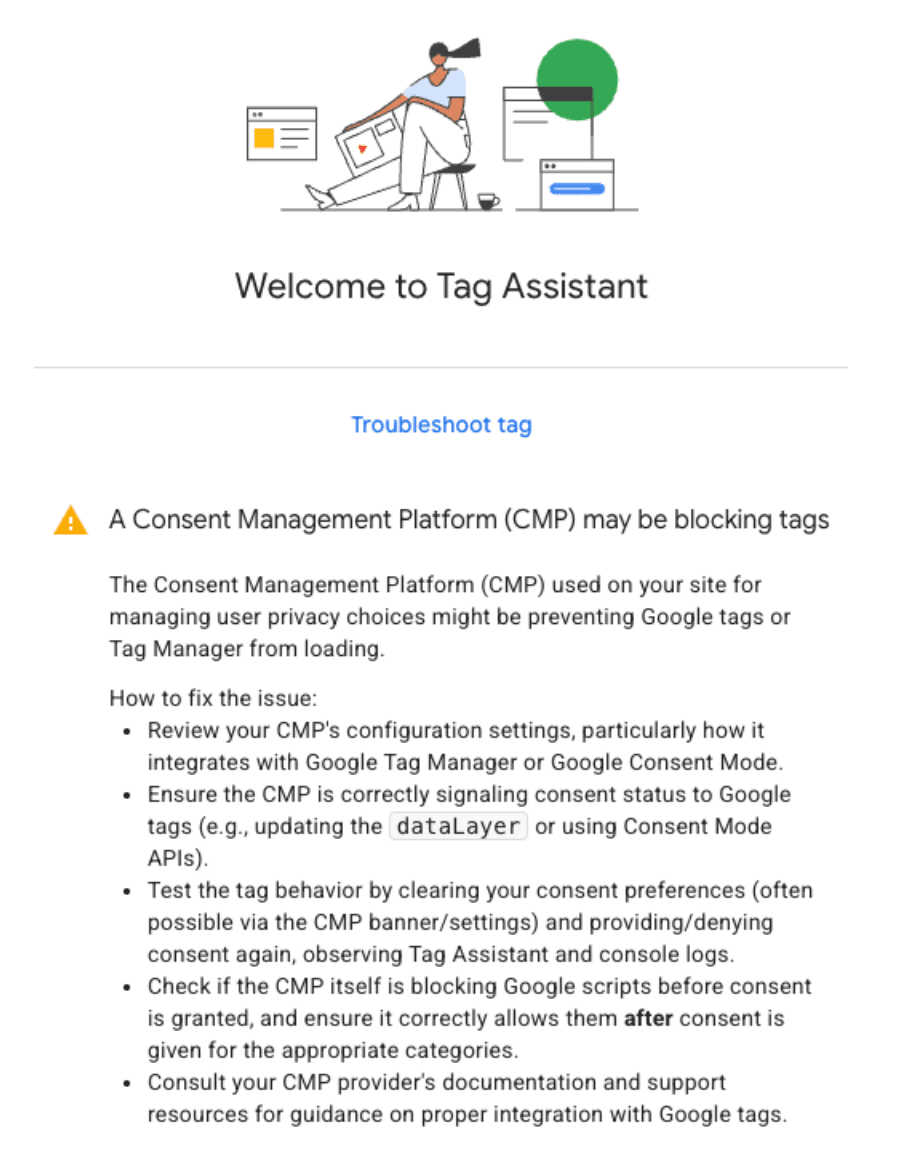
This is an informative notice and not an error. It does not scan for specific issues on your website. The warning appears whenever a CMP is detected on the page, and is intended to guide you through verifying your Google Consent Mode (GCM) implementation.
Steps to Verify Your GCM Implementation
Follow the steps below to confirm GCM is implemented and working correctly:
- Go to CookieYes Dashboard > Advanced Settings and turn on the Enable debug mode toggle. Once enabled, your browser console should show the GCM default status, update status, and whether consent defaults were initialized before Google tags fired. (Recommended).
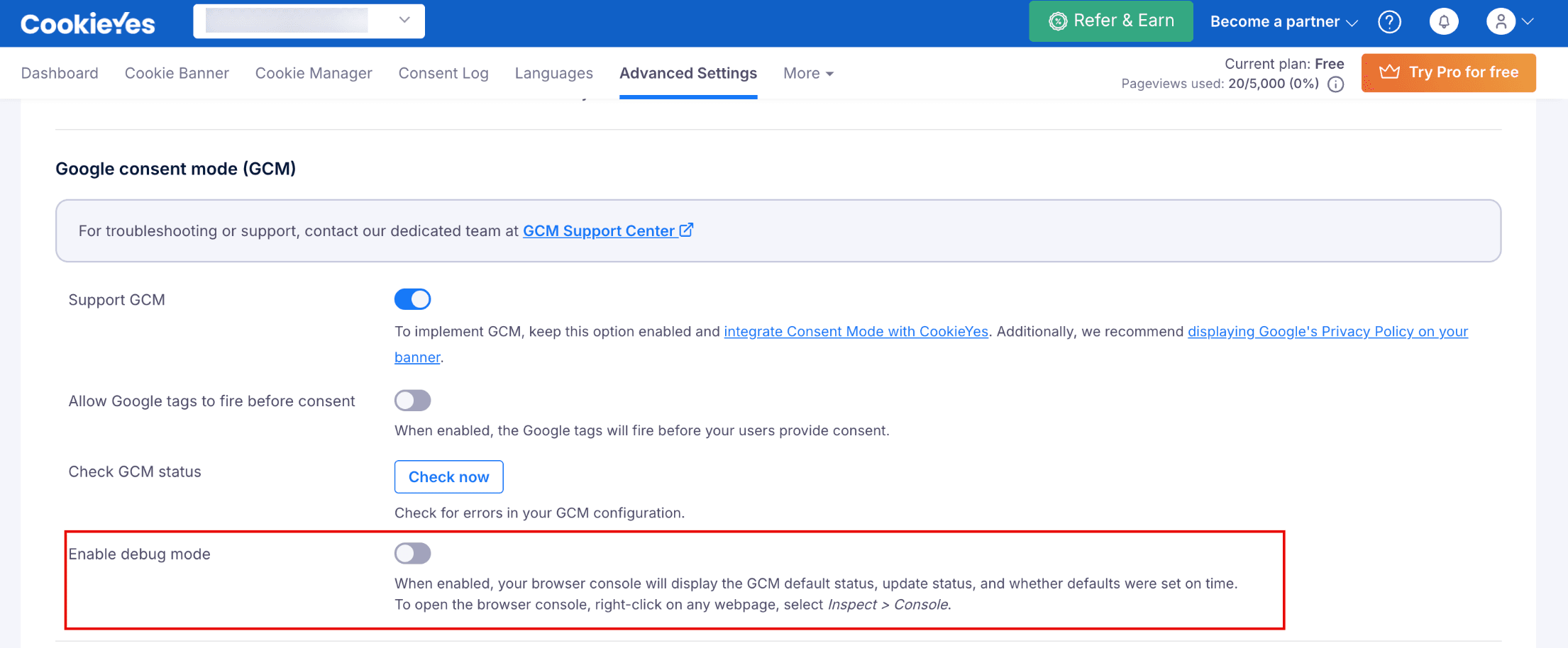
- In the same Advanced Settings page, click Check now next to Check GCM status to run an in-app configuration check.
If the configuration is correct, you will see a success message stating, ‘No error detected’. If you encounter any errors after running this check, refer to our GCM Troubleshooting Guide to resolve them and check again. - Use the Google Consent Mode Checker. Enter your website URL to scan and verify your GCM status.
For reference on verifying GCM implementation, follow this documentation by Google. For further assistance, our dedicated GCM support team is here to assist you.
When Should You Investigate Further?
If none of the following apply, the warning can be safely disregarded:
- Tags that should fire unconditionally are not firing at all.
- Tags are not firing even after the user has granted consent through the CookieYes banner.
- Your analytics or advertising tools are not receiving data despite consent being accepted in CookieYes.
If you are experiencing any of the above issues, refer to the GCM Troubleshooting Guide or contact CookieYes Support for further assistance.